P3V Veterinary Digital Ultrasonic Diagnostic Imaging System User Manual
- 60 -
Chapter 6 Operation
6.1. Entering New Patient
Press New Patient to clear all the information displayed on the screen, and then begin a new
patient examination.
NOTE:
When you press New Patient, the system clears all the recent patient data, comments,
measurements, calculations and worksheets, except saved images.
6.2. Entering or Editing Patient Information
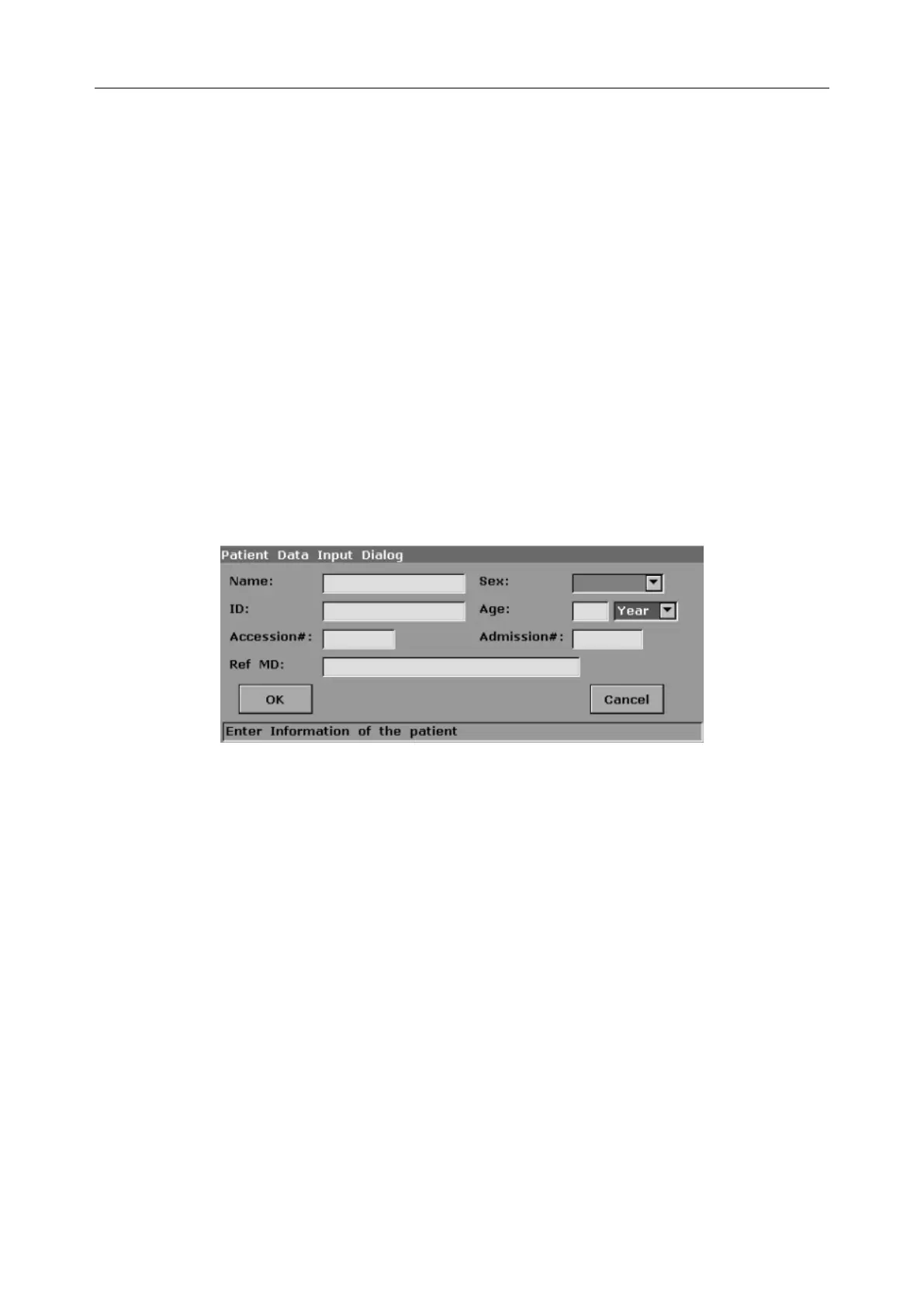
Press Patient Info. to activate the patient data annotation function, and then enter or edit the
patient data, as shown below:
Figure 6-1 Patient Data Input Dialog Box
To close the input text box, press Enter;
To switch the input text box: pressTab;
To enter the patient information, use the keyboard;
To exit: select OK or Cancel, and then press Enter or Set.
6.3. Selecting an Examination Type
Press Exam to select an examination type. You can change the examination type at any time by
making a selection from the Exam Type menu list, as shown below. Roll the trackball to highlight
an examination type and press Set to select.



 To Next Page