P3V Veterinary Digital Ultrasonic Diagnostic Imaging System User Manual
- 81 -
➢ Save AVI
1. Press Freeze to freeze the system;
2. Press File to open the file menu;
3. Highlight Save AVI in the file menu, and press Set.
NOTE:
The AVI files can not be viewed on this system, please use a U disk to copy the AVI files
to a PC, and view them by using the WINDOWS RealPlayer.
➢ Save As
When obtaining a satisfying image:
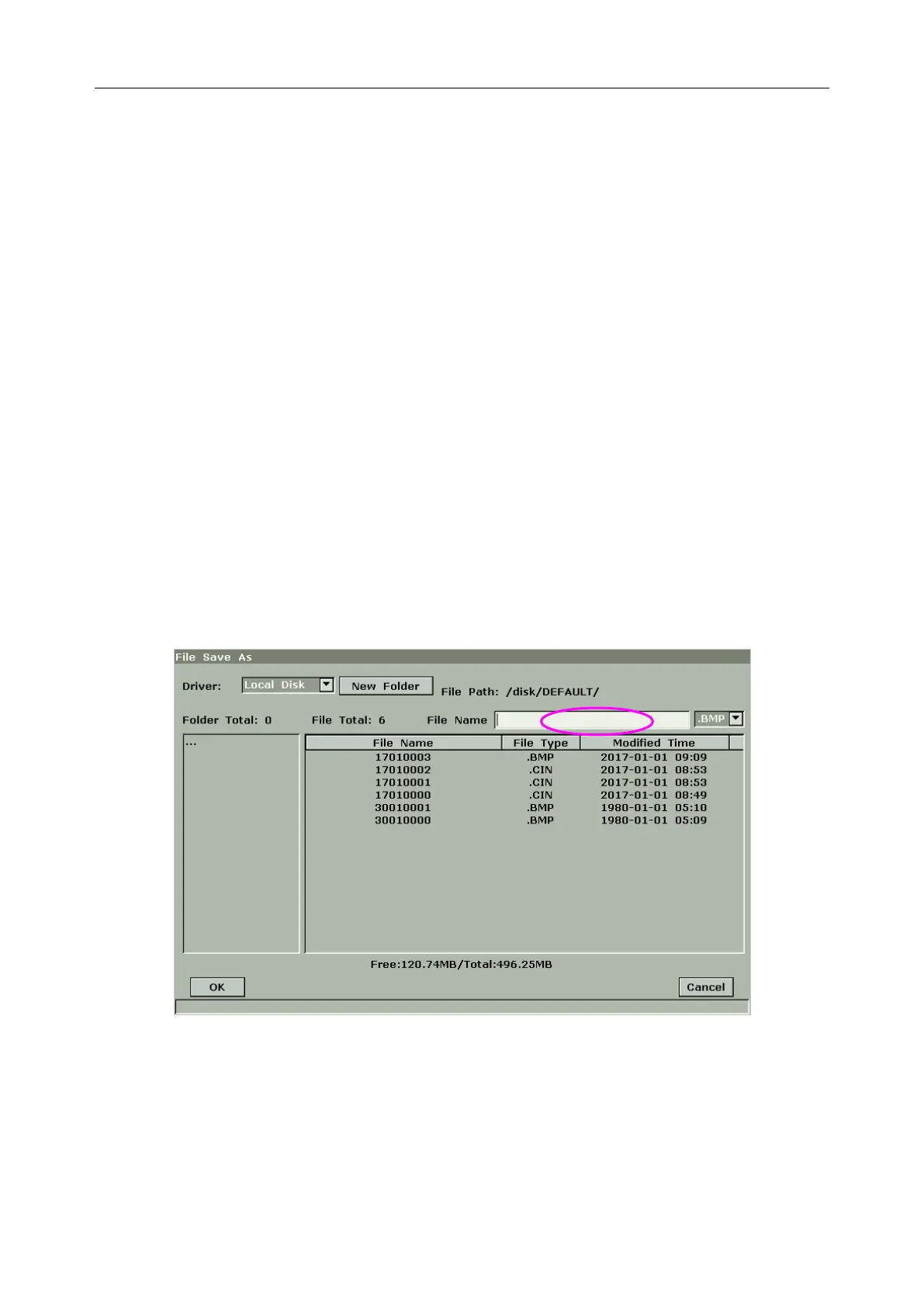
1. Press File and select Save As…in the file menu to display the File Save As dialog box.
2. Select a destination driver from the Driver pull-down menu, and a folder from the
directory on the left, or press New Folder to create a folder for storing files.
3. Press Set on the field next to File Name, enter a file name with the keyboard.
4. Press OK to save, or press Cancel to give up.
Figure 6-24 File Saving Dialog Box
NOTE:
If you do not enter the name for the file, the system will automatically number the file in
sequence. For instance, if the latest number comes to YYMM0020 (“Y” stands for “year”,
and “M” stands for “month”), and if you save a file the next time, the file is numbered as
YYMM0021.



 To Next Page