BD0333FE ZP-BD03E MOM2
17
4 FUNCTIONS AND SET UP
3] Press and hold OK key until digit start to
blink.
4] Set level (1 to 5) using the ▲ ▼ keys.
5] Press OK key.
6] Press ▶ or ◀ to return.
4.5 Minimum current – I
min
SET / I min
Display abbreviations
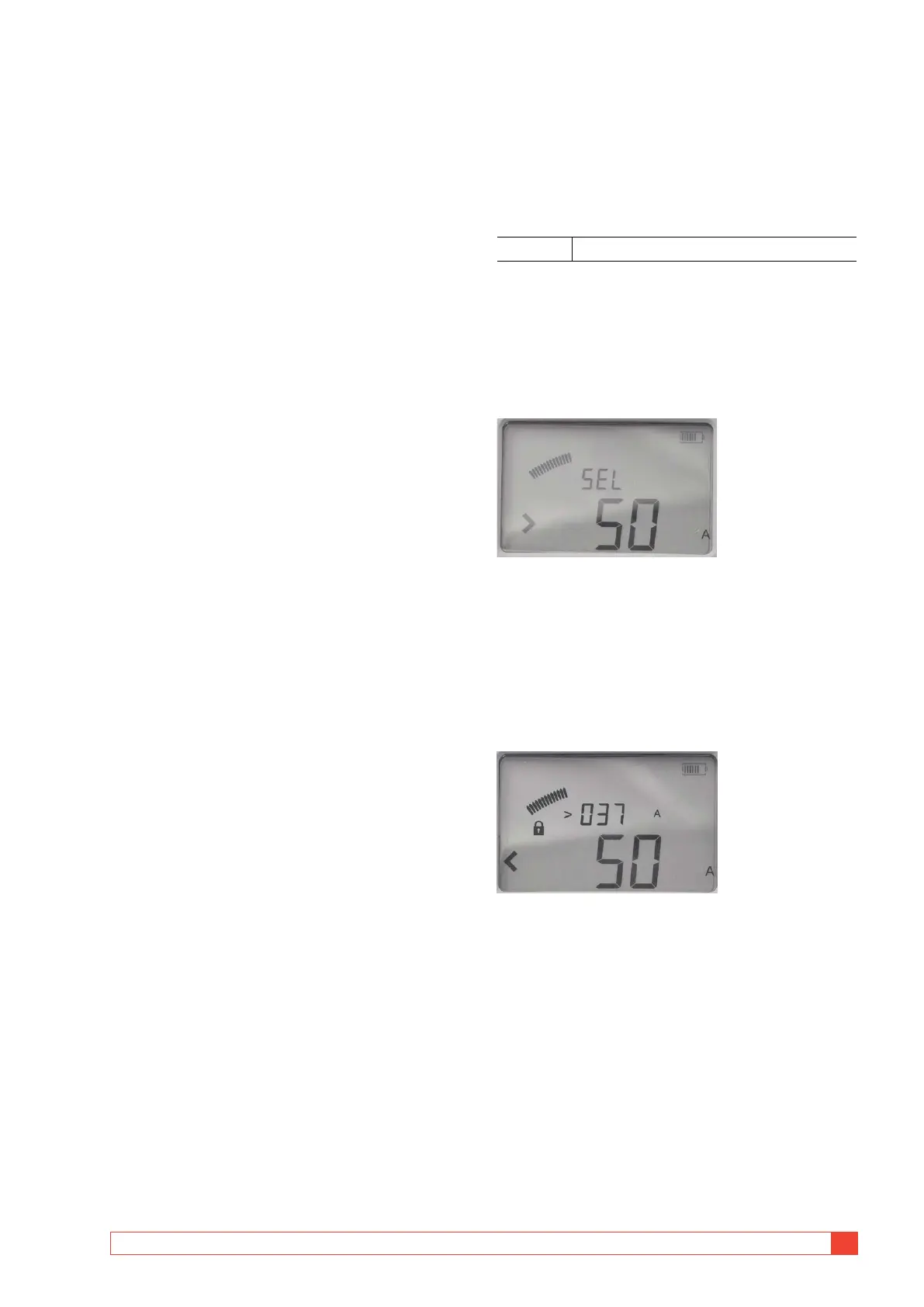
SEL Select
Set-up
1]
Select SET / I min. Present setting is displayed.
2] Press and hold OK key until digits start to
blink under the "SEL" letters.
3] Select value, 50 or 100, using the ▲ ▼ keys.
4] Press OK key to confirm.
To cancel press C key or turn the function
selector to another position.
Result after a measurement
If the chosen value is not reached during a measure-
ment it will result in a notification on the display and
by an audio signal.
Picture shows an example after a measurement. The I min
limit "50 A" has not been achieved, indicated by the "<"
character to the left.
The current measured during the test is shown in the upper
row. The value shown toggles between the max and min
current during the test. In this case it is the minimum cur-
rent showing "> 037 A".



 To Next Page