22 MOM2 ZP-BD03E BD0333FE
5 OPERATING INSTRUCTIONS
5
Operating instructions
5.1 General instructions
Important regarding all testing
Read and comply with the
safety instructions.
Always comply with local
safety regulations.
Important
Power supply
Prepare testing by charging the batteries se section
4.10 Battery power supply.
Note The MOM2 cannot be used for testing during
battery charging.
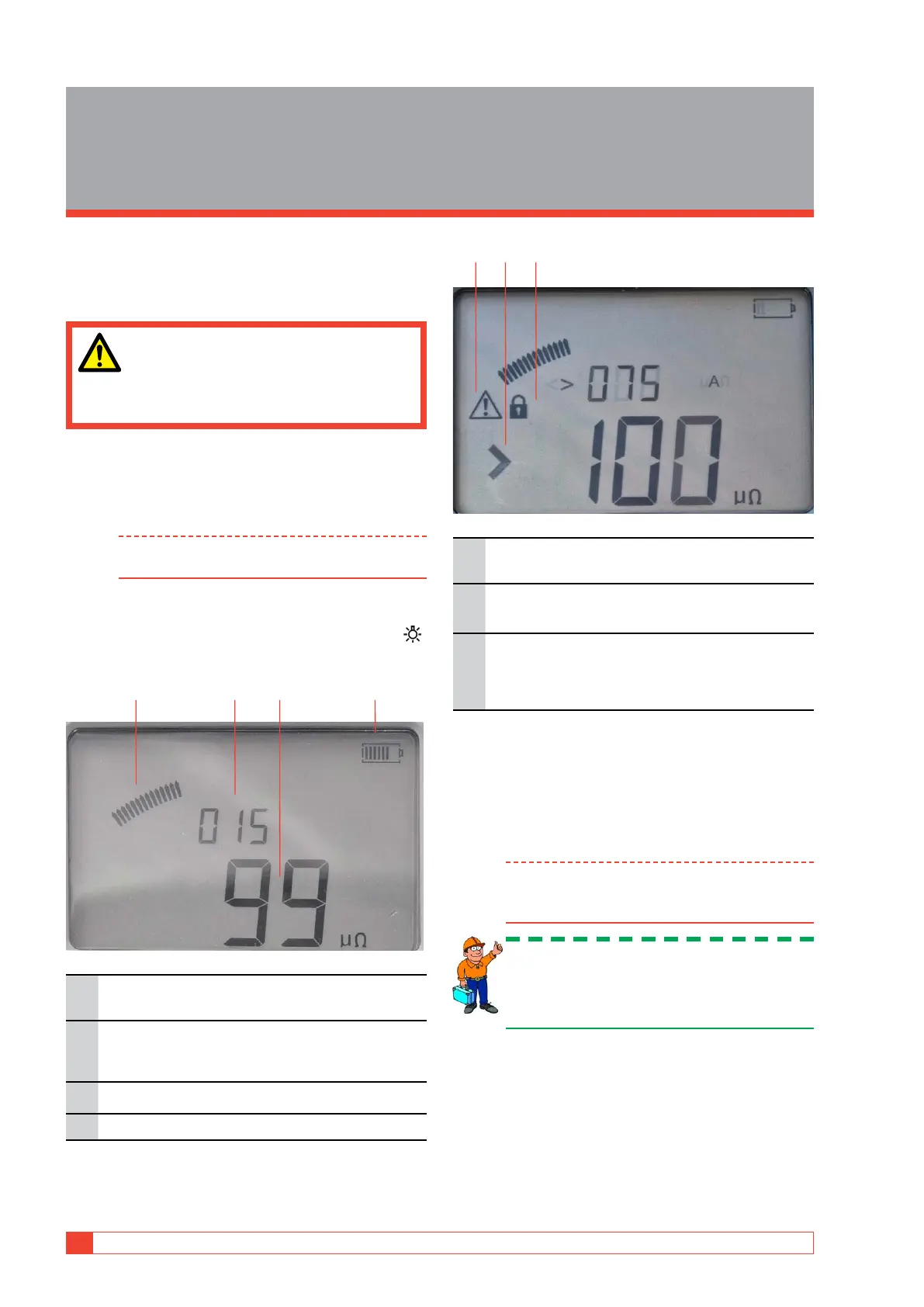
LCD display
The display can be backlighted by pressing the key .
It is switched off automatically after 20 seconds.
1 42 3
1.
Analogue arc
Indicates level of the capacitor charge
2.
Measurement label
In this case the instrument is set in Running
numbers mode (SET / LOG)
3.
Measurement result
4.
Battery charge indicator
5 6 7
5.
Warning
See section 5.8 Troubleshooting
6.
Pass/Fail indicator
In this case the Pass/Fail is set to 100
7.
Padlock symbol
The lock symbol is shown when the capacitor
is charged prior to a test and when you lock a
test result.
To choose measurement time
In an environment without electrical interference it is
wise to choose the shortest measurement time, which
means that you can get the largest number of meas-
urements on a single battery charge.
Note The shortest measurement time (0.1 s) is not
suitable in environments with a frequency of
16 2 / 3 Hz.
Tip: Start making three tests with the
shortest measurement time to figure out
if the results vary. If they do not differ
significantly - use 0.1 s for the tests.
To choose I > I min or I = I max
If you want maximum current for the test, choose
I = I max. The capacitor will be charged to its maxi-
mum and requires much energy from the batteries.
If lower current is sufficient for the measurement,
it is advisable to use the I > I min position. In the



 To Next Page