38 MOM2 ZP-BD03E BD0333FE
7 MOM2 WIN
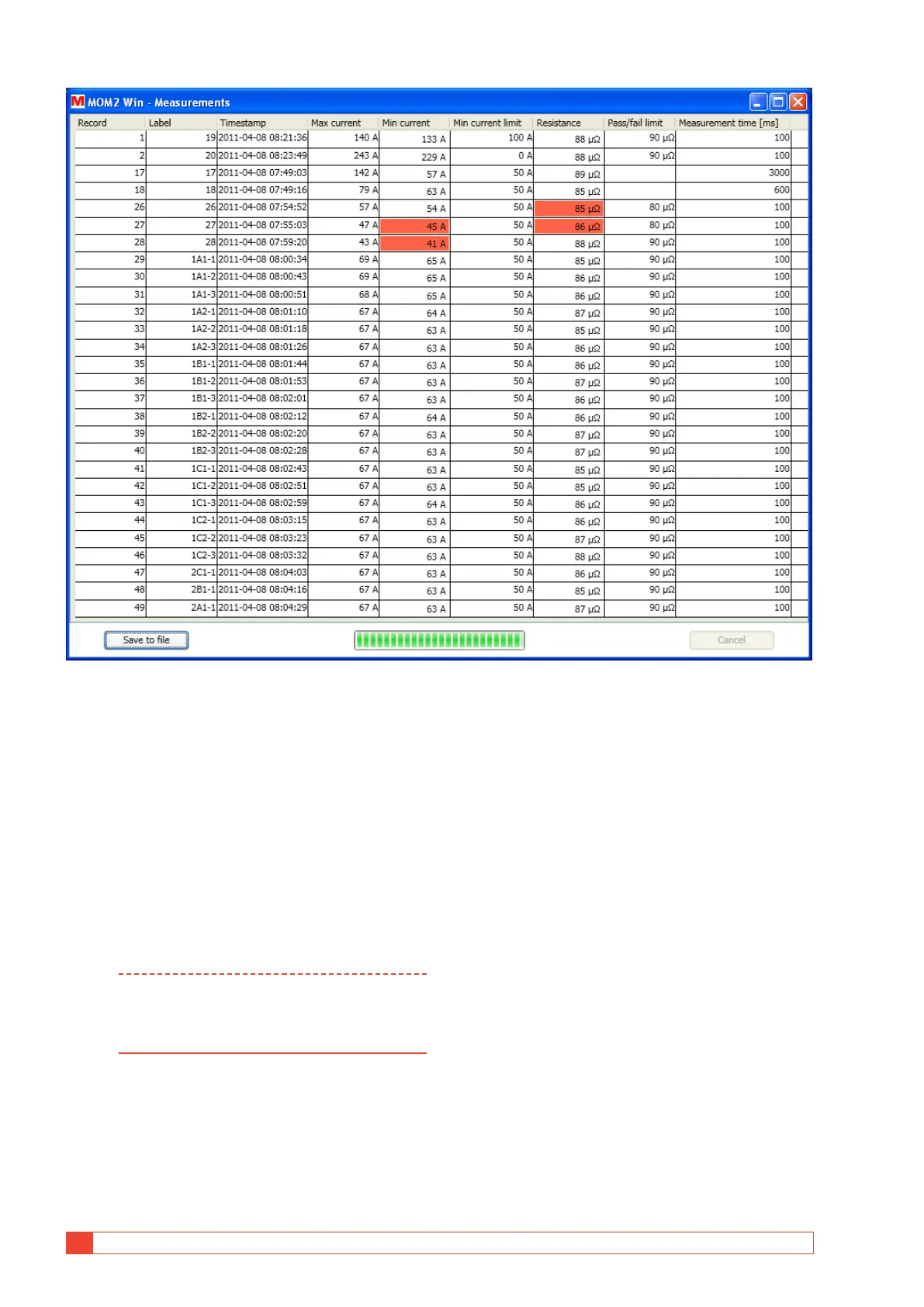
Figure 8.5.3 Data dumping finished. The columns can be sorted by clicking the headers and arranged by click-hold and drag.
Export data to file
1] Click the "Save to file" button (this button is
not enabled if the list is empty).
A "Save as" window will be opened.
2] Type a file name and click the "Save" button
to export the data to file.
A] The default file type is (*.csv) which will save
the data as an ASCII file with comma separat-
ed values, suited for import to e.g. Microsoft
Excel.
Note The value separator is dependent of the re-
gional setting in Windows, a semicolon when
comma is used for decimal separator and
comma otherwise.
The format of the exported data is not the same as
what is seen in the measurements table. There is no
mixing of values and units, the units are placed in the
column headers.
B] If file type (*.txt) is selected the data will be
saved with the values separated by tabs.
Delete all data on the instrument
1] In the "Measurements" window, click the
"Delete all data" button to erase all the
measurements in the instrument log.



 To Next Page