BD0333FE ZP-BD03E MOM2
35
7 MOM2 WIN
7.3 Start MOM2 Win
1] Click the MOM2 icon on the desktop or
run the file Mom2Win.exe
(Start->All programs->Programma)
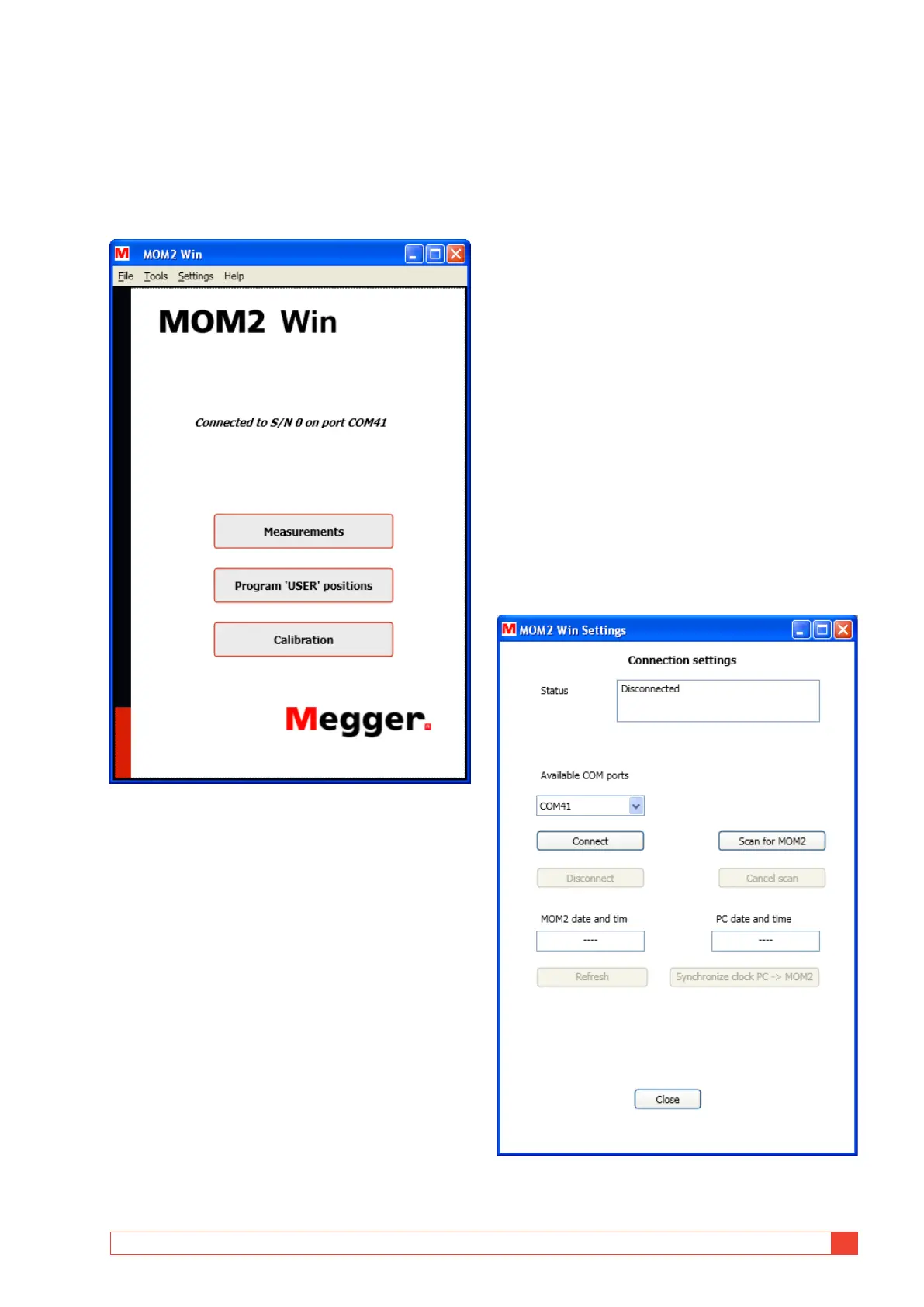
The program will startup showing the start
page.
Figure 8.3.1 Start page
Exit MOM2 Win
1] Exit the program by selecting "Exit" from the
"File" menu or by clicking on the "X" button
in the upper right corner of the window.
The program will ask for a confirmation be-
fore it closes.
7.4 Connecting to MOM2
To establish the Bluetooth connection the MOM2
must be paired to the PC, see section 4.3.
Automatic connecting
1] Turn the function selector to the PC COM
position on the MOM2 instrument.
At program startup the SW will try to connect to
MOM2 using the same COM port that the last suc-
cessful connection used. If there have been no previ-
ous MOM2 connections from this computer the SW
will scan all available COM ports. If there are several
paired MOM2 instruments nearby the SW will con-
nect to the first one detected. The connection status is
shown on the start page, see Figure 8.3.1.
Manual connecting
1] Open the "Connection settings" window
from the "Settings" menu or double-click on
the connection status text field on the start
page.
The "Connection settings" window will then
pop up, see figure below
Figure 8.4.1 The Connection settings window, no connec-
tion established.



 To Next Page