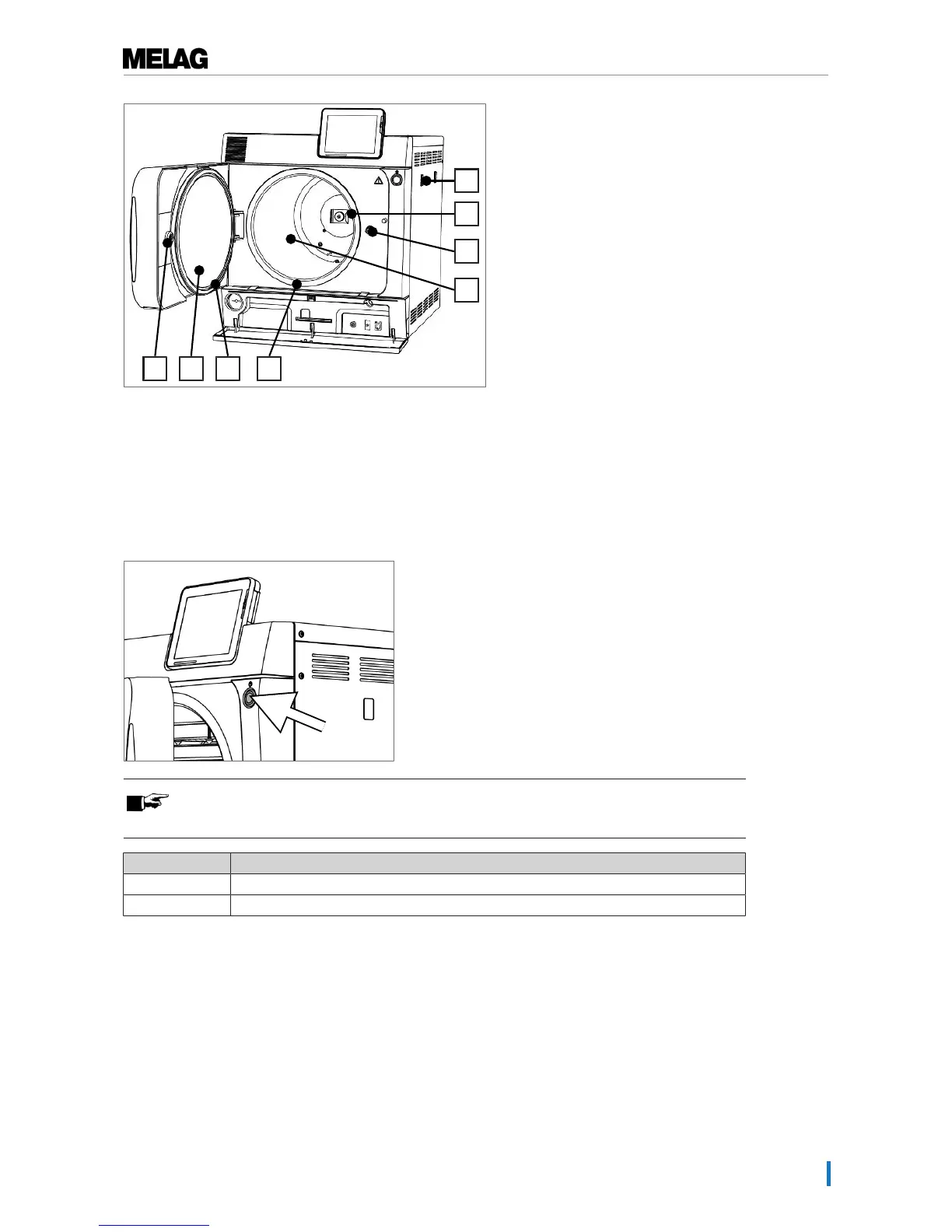
Fig.3 : View from front, door open
28 Mount for the water treatment
unit MELAdem
29 Spring clip for fixing the mount
“Plus”
30 Door spindle
31 Sterilization chamber
32 Chamber sealing face
33 Door seal
34 Round blank
35 Bushing
Energy-saving key
Pressing the energy-saving key activates the energy-saving mode and switches off the display. The
double jacket will not be heated until the next program start. This corresponds to waiting time 2, see also
Settings [}page 43], Energy-saving mode [}page 57].
Pressing the energy-saving key again will switch the display back on.
PLEASE NOTE
The energy-saving mode can not be activated during a program run.
State Meaning
Lighted The energy-saving mode can be activated.
Not lighted The energy-saving mode can not be activated.
Load mounts
The steam sterilizer is always delivered with a mount for holding trays or cassettes. Detailed information
regarding the various mounts, their combinability with various load holders and their application can be
found in the operating manual of the mounts.












 To Next Page