7 Sterilization
28
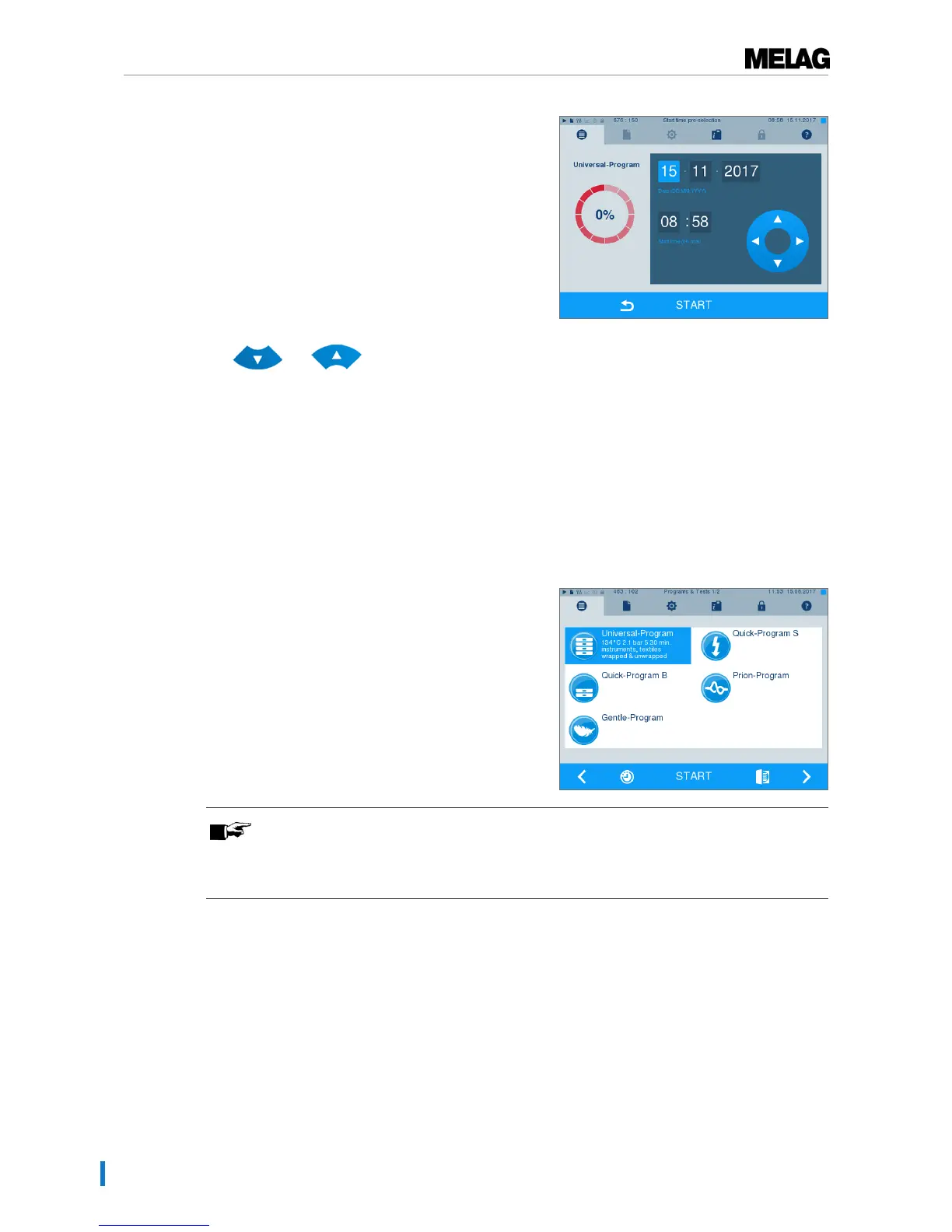
2. For example, to change the time, tap directly on the
parametersHour orMinutes. The selected field is
highlighted light blue.
3. Change e.g. the hour by pressing the pushbuttons
and .
4. Then press START. The display remains in the
start time pre-selection window.
Ê After the start of the start time pre-selection no
other menu apart from theInfo & Status
menu can be selected.
Starting the program
With the start of the program, the door closes pressure-tight and the steam sterilizer checks the quantity of
feed water and its conductivity.
}
To start a program, press the START key.
PLEASE NOTE
When starting Quick-Program S, a warning and an acoustic signal indicates that this
program only permits the sterilization of unwrapped instruments. If the load contains
wrapped instruments only, confirm with YES to start the program.
Program run
A program runs in three phases, the heating up and air removal phase, the sterilization phase and the
drying phase. After program start, you can follow the program run on the display. It shows the chamber
temperature and pressure as well as the time until the end of sterilization / the drying.
Sterilization phase
The display enables you to see whether the sterilization phase has already been completed successfully.
The coloured ring and the LED status bar switches from blue to green as soon as the drying phase has
been introduced.












 To Next Page