10 Settings
58
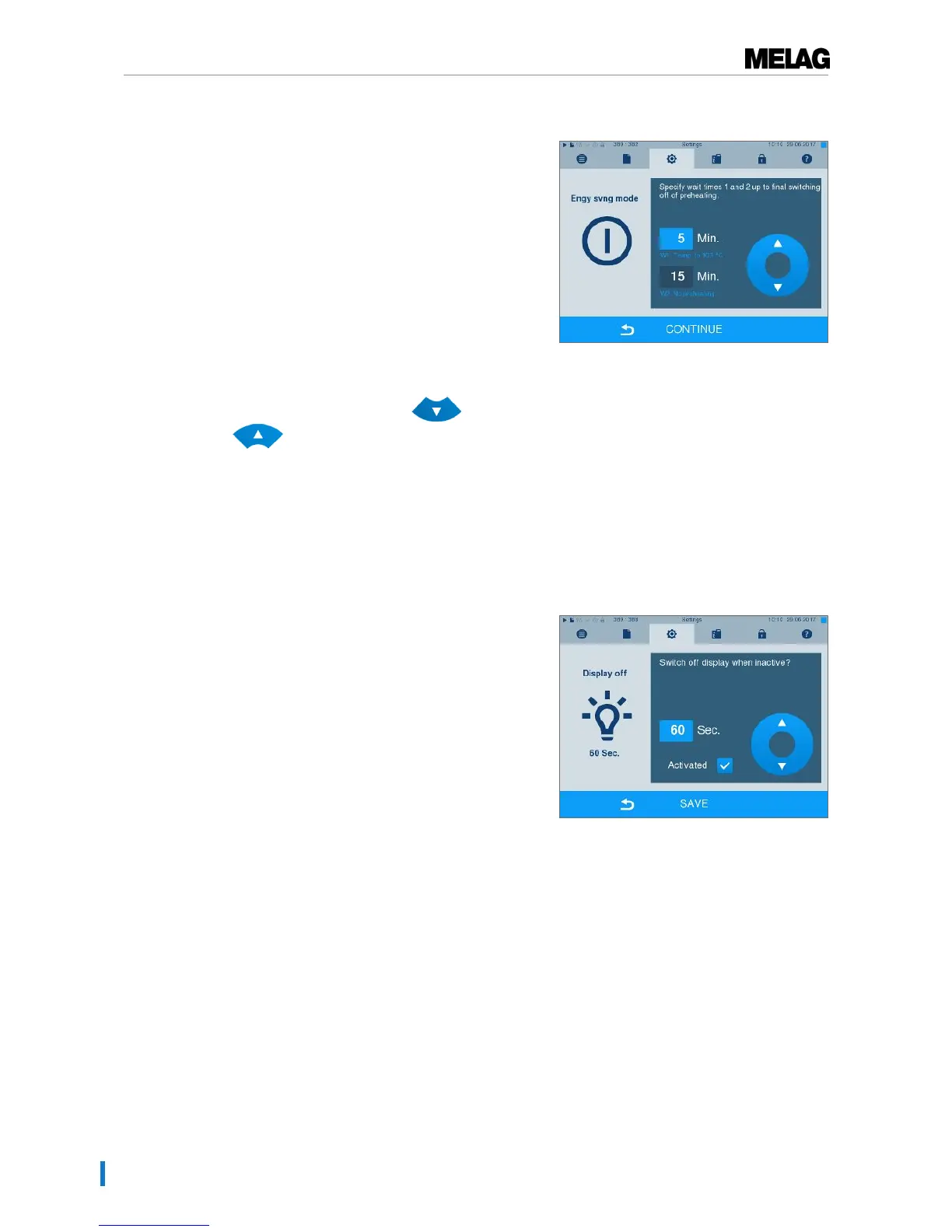
Setup of the energy-saving mode is described here:
1. SelectSettings →Energy saving mode. The
display switches to the settings window.
2. Select Waiting time 1 directly by touching the time.
The area is displayed light blue.
3. Change the minutes using the and
pushbuttons.
4. Repeat the step for waiting time 2.
5. Press CONTINUE.
Switching off the display
Optionally, you can choose whether the display is to be switched off when the steam sterilizer is in energy-
saving mode (waiting time 2).
1. Set the checkmark next to "Activated" and set the
number of seconds after which the display is to be
deactivated.
2. Confirm the settings with SAVE. The display
changes automatically to the Settings menu.
3. You can switch the display back on by touching the
screen.












 To Next Page