183 of 289
Power Input Switch Replacement
•
WARNING!! This procedure is intended to be performed only by specially trained Melco service
technicians and personnel. Disassembly by untrained individuals will void any warranty protec-
tion and can result in personal injury or damage to the machine.
1. Disconnect the A/C power input cord and the external Ethernet cable from the back of the
machine.
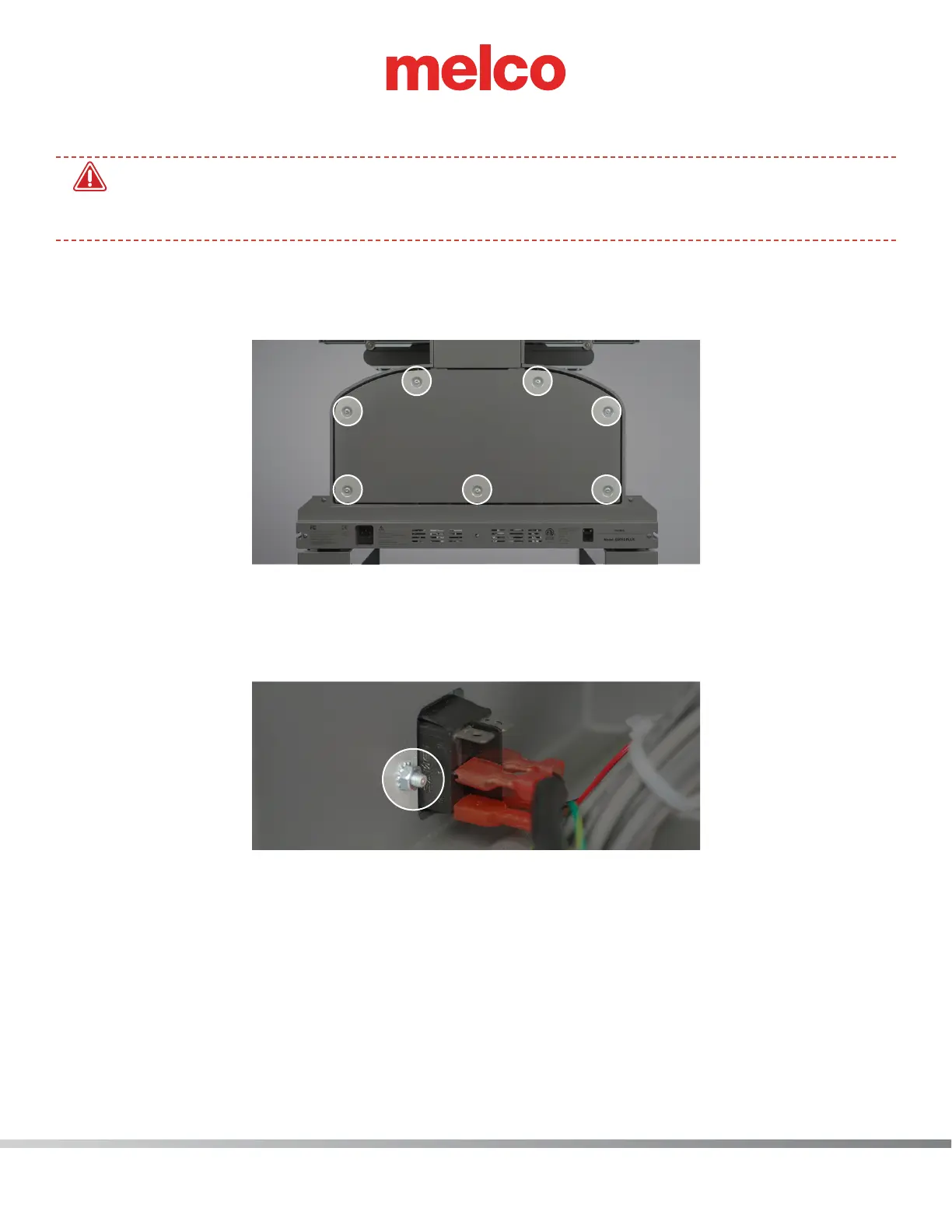
2. Remove the screws attaching the lower arm rear cover and remove cover.
3. Disconnect the 4 wires that are connected to the power input switch (pay close attention to how
the wires are connected before disconnecting)
4. Remove 2 mounting nuts (one on the right and one on left). Remove the old power input switch
and replace with the new component.



 To Next Page