• Depending on the streaming player, file format, or file tag information, music information may not always be
displayed properly on the display panel.
Streaming to Network Audio Player
óëòéõÆóçôÆÕÆóÔóÔ
ßÜɅîğÕØÚćĎęÆìòçé
ôĊęĜĔėĐÆöđĆĞĊė
1
2
3
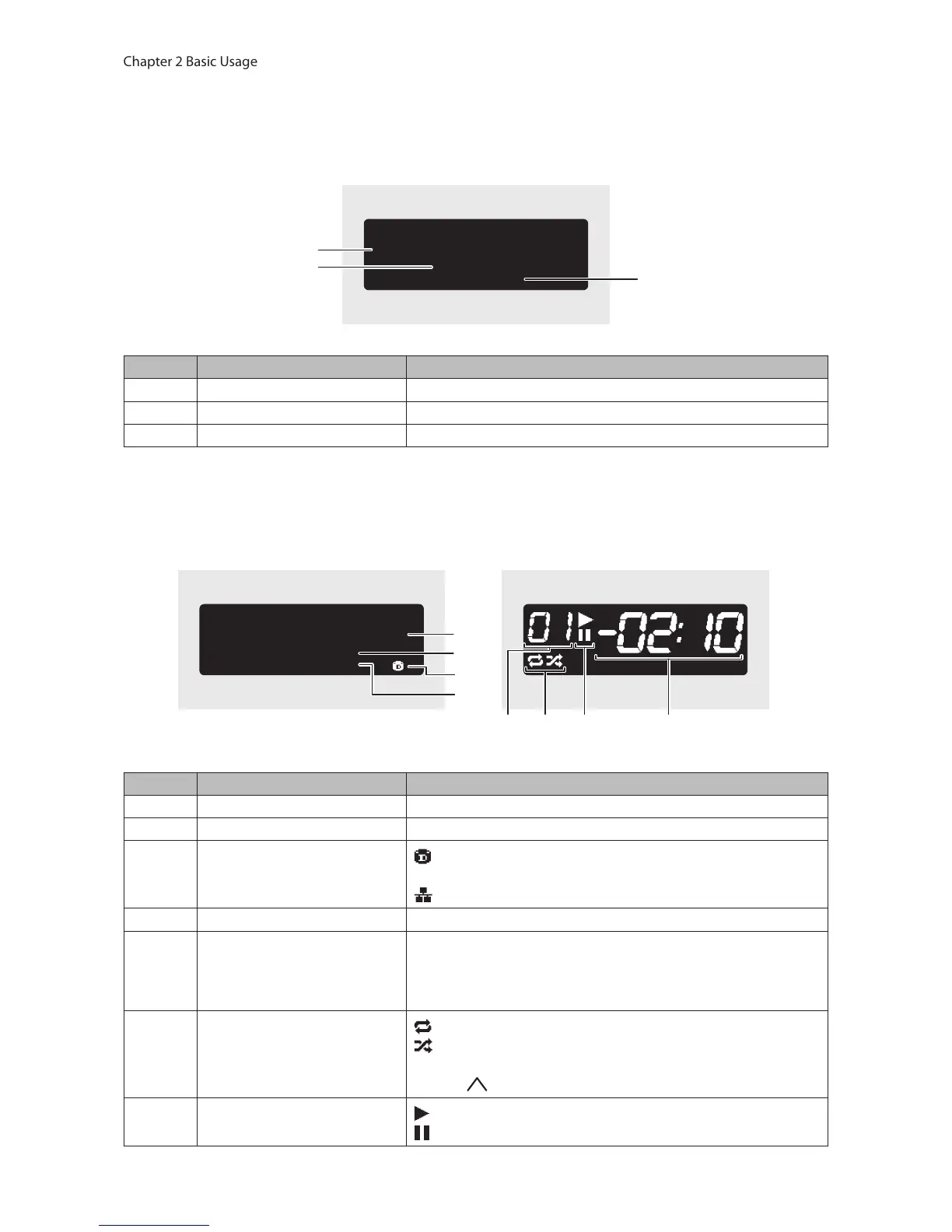
The display panel displays the following information:
Number Item Description
1 Title Display the title of a music file.
2 Player Information Displays the player information that playing a music file.
3 Music File Information Displays file format and sampling rate.
Streaming to USB-DAC
Selecting a Music File on the USB-DAC
Selecting a Music File or CD using Buttons on the N10/
N100
óëòéõÆóçôÆÕÆóÔóÔ
ÚÚÔ×đîğÕ×ÜćĎęÆýçü
ûùèÆçĚĉĎĔÆêĊěĎĈĊ
5678
1
2
3
4
The display panel displays the following information:
Number Item Description
1 Title Display the title of a music file.
2 Player Information Displays the player information that playing a music file.
3 Music File Source
: Displays when streaming music files over the N10/N100 or
USB drives.
: Displays when streaming music files on the network.
4 Music File Information Displays file format and sampling rate.
5 Track Number
Displays the number of the track currently playing. Regardless of
how many music files are available, only the last two digits of the
track number will be displayed. For example, if track 121 is playing,
this will show “21”.
6 Repeat/Shuffle
: Repeats playback of all music files while this is displayed.
: Shuffles playback of all music files while this is displayed.
You can switch between repeat or shuffle by pressing the Up
button ( ) while playback is suspended.
7 Playback/Suspension
: Appears while playing a music file.
: Appears while playback is suspended.



 To Next Page