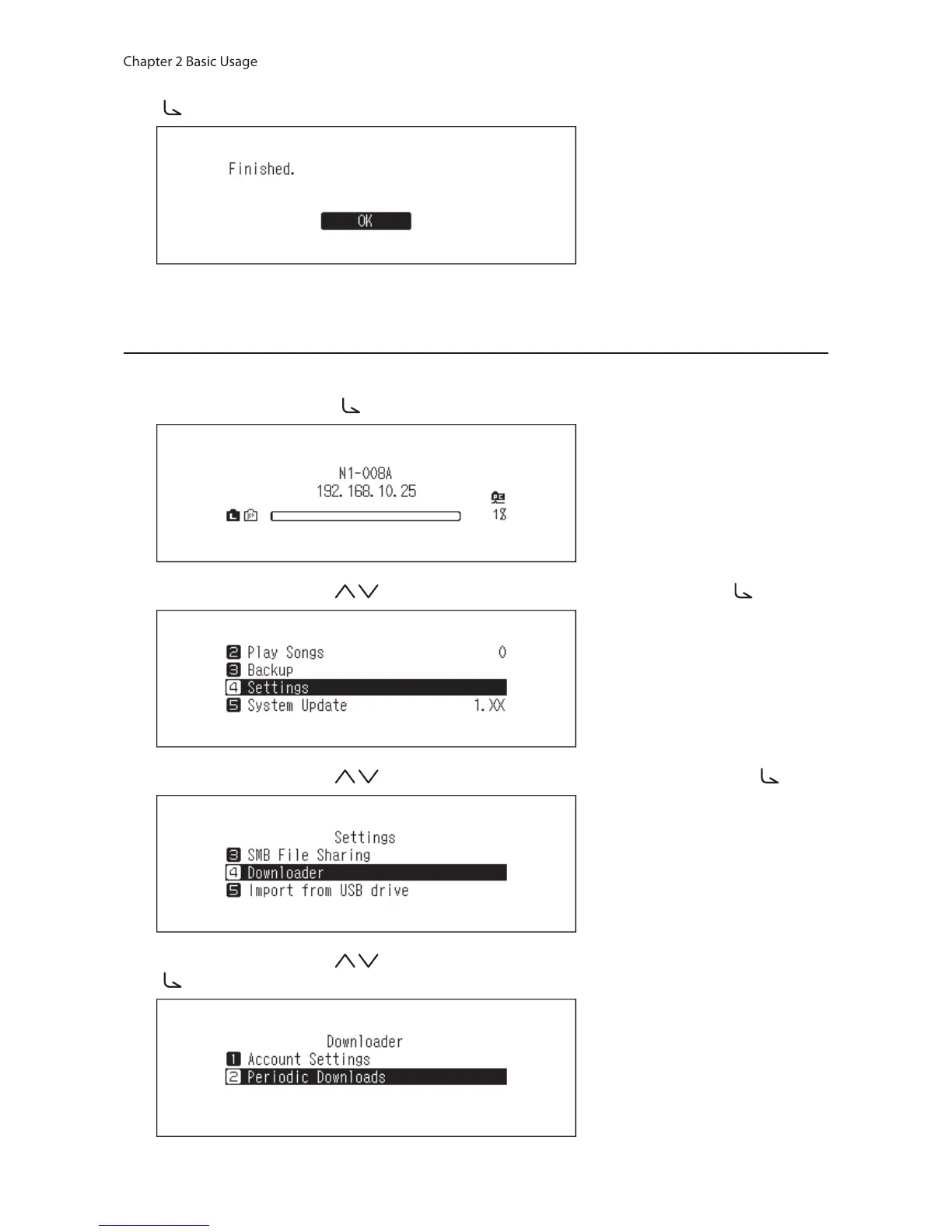
11 When the credentials are authenticated, the following message will be displayed. Press the Menu/Enter button
( ).
After an account has been added, periodic downloads will be automatically enabled.
Enabling or Disabling Periodic Downloads
To disable or enable periodic downloads, follow the procedure below.
1 Press the Menu/Enter button ( ) to display the menu list at the home screen.
2 Press the Up/Down buttons ( ) and select “Settings”, then press the Menu/Enter button ( ).
3 Press the Up/Down buttons ( ) and select “Downloader”, then press the Menu/Enter button ( ).
4 Press the Up/Down buttons ( ) and select “Periodic Downloads”, then press the Menu/Enter button
( ).



 To Next Page