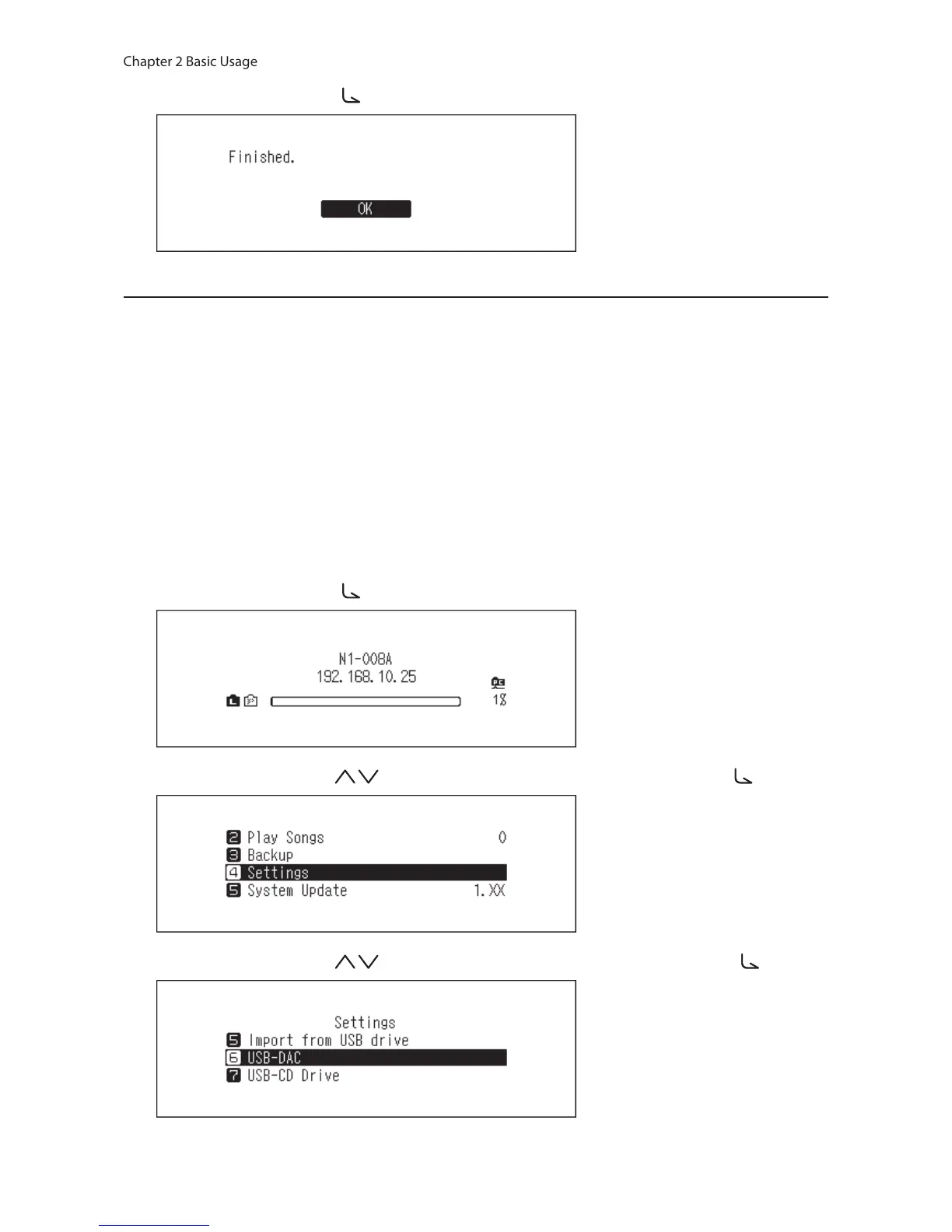
6 Press the Menu/Enter button ( ).
Changing DSD Playback Mode
The N10/N100 supports three different playback modes for DSD files (.dsf, .dff). You can select from the following
modes:
• Standard: The default and recommended playback mode. If a connected USB-DAC supports Melco Markerless
DSD, the DSD file will be played by the Markerless DSD playback; otherwise, the DSD file will be played by DSD
over PCM.
• DSD over PCM Priority mode: This mode applies DSD over PCM even if a connected USB-DAC supports
Markerless DSD playback. Except for this behavior, this mode is the same as standard mode.
• PCM mode: This mode will convert DSD files to PCM files. If connecting a USB-DAC that only supports playing
PCM files, selecting this mode is recommended. Except for this behavior, this mode is the same as standard
mode.
To configure USB-DAC on your N10/N100, follow the procedure below.
1 Press the Menu/Enter button ( ) to display the menu list at the home screen.
2 Press the Up/Down buttons ( ) and select “Settings”, then press the Menu/Enter button ( ).
3 Press the Up/Down buttons ( ) and select “USB-DAC”, then press the Menu/Enter button ( ).



 To Next Page