Chapter 2 Basic Usage
Display
Home Screen
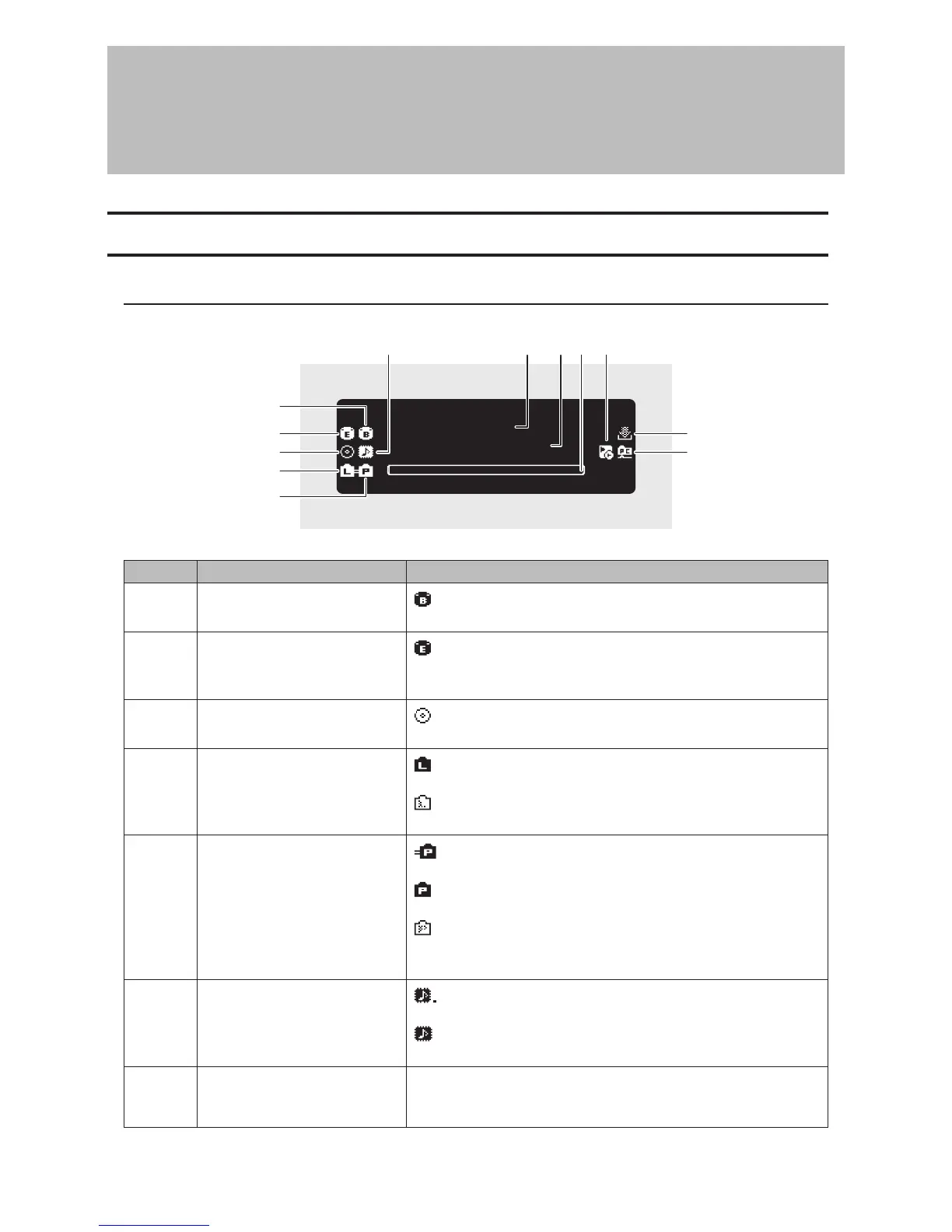
Turn on the N10/N100. After it boots, the home screen will be displayed.
×ßØÔ×ÜÞÔ×ÖÔØß
×Ë
ôÓÖÖÞç
2
5
1
6 8 9 10
11
12
7
3
4
The home screen displays the following information:
Number Item Description
1 USB Port for Backup Drive
: Displays when “Backup or Restore” is selected as an action for
a USB drive.
2 USB Port for Expansion Drive
: Displays when “Mount and Scan” is selected as an action for a
USB drive. While the icon is blinking, the N10/N100 is searching for
music files. When the icon stops blinking, playback is ready.
3
Status of Connected Optical
Drive
: Displays if an optical drive is connected. The icon will be
extinguished if no optical drives are connected.
4
Status of Connected Router or
Hub
: Displays when a router or switch that is connected to the N10/
N100’s LAN port is on.
: Displays when no Ethernet cable is connected to the LAN port
or a router or switch is off.
5 Status of Connected Player
: Displays when the player port is configured to bridged mode
and a connected Network Audio Player is on.
: Displays when the player port is configured to isolated mode
and a connected Network Audio Player is on.
: Displays when no Ethernet cable is not connected to the
player port or a connected Network Audio Player is off.
When the player port is disabled, the icon will disappear.
6 Status of Connected USB-DAC
: Displays when a USB-DAC that is compatible with Markerless
DSD is connected.
: Displays when a USB-DAC that is not compatible with
Markerless DSD is connected.
7 Friendly Name (Hostname)
Displays the friendly name (hostname) of the N10/N100. The
friendly name is used when accessing the N10/N100 from an app
or computer.
5



 To Next Page