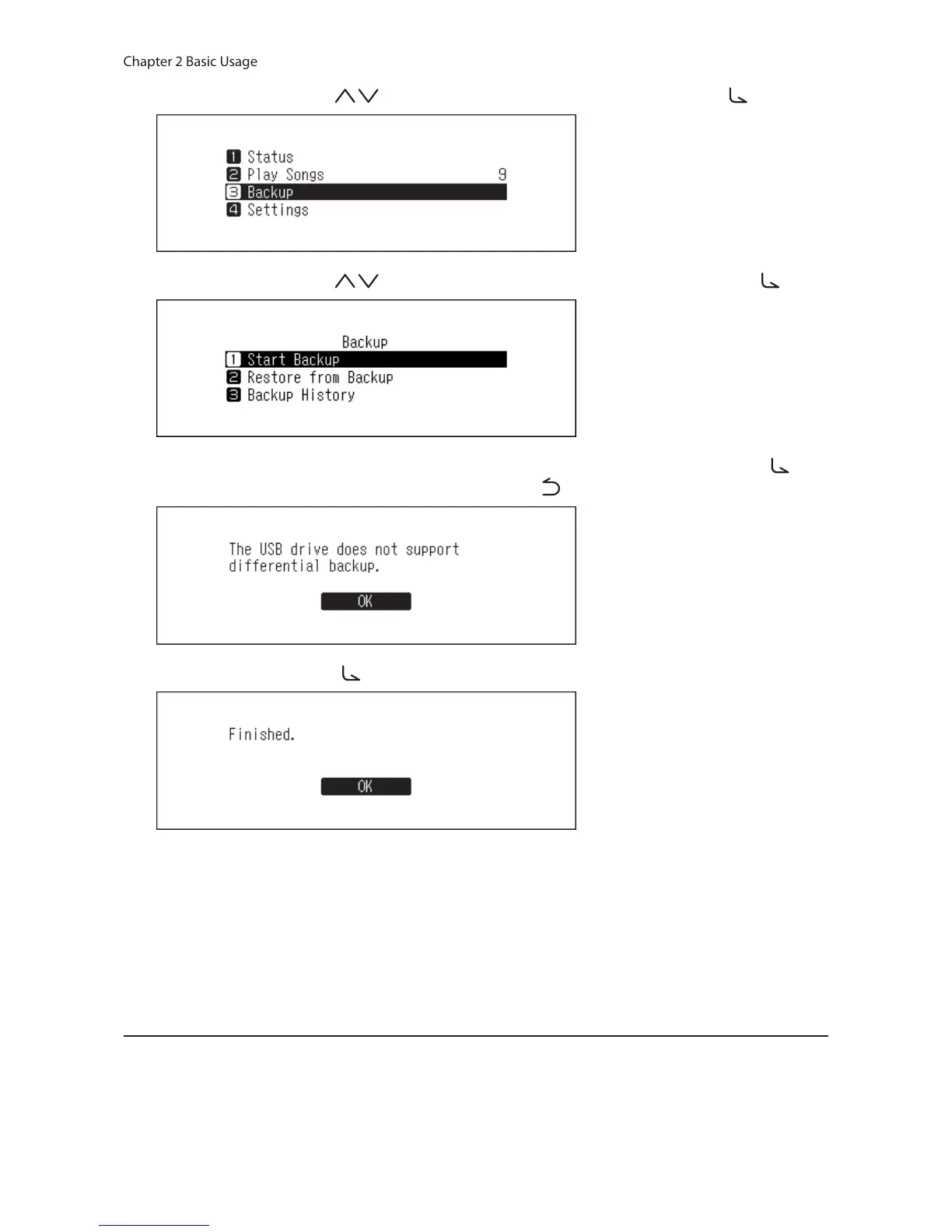
5 Press the Up/Down buttons ( ) and select “Backup”, then press the Menu/Enter button ( ).
6 Press the Up/Down buttons ( ) and select “Start Backup”, then press the Menu/Enter button ( ).
7 When the following message is selected, the full backup will run if you press the Menu/Enter button ( ). If
you want to run the differential backup, press the Back button ( ) to stop the backup process.
8 Press the Menu/Enter button ( ).
9 Disconnect the USB drive.
Note: Backed up data will be saved in the following folder:
“.Anas.bak” - MAC address - backup date and time - “disk1”
Normally, a folder that contains a period in its name is treated as a hidden folder. Hidden folders cannot be
displayed unless a specific setting on a computer is changed. To access the “.Anas.bak” folder from a computer,
change its hidden folder settings beforehand.
Restoring
To restore the backup data, follow the procedure below. Restoring from backup will delete all current data on
the N10/N100. If needed, back up any data before continuing.
1 Connect the backup USB drive that contains the backup data to the USB 2.0 port.



 To Next Page