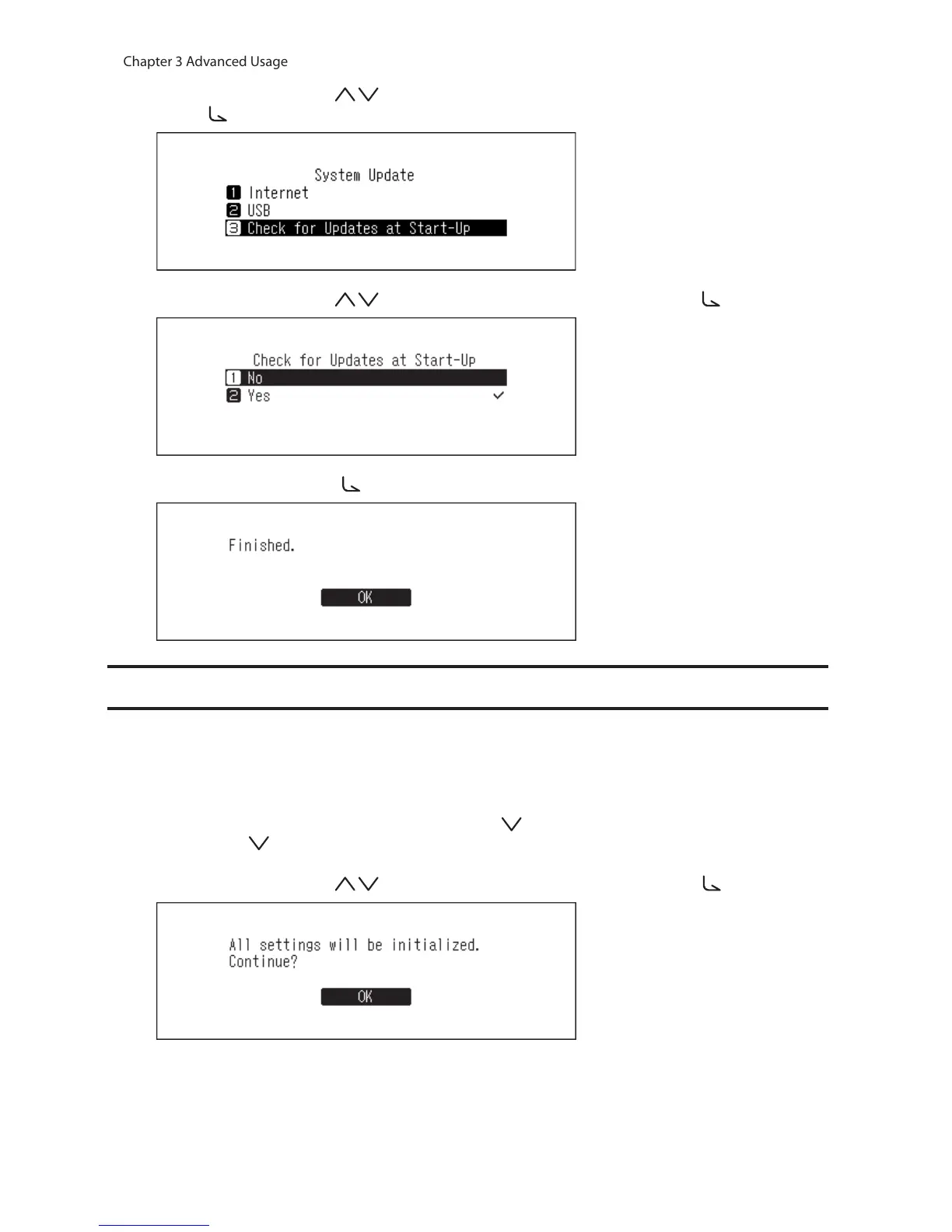
3 Press the Up/Down buttons ( ) and select “Check for Updates at Start-Up”, then press the Menu/Enter
button ( ).
4 Press the Up/Down buttons ( ) and select “No”, then press the Menu/Enter button ( ).
5 Press the Menu/Enter button ( ).
Restoring Factory Defaults
To initialize the N10/N100 to its factory default settings, follow the procedure below. The operation above only
initializes the settings. Data will not be affected.
1 Turn off the N10/N100.
2 Turn on the N10/N100 while pressing the Down button ( ). After the “MELCO” logo disappears, let go of the
Down button ( ).
3 Press the Up/Down buttons ( ) and select “OK”, then press the Menu/Enter button ( ).



 To Next Page