Note: To configure the time settings so that they are acquired from the NTP server, the N10/N100 should be
able to connect the Internet.
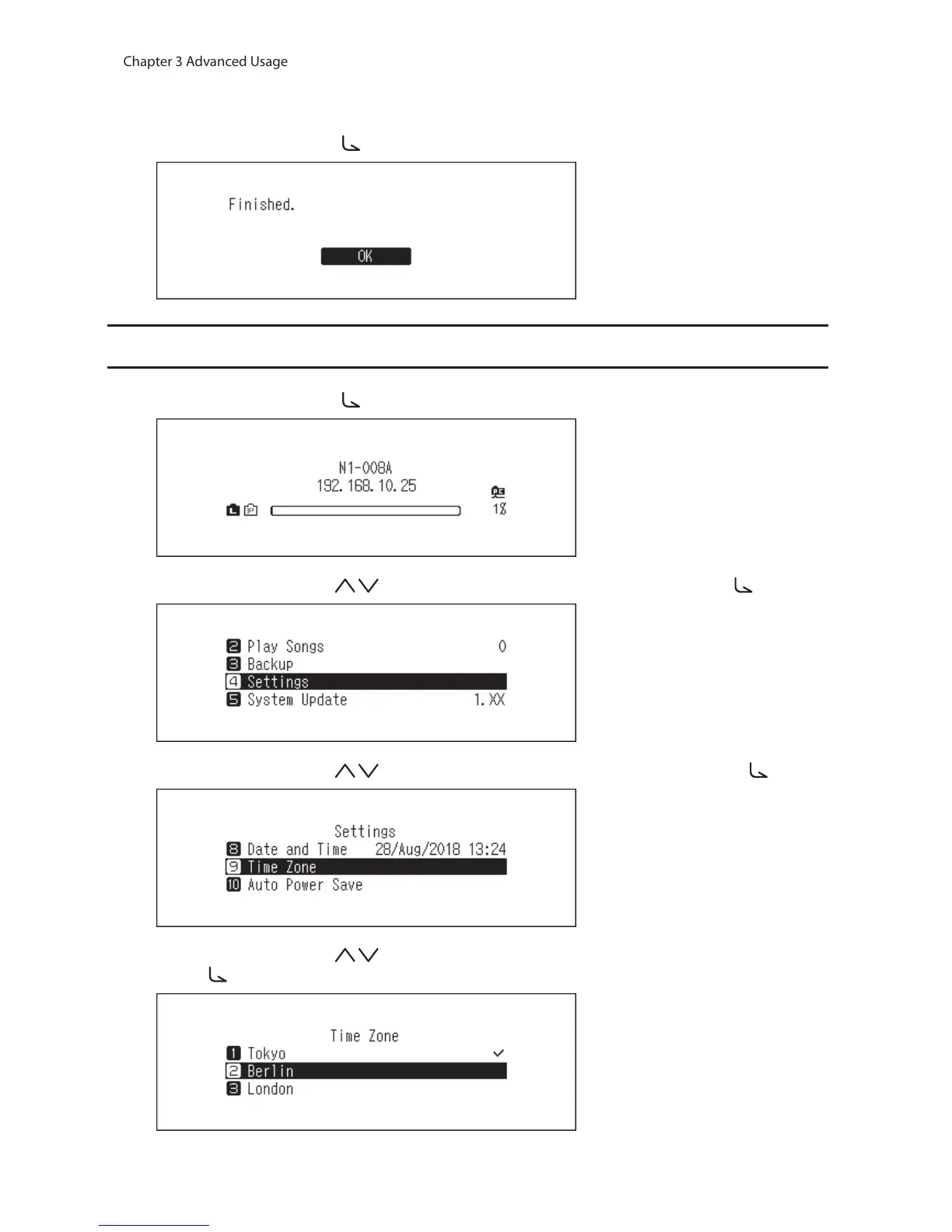
5 Press the Menu/Enter button ( ).
Changing the Time Zone
1 Press the Menu/Enter button ( ) to display the menu list at the home screen.
2 Press the Up/Down buttons ( ) and select “Settings”, then press the Menu/Enter button ( ).
3 Press the Up/Down buttons ( ) and select “Time Zone”, then press the Menu/Enter button ( ).
4 Press the Up/Down buttons ( ) and select the time zone to configure, then press the Menu/Enter
button ( ).



 To Next Page