• UPnP/DLNA compatible Mode: Select when your controller app is UPnP/DLNA-compatible.
• Playlist Mode: Select when your controller app is not UPnP/DLNA-compatible.
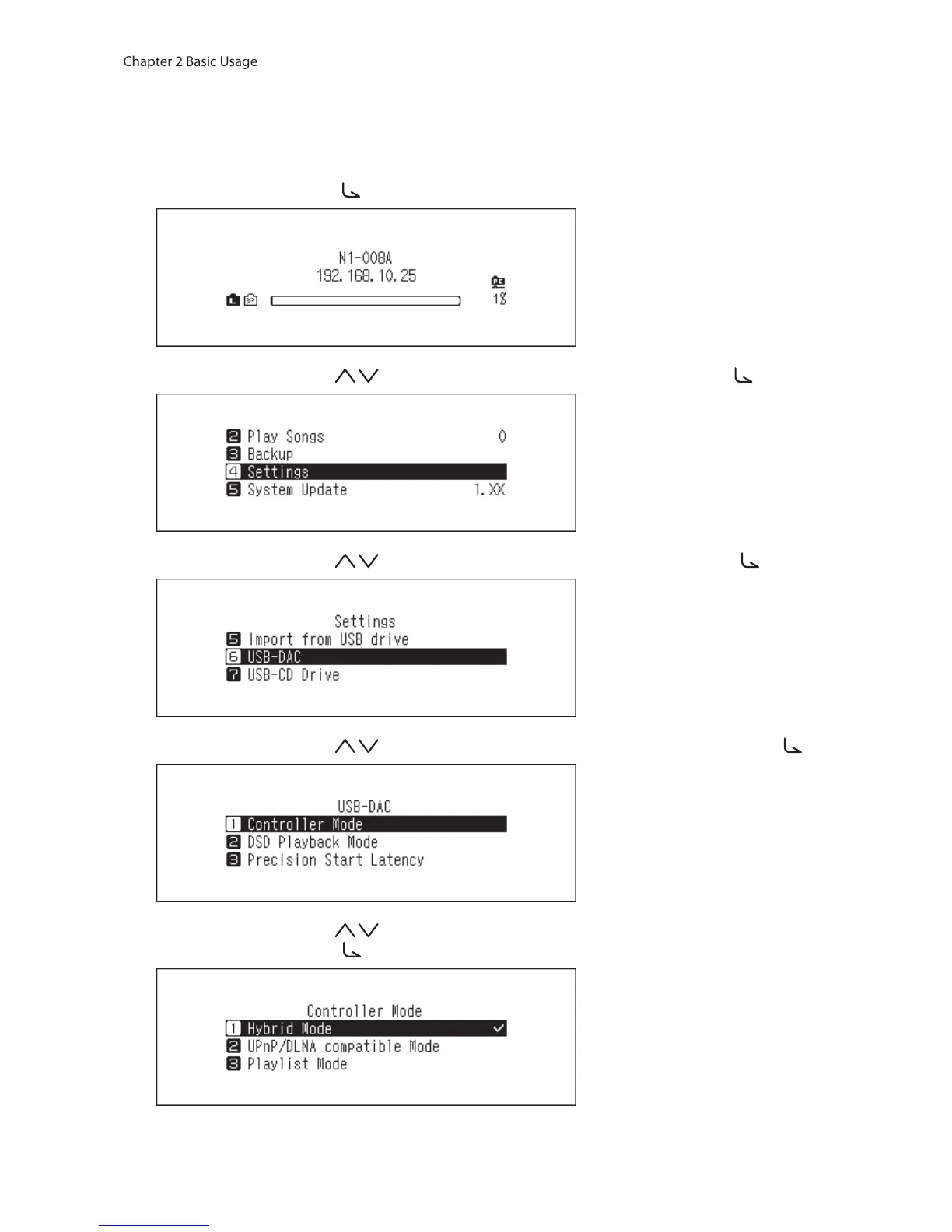
To change the controller settings, follow the procedure below.
1 Press the Menu/Enter button ( ) to display the menu list at the home screen.
2 Press the Up/Down buttons ( ) and select “Settings”, then press the Menu/Enter button ( ).
3 Press the Up/Down buttons ( ) and select “USB-DAC”, then press the Menu/Enter button ( ).
4 Press the Up/Down buttons ( ) and select “Controller Mode”, then press the Menu/Enter button ( ).
5 Press the Up/Down buttons ( ) and select either “UPnP/DLNA compatible Mode” or “Playlist Mode”, then
press the Menu/Enter button ( ).



 To Next Page