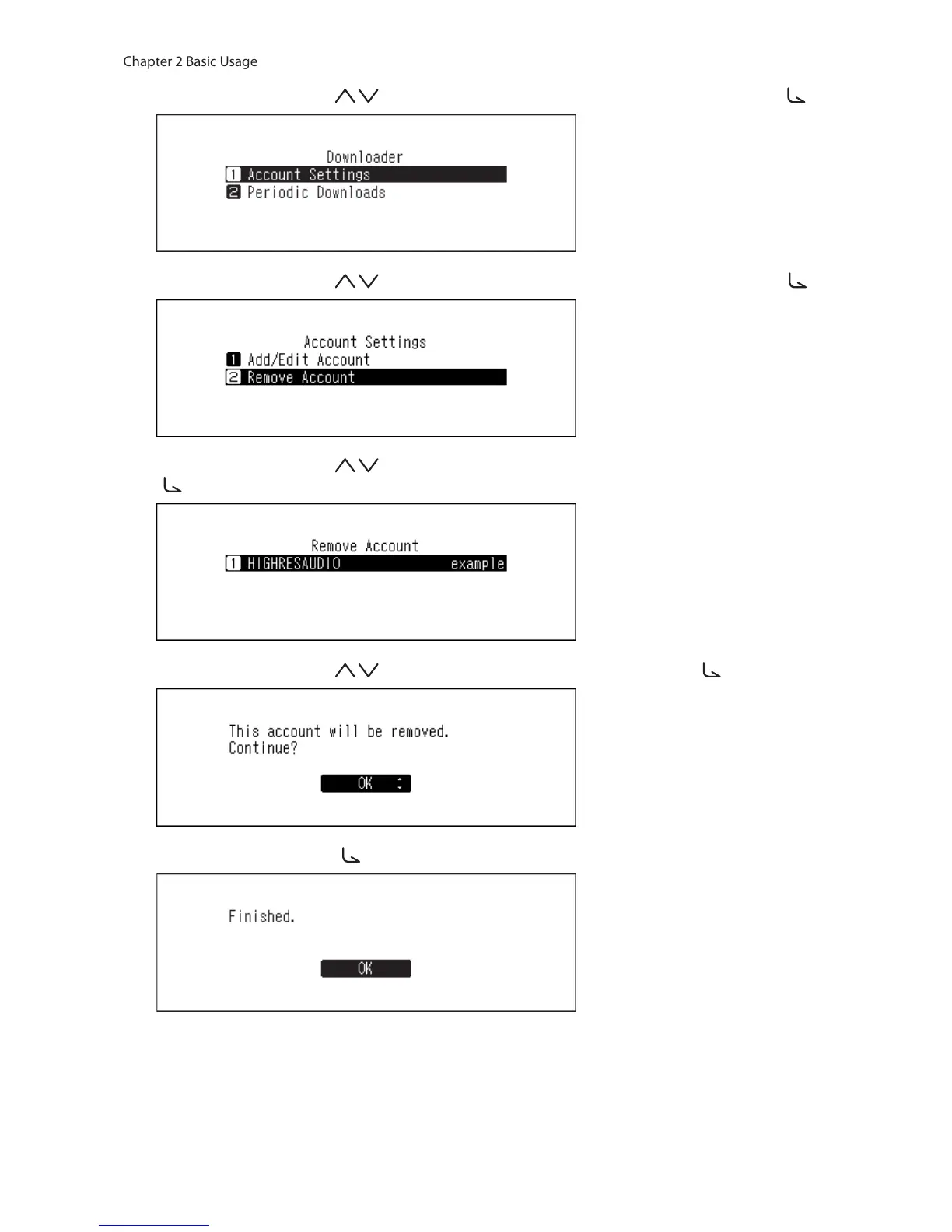
4 Press the Up/Down buttons ( ) and select “Account Settings”, then press the Menu/Enter button ( ).
5 Press the Up/Down buttons ( ) and select “Remove Account”, then press the Menu/Enter button ( ).
6 Press the Up/Down buttons ( ) and select the account to be deleted, then press the Menu/Enter button
( ).
7 Press the Up/Down buttons ( ) and select “OK”, then press the Menu/Enter button ( ).
8 Press the Menu/Enter button ( ).
Note: If you remove all accounts with periodic downloads enabled, it will be disabled automatically.



 To Next Page