— 11 —
Learning Your New Tablet
X
X
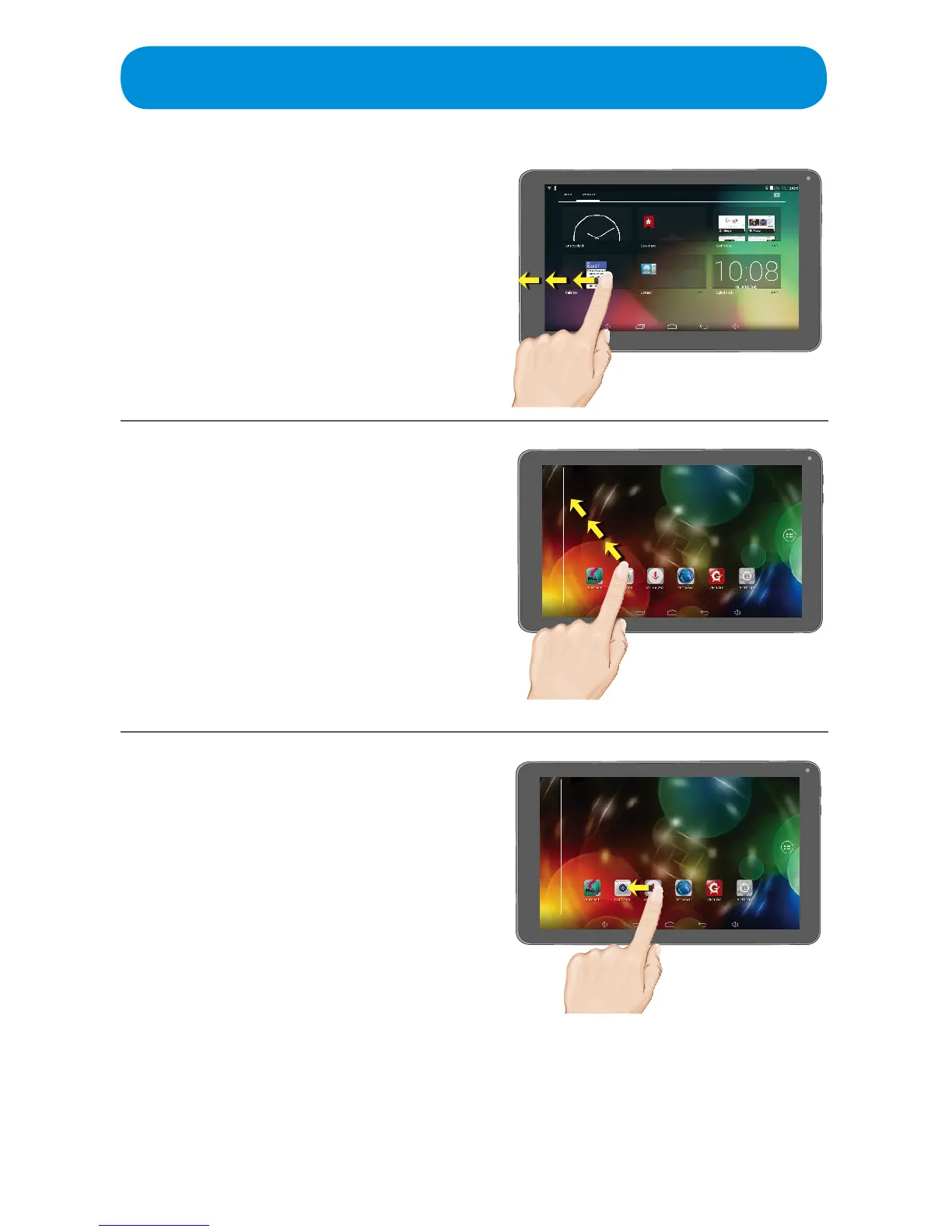
Moving an App or Widget to
the Home Screen
Tap and hold, and then drag an App or
Widget to the Home screen, new Home
screen or the Home screen’s side bar.
This will not remove the App from the
Apps screen, it will just add a Quick
link from the Home screen.
Removing a Home Screen
App/Widget
Tap and hold, and then drag the
desired App/Widget link to the “X” at
the top left of the screen.
This will not delete the App, it will only
remove the Home screen link.
Creating a Folder
On a Home screen, tap and hold an
App you want to group, then drag it to
an App that you would like to group
it with. Drop it on top of that App; a
folder will automatically be created.
Repeat to add additional Apps.
To rename the folder, simply tap it and
then tap the folder name.



 To Next Page