— 39 —
Camera/Video App
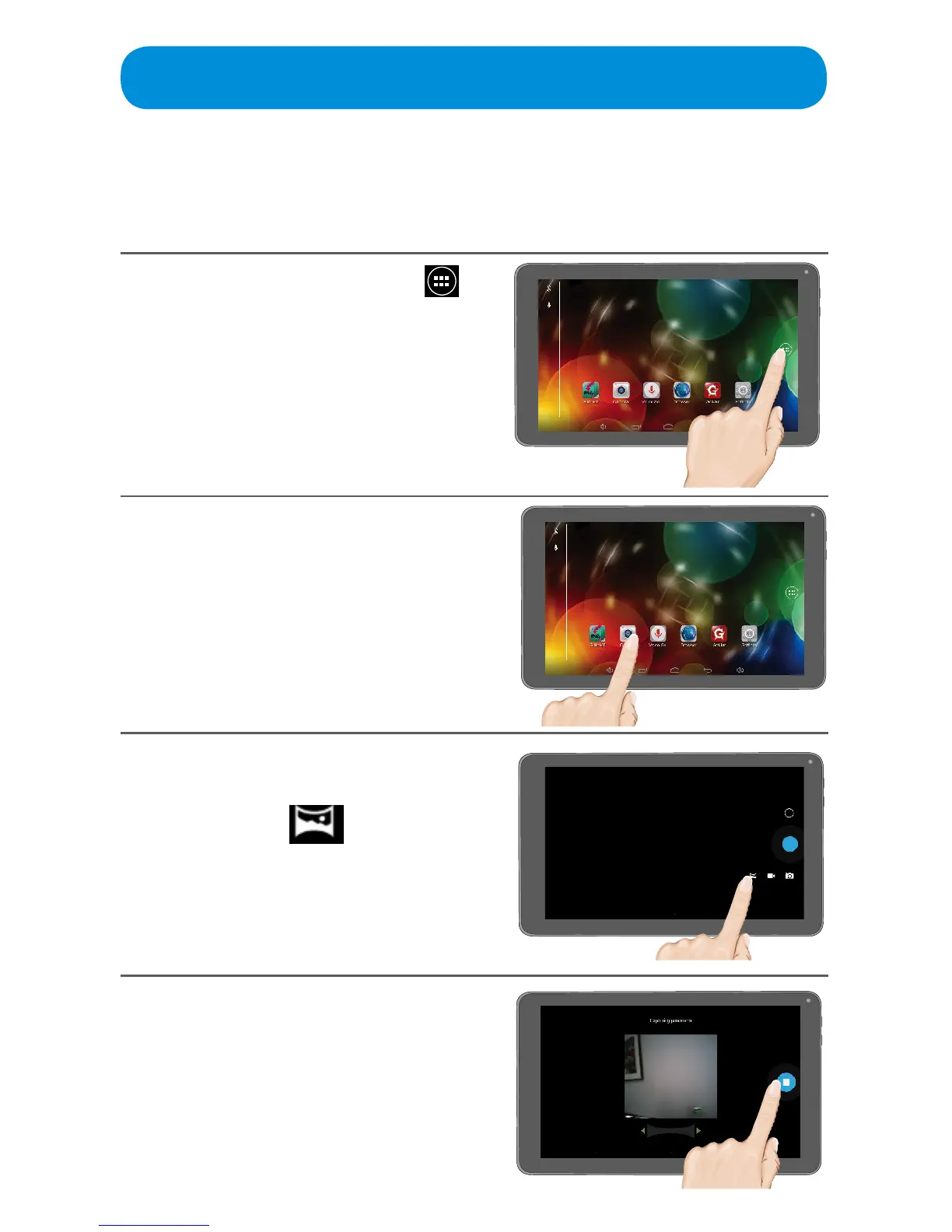
Camera - Taking a Panoramic Photo
This section explains how to use the camera to take panoramic photographs
using the built-in front or rear camera.
1
At the Home screen, tap the
icon to bring up the Apps screen.
You can also access the Camera
directly from the Home screen or
by dragging the lock towards the
camera on the Lock screen.
2
Tap the Camera App.
3
Select the panoramic camera
mode by tapping the Mode icon
and selecting .
4
Hold the Tablet steady, and then
tap the n icon. Slowly pan across
the scene to take the desired
panoramic image. When done, tap
the g icon. Swipe to the left to
view the photos and videos. See
page 42 for details.



 To Next Page