— 18 —
Getting Started
Using the Keyboard and Case
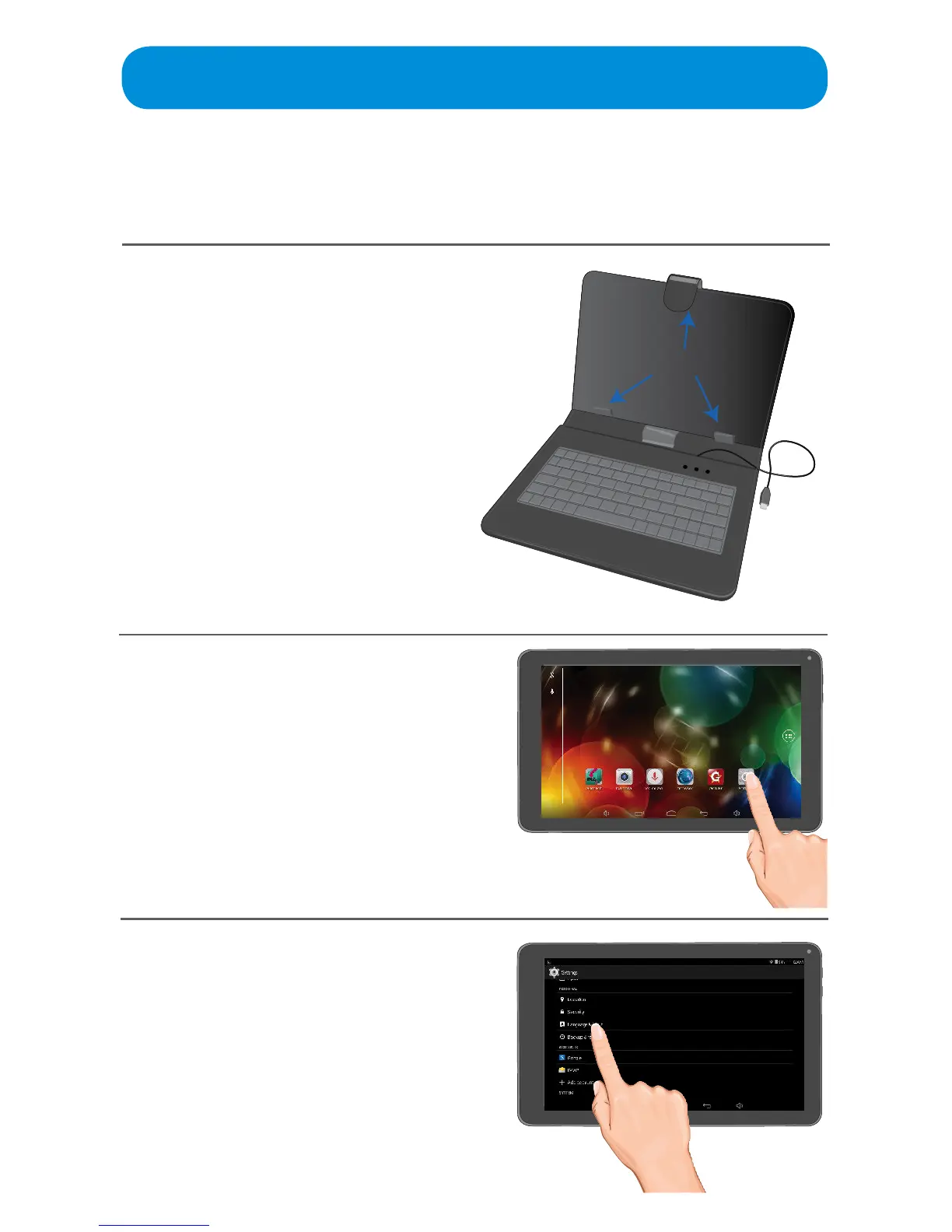
Connect the keyboard as follows:
1
There are three soft retaining
clips which are to be gently bent
tomakermcontactwithyour
Tablet. The single top clip will
be spring loaded so slide up to
enable easy insertion.
To connect the keyboard, plug
the micro USB plug into the Micro
USB jack on the side of the Tablet.
2
The Android should immediately
recognize the keyboard, but if it
does not, tap the Settings App on
the Home screen.
Retaining ClipsRetaining Clips



 To Next Page