— 8 —
Learning Your New Tablet
u
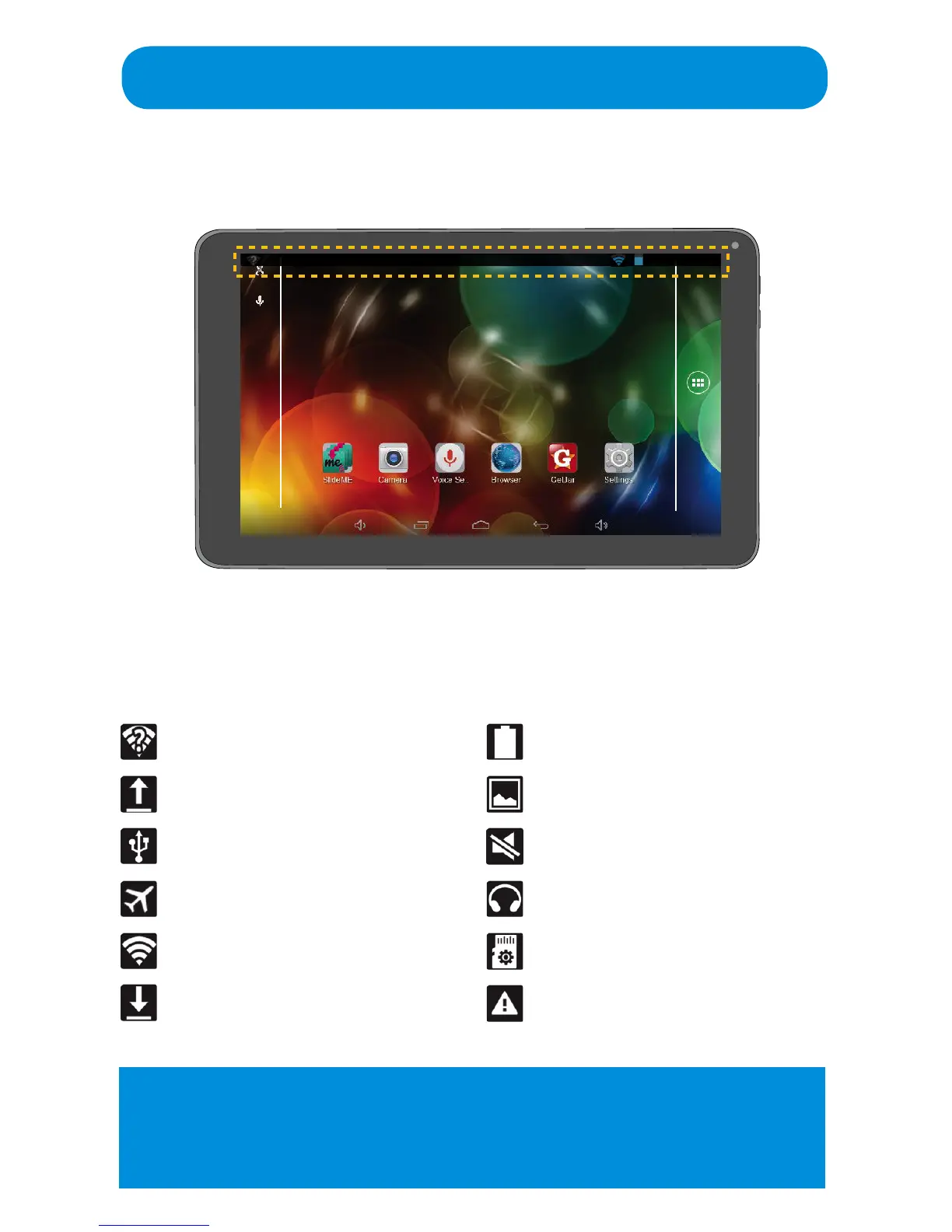
Home Screen
u Indicator Icons (will appear if you swipe down from top). Theee are a
sample of the main icons and are subject to change without notice.
Open Wi-Fi available
Uploading data
Connected to PC
Airplane Mode activated
Wi-Fi connected
Downloading data
Battery power level
Screenshot taken
Silent/Mute is activated
Headphones connected
Micro SD Card is mounted
Micro SD Card issue
POWER SAVING: Swipe to the left to bring up the Power Saving screen
where you will be shown three options (Wi-Fi , Reload and Brightness ) to
reduce the power requirements of the Tablet. Simply tap to turn the selected
optionOnorO.



 To Next Page