— 23 —
Clock/Alarm App
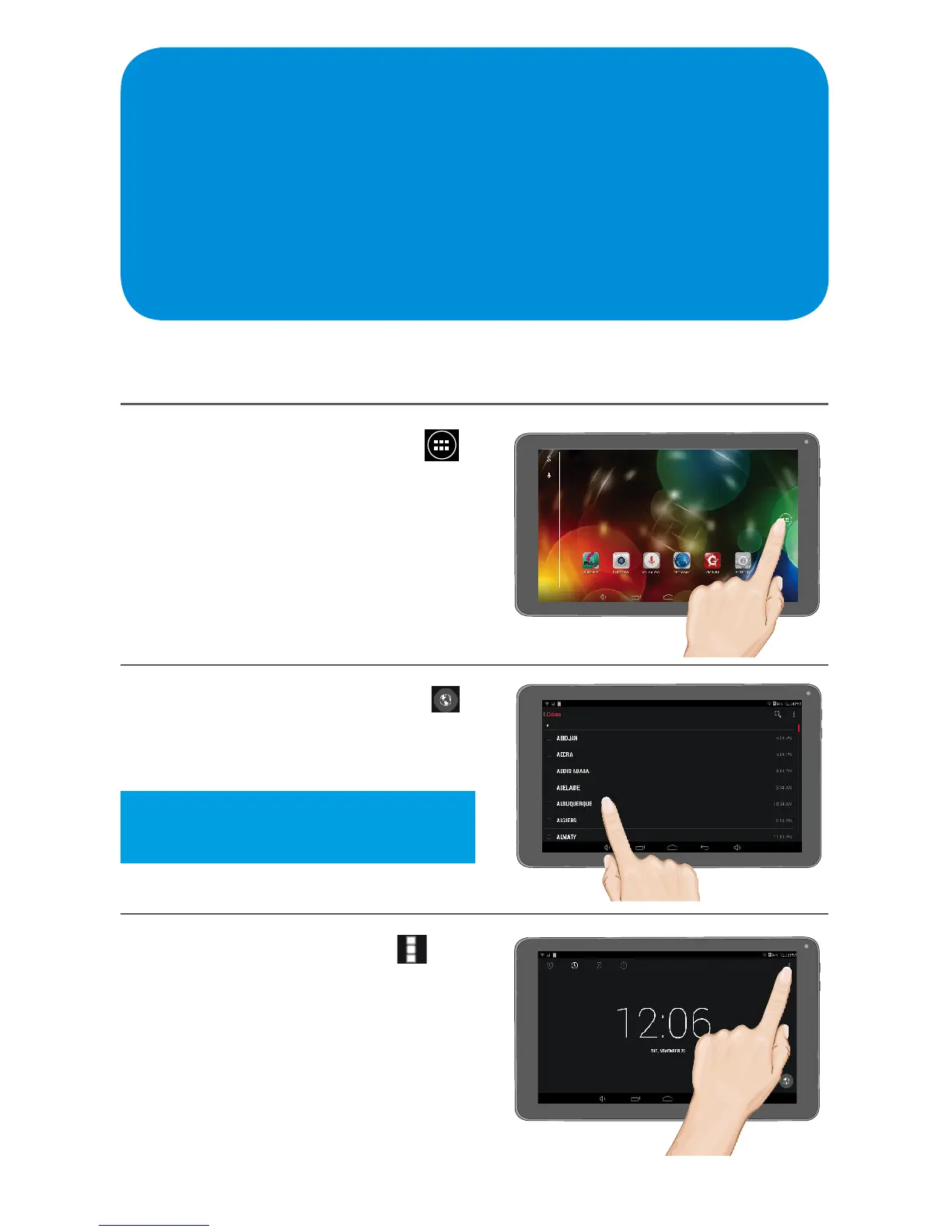
Setting the Time Zone and Setting to Night Mode
Set the correct time zone as follows:
1
At the Home screen, tap the
icon to bring up the Apps screen.
Tap the Clock App to open.
2
To set the Time Zone, tap the
icon, then select the Time Zone
you are in.
3
To set to Night Mode, tap at
the top right of the screen and tap
Night Mode; the display will
darken and the time will appear
smaller on the screen.
Tip: Tap the magnifying glass at the
top right to search easily.



 To Next Page