— 49 —
Quick Menus
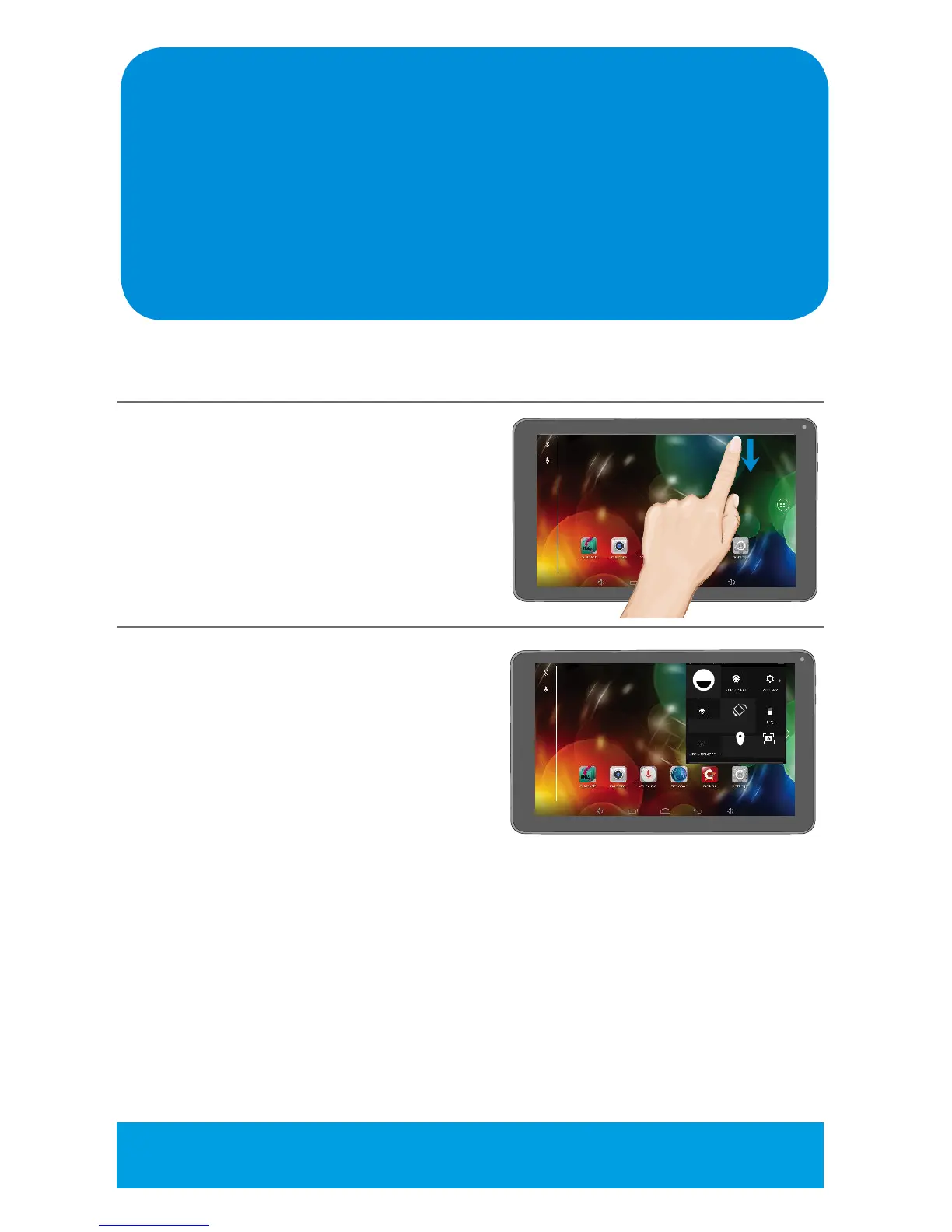
Quick Menus will give fast access to a number of Settings as follows:
1
With the power on, swipe down
from the top right of the screen
once to show the indicators
and again to bring up the Quick
Menus.
2
Ta p on the desired setting to set:
USER: Tap to view User Info.
BRIGHTNESS: Tap to set the Brightness
SETTING: Tap to access the Settings
menu, see the following page for details.
Wi-Fi: Tap to set the desired Wi-Fi
Network.
AUTO ROTATE: Ta p toturnAutoRotateoptionOnorO.
BATTERY: Tap to view the remaining battery power and the Apps battery
usage.
AIRPLANE MODE: TaptoturntheAirplaneModeOnorO.Turningthis
option On will allow you to use the tablet but not Wi-Fi.
LOCATION OFF: Ta p toturnLocationAccessOnorO.
SCREEN SHOT: Tap to take a screen shot of the current screen (without the
Quick Menus).
SCREEN RECORD: Tap to record the screen.
NAME
AUTO ROTATENETWORK
LOCATION SCREEN SHOT
QUICK MENU NOTE: Contents of the Quick Menus are subject to change
and will change depending upon open Apps.



 To Next Page