09
Chapter 3 Quick Installation Guide
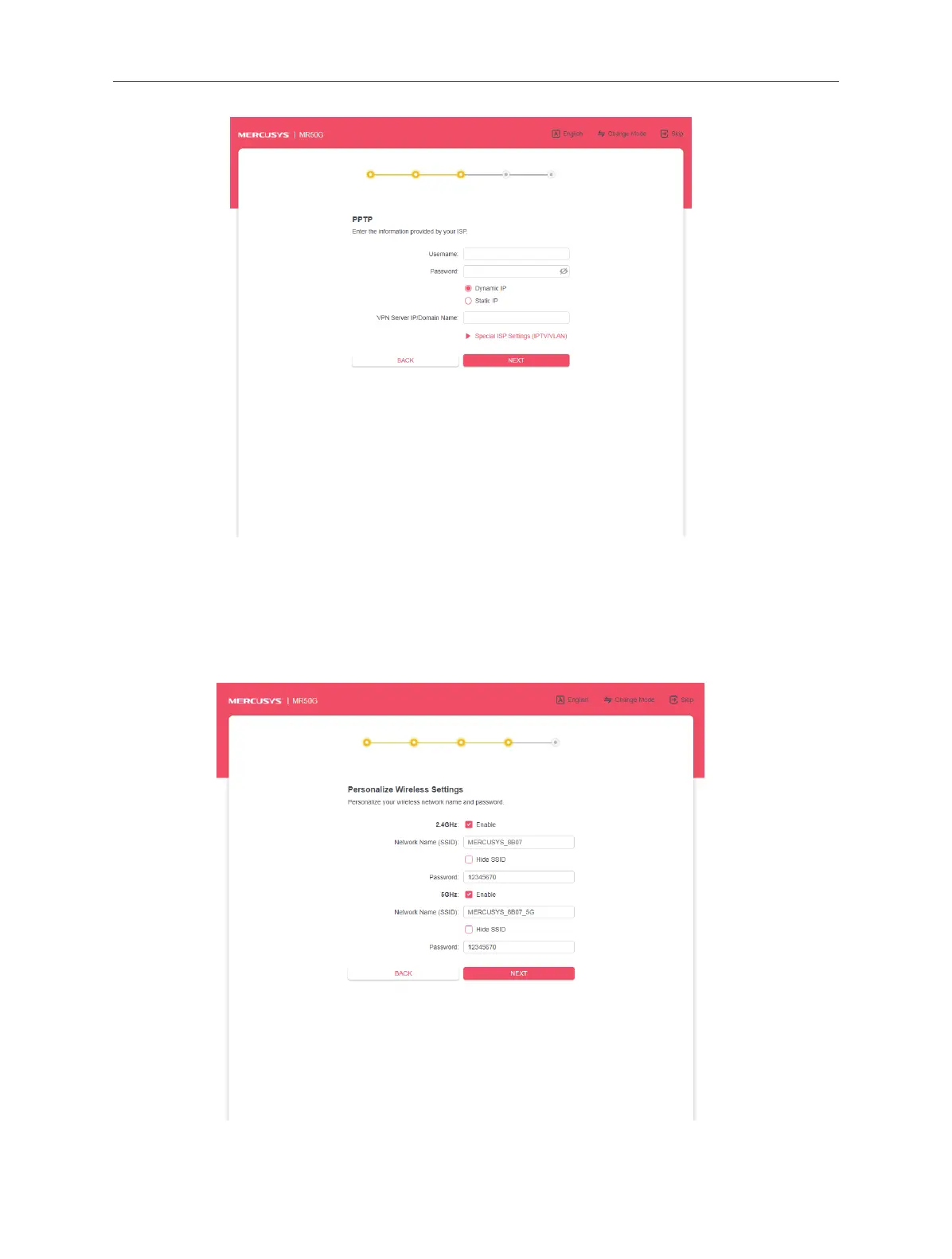
6. Click NEXT.
7. Personalize the 2.4GHz and 5GHz wireless network name and password, or
leave them as default. It is recommended that you set a strong password using a
combination of letters, numbers and symbols. Then click NEXT.
7. Conrm your settings and click NEXT.



 To Next Page