13
Chapter 4 Basic Conguration
Chapter 4 Basic Conguration
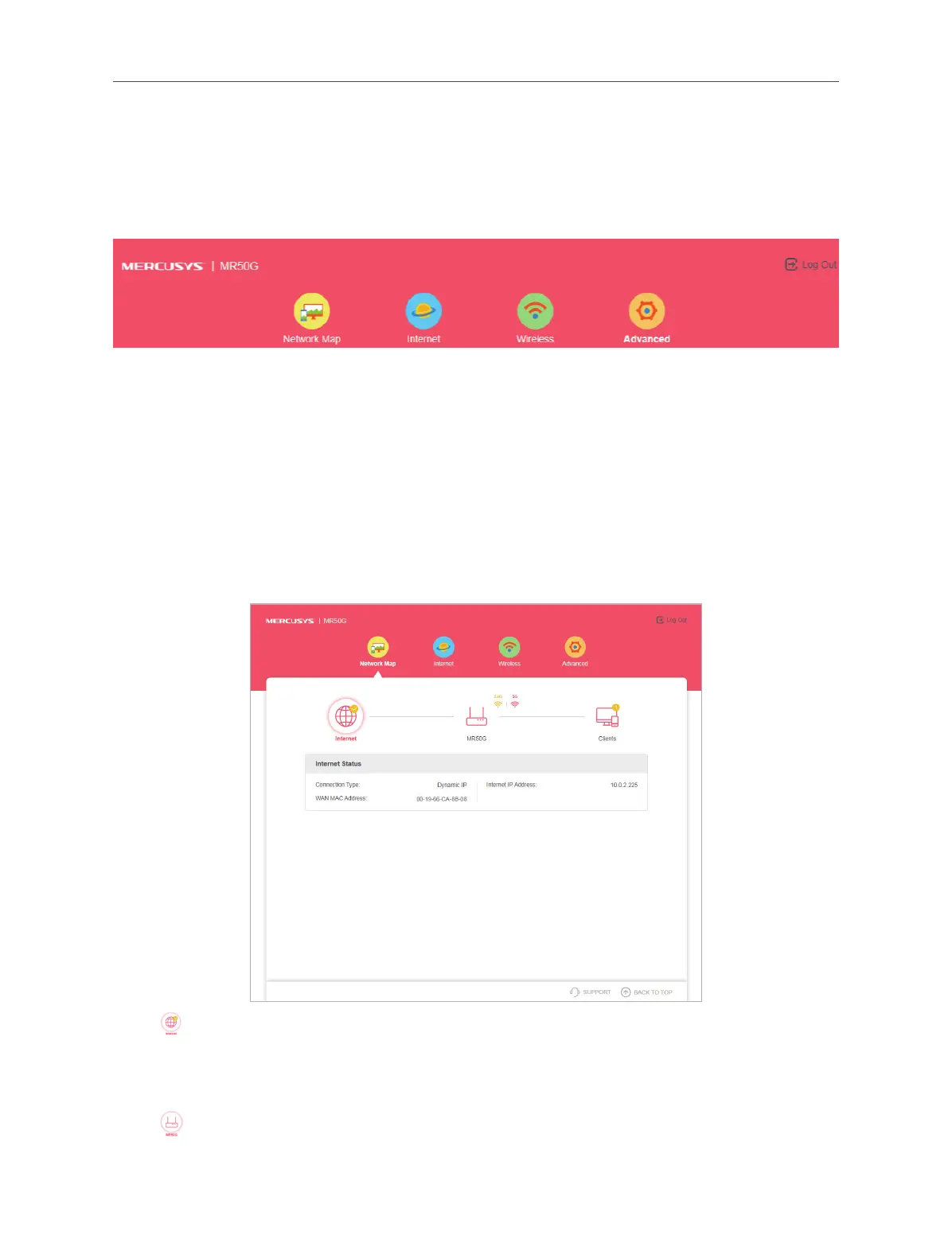
After your successful login, you will see the basic conguration page. The main
menus are on the top of the page.
There are three basic functions in the Menu: Network Map, Internet and Wireless.
You can congure the corresponding function on the page.
The detailed explanations for each function are listed below.
4.1 Network Map
To check your internet connection, click Network Map on the menu. After the
connection succeeds, the screen will display as following.
4. 1. 1. Internet Information
Click
. You can know the Internet Status in this page, including Connection Type,
WAN MAC Address, and Internet IP Address.
4. 1. 2. Router Information
Click
. You can see Router Information, Wireless, Guest Network and Ethernet
Status.



 To Next Page