11
Chapter 3 Quick Installation Guide
3.2 Set Up the Router in Access Point Mode
In this mode, the router changes an existing wired network into a wireless one.
1. Connect the power adapter to the router.
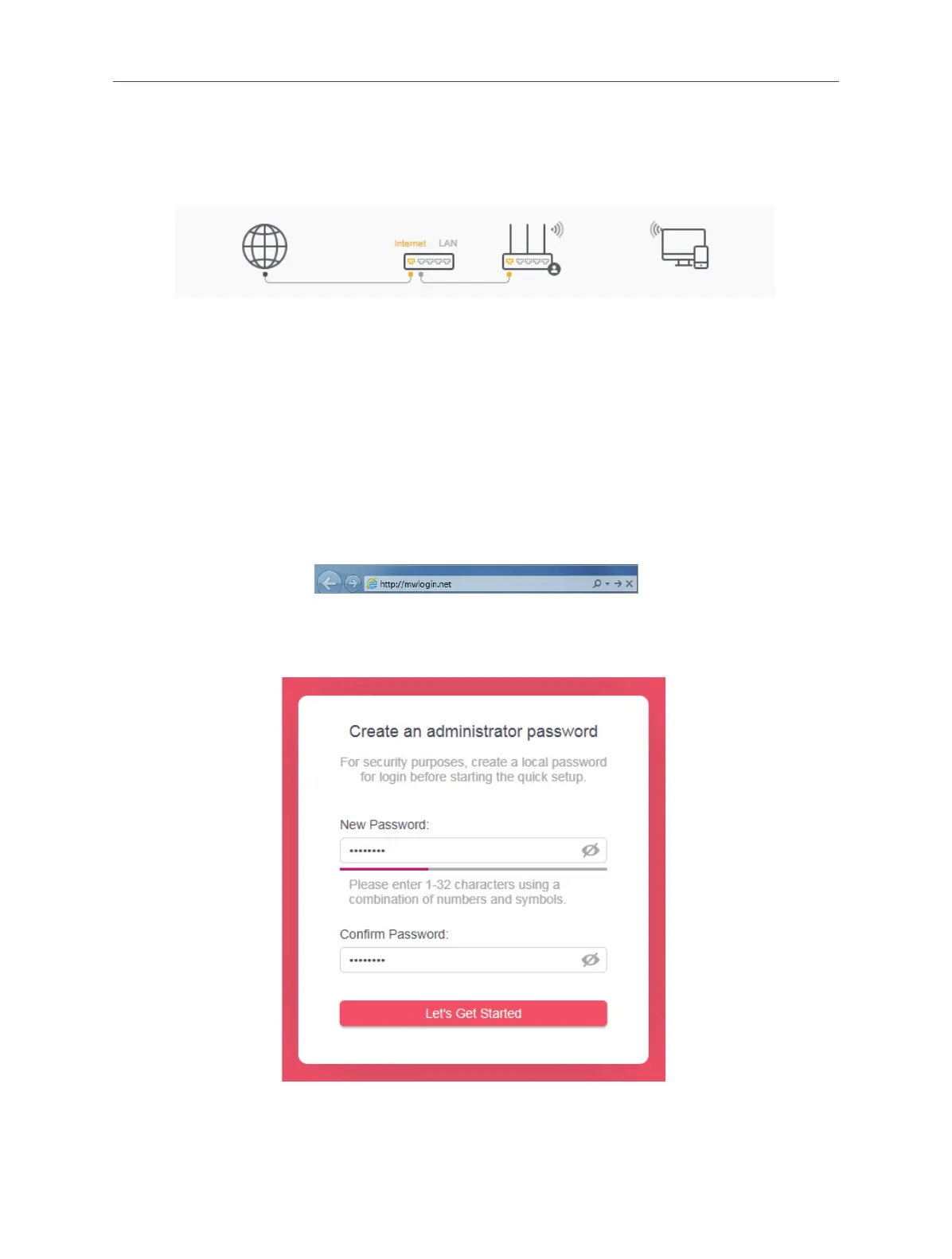
2. Connect the router’s WAN port (recommended) to your wired host router’s LAN
port via an Ethernet cable as shown above.
3. Connect a computer to the router via an Ethernet cable or wirelessly by using
the SSID (network name) printed on the bottom label of the router.
4. To access the web management page, open a web browser and enter the default
domain name http://mwlogin.net in the address eld.
5. A login window will appear. Create a login password when prompted. Then click
Let's Get Started. For subsequent login, use the password you have set.
6. Click Change Mode in the top right corner and select Access Point Mode. Wait
for the router to reboot.



 To Next Page