21
Chapter 5 Advanced Conguration
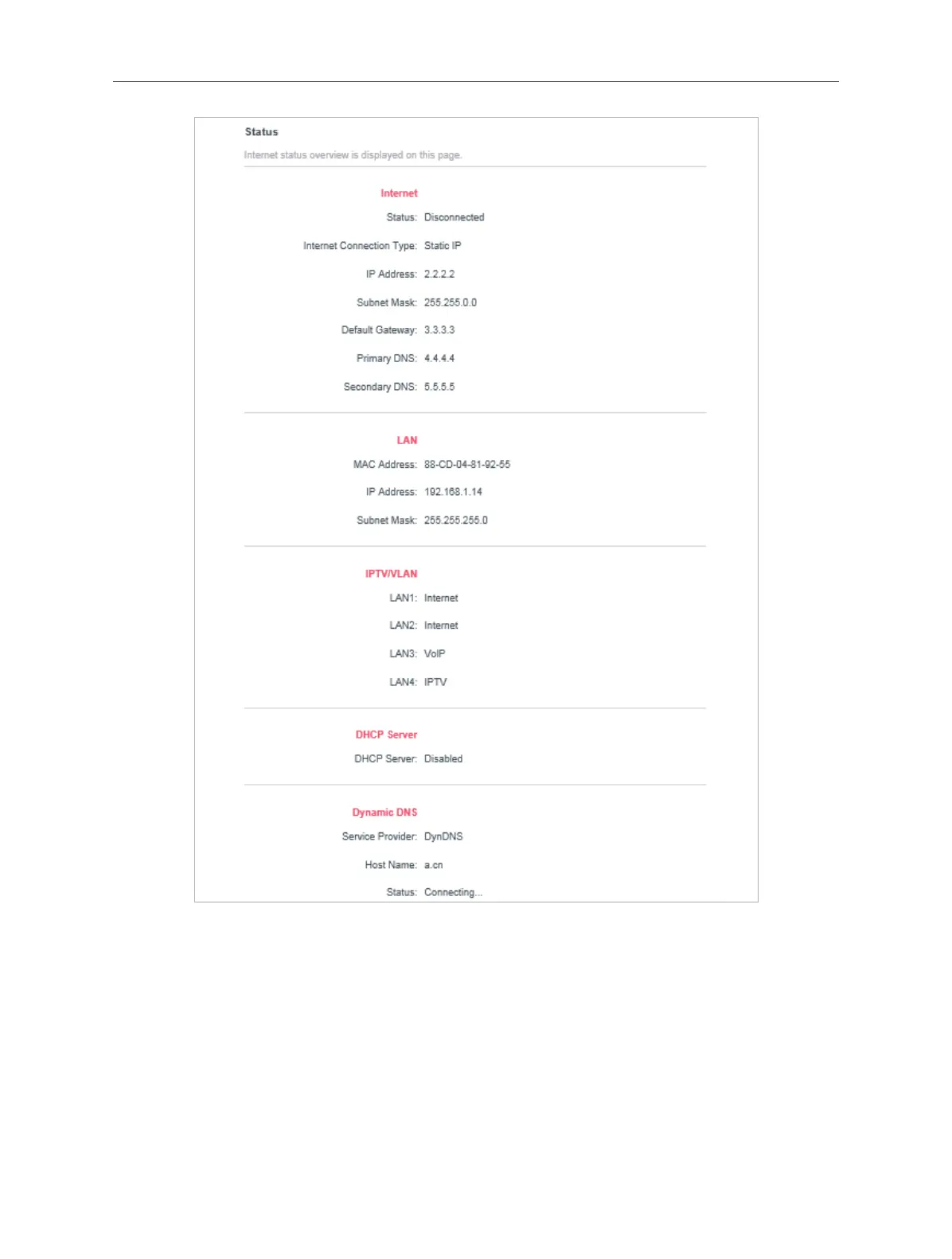
• Internet - This eld displays the current settings of the internet, and you can
congure them on the Advanced > Network > Internet page.
• Status - Indicates whether the router has been connected to the internet.
• Internet Connection Type - Indicates the way in which your router is
connected to the internet.
• IP Address - The WAN IP address of the router.
• Subnet Mask - The subnet mask associated with the WAN IP address.
• Default Gateway - The Gateway currently used is shown here.



 To Next Page