35
Chapter 5 Advanced Conguration
Visit multiple networks and servers at the same time.
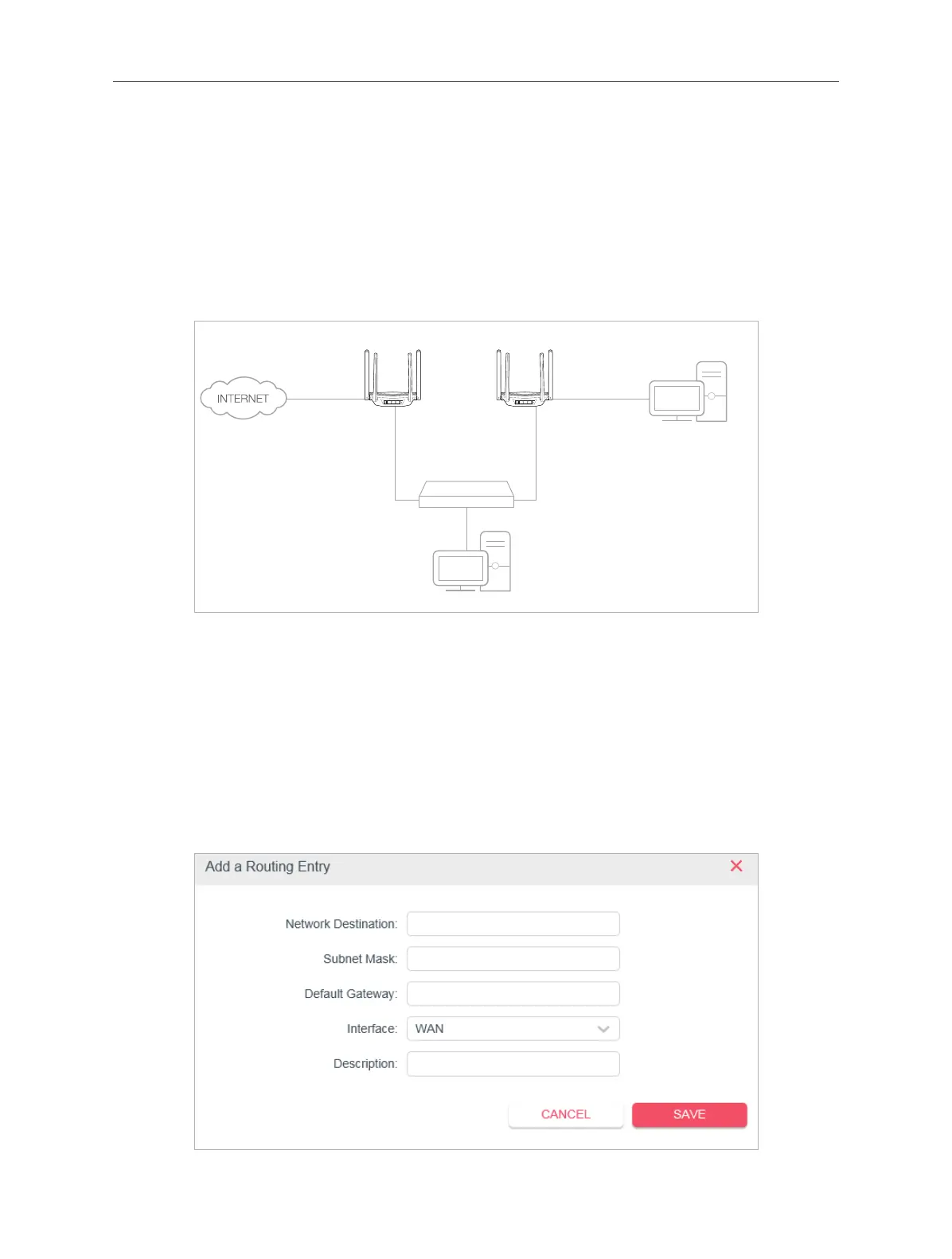
For example, in a small oce, my PC can surf the internet through Router A, but
I also want to visit my company’s network. Now I have a switch and Router B. I
connect the devices as shown in the following gure so that the physical connection
between my PC and my company’s server is established. To surf the internet and
visit my company’s network at the same time, I need to congure the static routing.
Company’s server
PC
Router B
Router A
Switch
LAN: 192.168.1.1
192.168.1.100
LAN: 192.168.1.2
WAN: 172.30.30.100
172.30.30.1
Power WAN 1 2
RESET
WPS
Power WAN 1 2
RESET
WPS
How can I do that?
1. Change the routers’ LAN IP addresses to two dierent IP addresses on the same
subnet. Disable Router B’s DHCP function.
2. Visit http://mwlogin.net, and log in with the password you set for Router A.
3. Go to Advanced > Network > Routing and locate the Static Routing section.
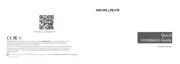
4. Click Add and nish the settings according to the following explanations:



 To Next Page