37
Chapter 5 Advanced Conguration
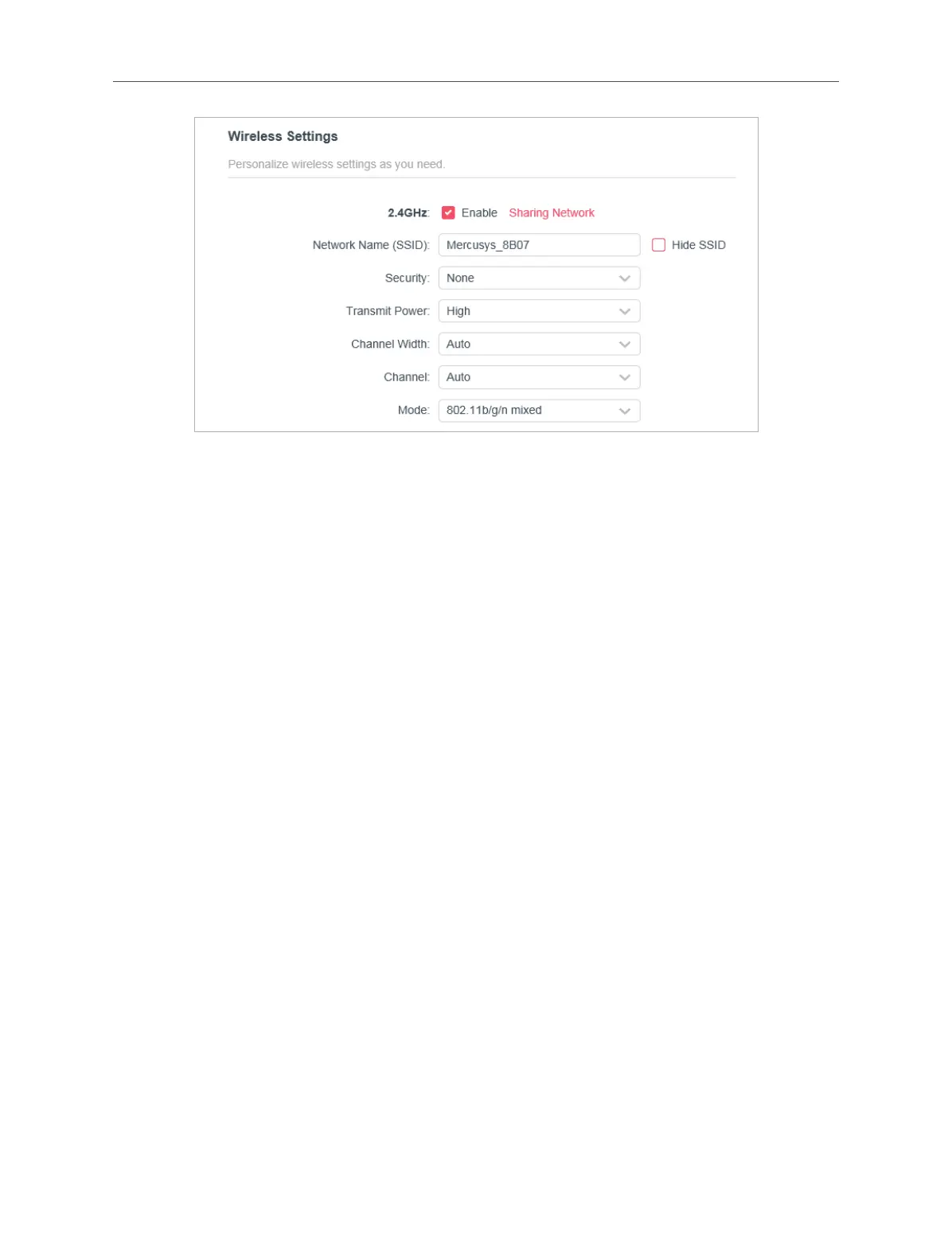
• 2.4GHz - Select this checkbox to enable the 2.4GHz wireless network.
• Network Name (SSID) - Enter a value of up to 32 characters. The same Name (SSID)
must be assigned to all wireless devices in your network.
• Hide SSID - Select this checkbox if you want to hide the 2.4GHz network name
(SSID) from the Wi-Fi network list. In this case, you need to manually join the
network.
• Security - Select an option from the Security drop-down list.
• None - No security. It is highly recommend you enable the wireless security
to protect your wireless network from unauthorized access.
• WPA-PSK/WPA2-Personal - It’s the WPA/WPA2 authentication type based
on pre-shared passphrase. It’s also the recommended security type.
• WPA /WPA2-Enterprise - It’s based on Radius Server.
• WEP - It is based on the IEEE 802.11 standard.
• Version - Keep default version value.
• Encryption - Select Auto, TKIP or AES. We recommend you keep the default
settings.
• Transmit Power - Select High, Middle or Low to specify the data transmit power.
The default and recommended setting is High.
• Channel Width - Select a channel width (bandwidth) for the wireless network.
• Channel - Select an operating channel for the wireless network. It is recommended
to leave the channel to Auto, if you are not experiencing the intermittent wireless
connection issue.
• Mode - You can choose the appropriate “Mixed” mode.



 To Next Page