27
AQUALAB
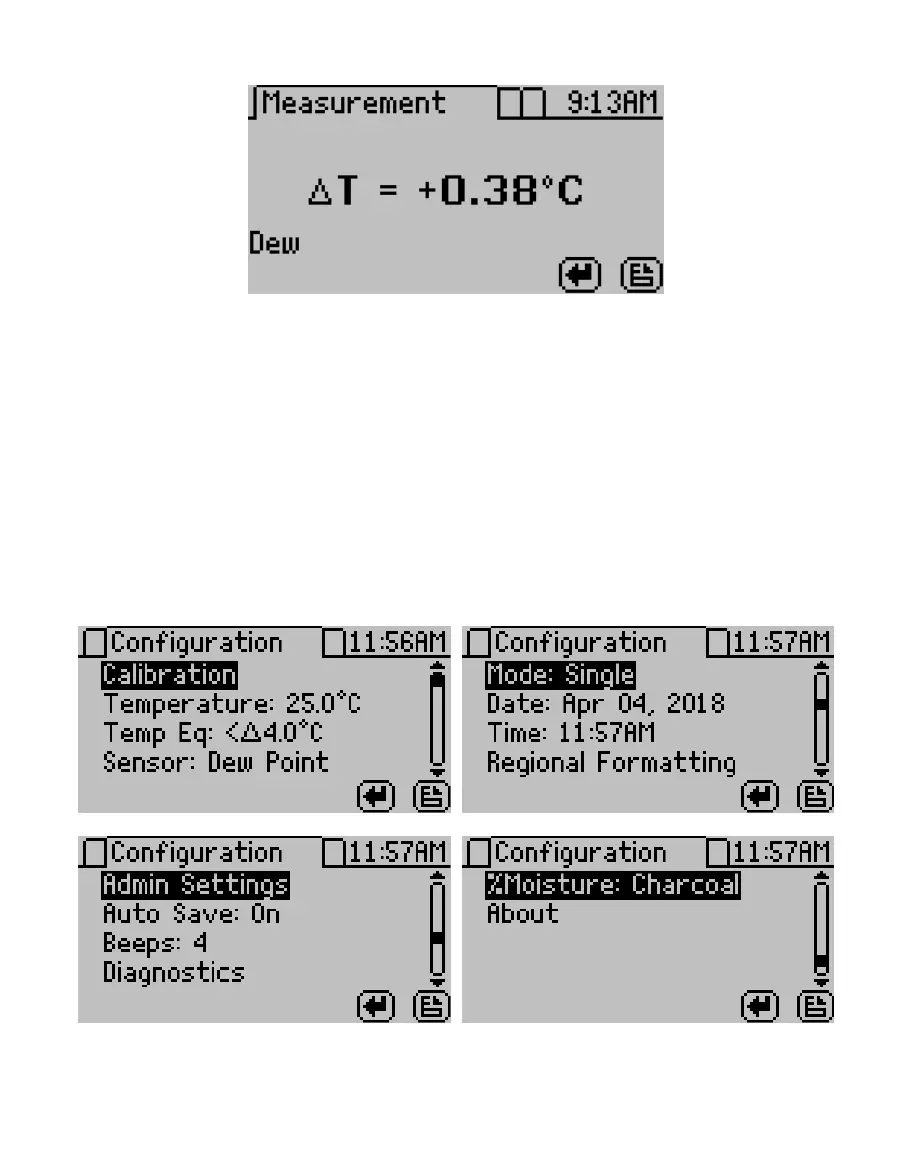
Figure35 Temperature difference between sample and lid
On AQUALAB DUO models, using the UP or DOWN buttons changes the results according to
the models loaded onto the instrument.
The main screen shows the water activity in the middle of the screen and above the sample
temperature. The measurement read time is shown at the bottom left of the screen. The
AQUALAB 4TEV model will display either DEW or CAP indicating whether the dew point or
capacitance sensor is being used.
3.2.4.2. CONFIGURATION TAB
The Configuration tab provides a menu of configuration options (Figure36). Use UP and
DOWN to move the selection through the various configuration options or LEFT and RIGHT
to page through the options. Use ENTER to select the highlighted option.
Figure36 Conguration tab screens



 To Next Page