30
SYSTEM
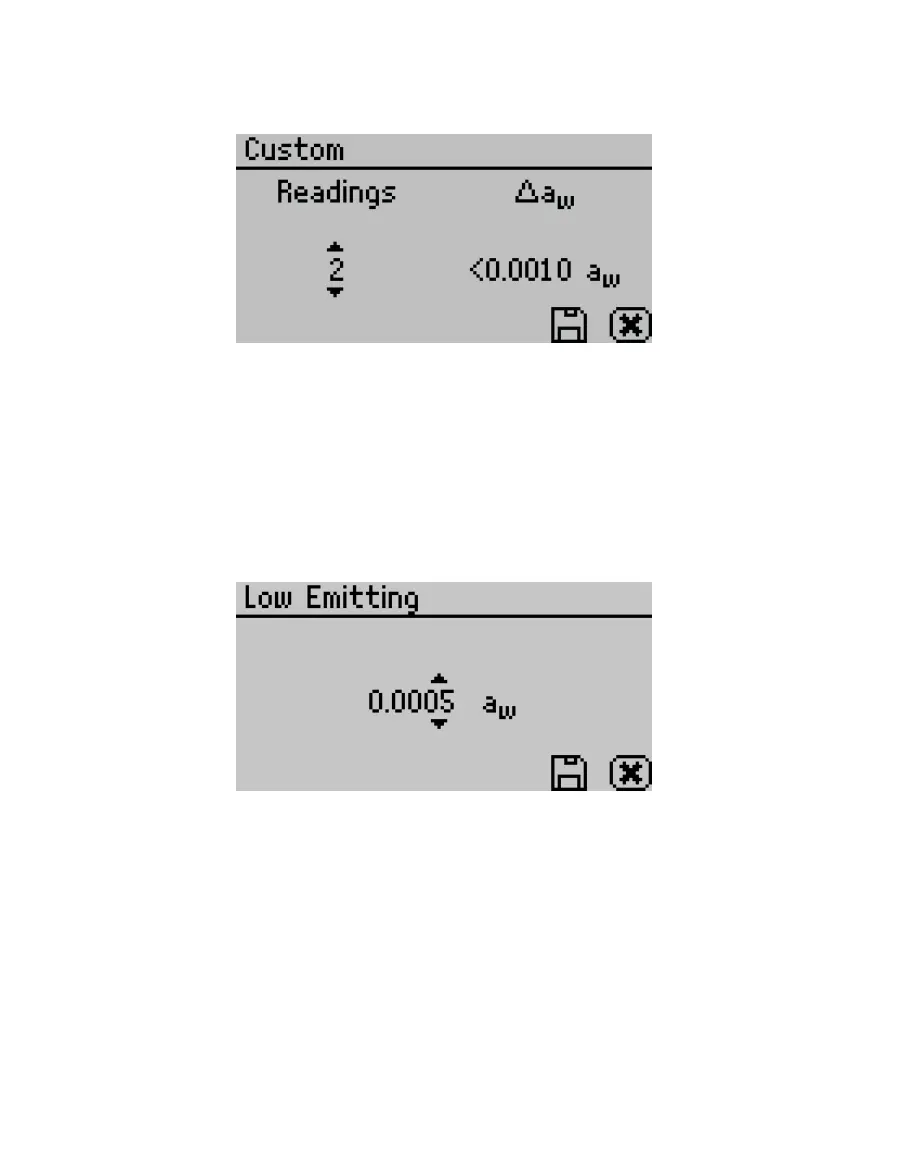
Use UP and DOWN to select the ∆ a
w
value (any number from 0.0005 to 0.0200)
(Figure41).
Figure41 Custom mode screen
Select SAVE to update and exit. Select CANCEL to exit without updating. The Mode
screen reappears with the updated custom settings at the top of the screen).
If autosave is turned on (default), all test readings will save to the instrument memory,
but only the final reading will remain on the Measurement screen. If the AQUALAB is
connected to a computer using AquaLink 4 (Section3.3.1), AquaLink 4 downloads all
readings taken during a Custom mode test.
Low-Emitting mode gives the option of speeding up test time by adjusting the
equilibrium trigger value (Figure42).
Figure42 Low-Emitting mode screen
AQUALAB determines vapor equilibrium at the end of a test by comparing sequential
water activity values, looking for a trigger value difference <0.0005 a
w
. This value can be
adjusted to any value between 0.0003 and 0.0030 a
w
. Increasing the trigger value causes
a subsequent reduction in instrument accuracy and precision but results in a shorter
test time. This mode is for samples that are slow to equilibrate, such as vegetable
oils, high-fat samples, and high-viscosity samples. In these types of cases, the loss
in performance may be acceptable in order to speed up the analysis time. Use a high
trigger value only after careful consideration of the impact on test results.
• Date. Select to set the date in the instrument. Use RIGHT and LEFT to change between
the month, day, and year categories and UP and DOWN to change the individual values
(Figure43).



 To Next Page