33
AQUALAB
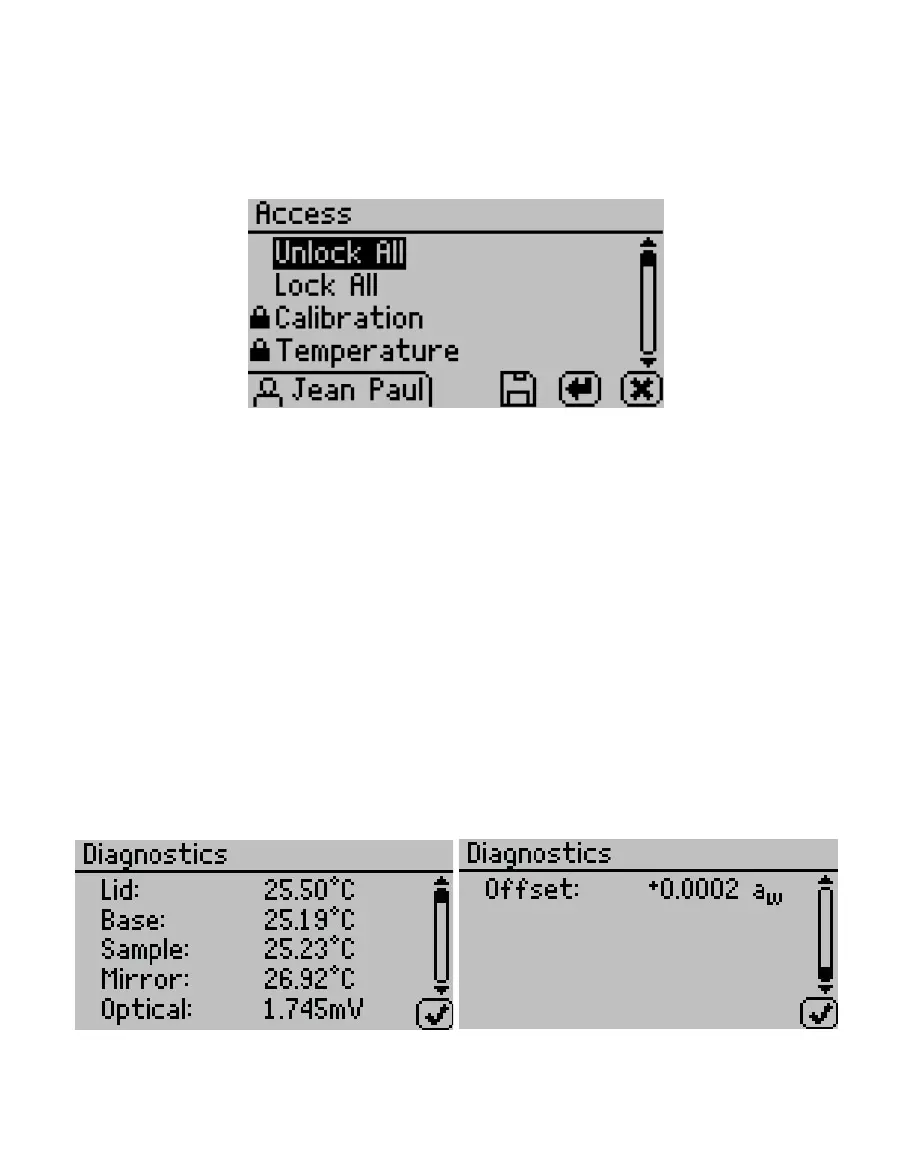
To lock out users from accessing certain settings, enter the Access function and use UP and
DOWN to find the desired option. Selecting the option will toggle it ON or OFF: calibration,
temperature, temperature equilibration, sensor selection, mode, date/time, region,
password, autosave, number of beeps, and delete (Figure49). These options can also be all
locked or unlocked at the same time.
Figure49 Access settings rst screen
• Autosave. Select to turn Autosave on or off. Autosave stores water activity readings within
the instrument automatically for every water activity reading in the internal memory. The
AQUALAB can store up to 8,000 records before the memory is full.
Any individual reading may be saved manually right after completing the test and before
beginning the next test, regardless of the Autosave setting.
NOTE: If a reading is autosaved, it is not possible to give it an annotation later.
• Beeps. Select to change the number of notification beeps for a finished test (four,
continuous, or no beeps). The audible notification can also be turned off.
• Diagnostics. Select to view information regarding pertinent sensors.
For the chilled-mirror dew point sensor, the Diagnostics option provides lid, base, sample
and mirror temperatures, optical voltage, and the user offset. Figure50 shows typical
values for the sensors. Lid, base, and sample temperatures may fluctuate but should
not change more than 0.03 ºC. Typical ranges for the lid, base, and sample temperatures
is between 24.5 and 25.5 °C. The optical sensor has a typical range between 300 and
2,900mV. If values are outside these ranges, refer to Section4.5.
Figure50 Chilled-mirror dew point sensor Diagnostics screen



 To Next Page