44
ZENTRA SOFTWARE
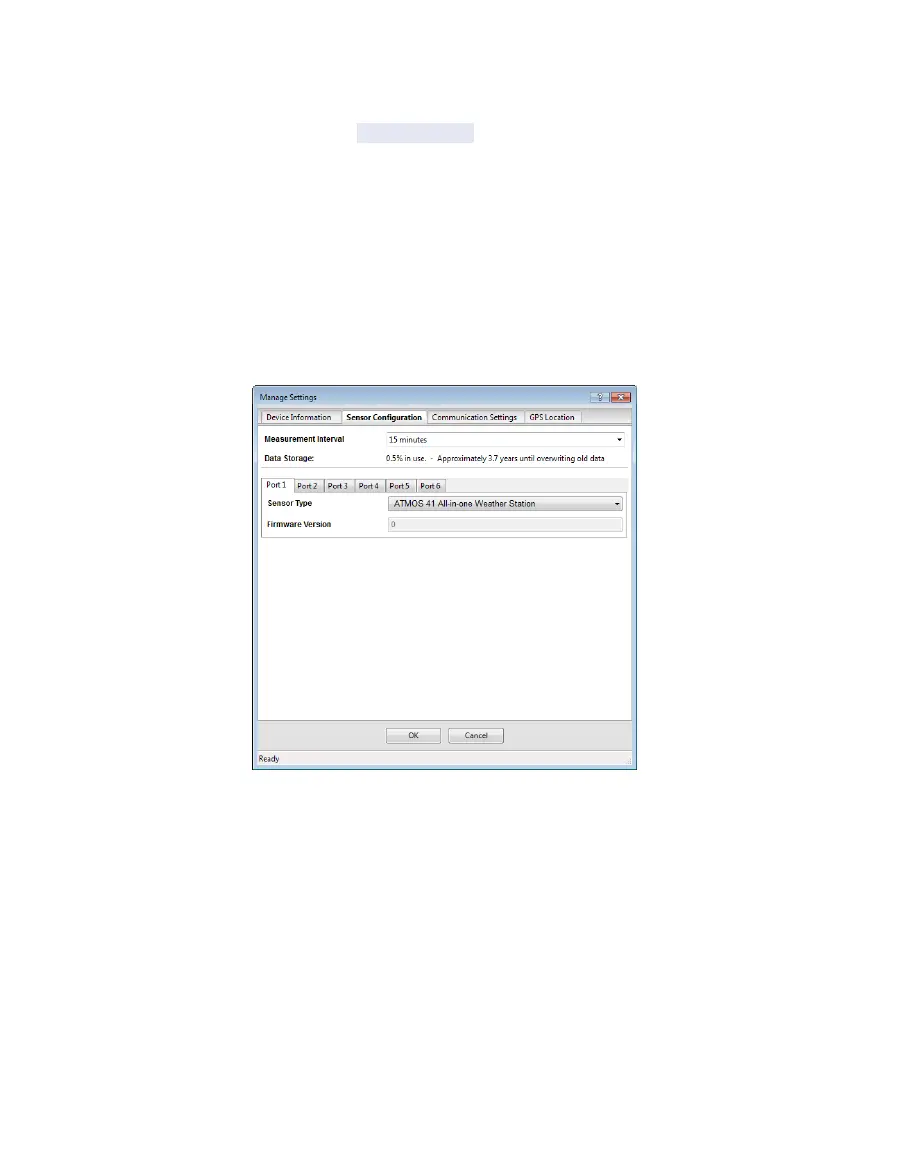
• Measurement Interval: Controls how often the ZL6 stores sensor data (Section3.2.2). The
ZL6 Basic has only two options: 60 min and Off (not logging).
NOTE: Setting the measurement interval to Off (not logging) turns off sensor measurement, data storage, and
datauploads.
• Data Storage: Shows the percentage of logger storage currently used and an approximation
of when the logger will begin overwriting the oldest data. This calculation is based on the
data already stored, measurement interval, and existing sensor types configured in each
port of the logger.
• Sensor port tabs: Displays sensor type and firmware version (when applicable) for each
sensor port on the logger. Select the correct sensor type from the dropdown menu to
ensure correct sensor measurements.
NOTE: Only digital sensors have firmware versions.
Figure32 Manage Settings Sensor Configuration tab
COMMUNICATION SETTINGS TAB
Use the Communication Settings tab to control upload frequency and times for the
ZL6 (Figure26). This tab is unavailable for the ZL6 Basic.
• Upload frequency for each selected hour: Enable or disable automatic data uploads from
the ZL6 to ZENTRA Cloud. The Upload Frequency describes how often data are uploaded
and is a different setting than the sensor measurement interval. Data are sent once per
hour. If more frequent uploads are needed, please contact Customer Support. METER offers
cellular service plans that support uploading data every 15 min.



 To Next Page