6.6 Connecting a balance
756/831 KF Coulometer, Instructions for Use
122
6.6 Connecting a balance
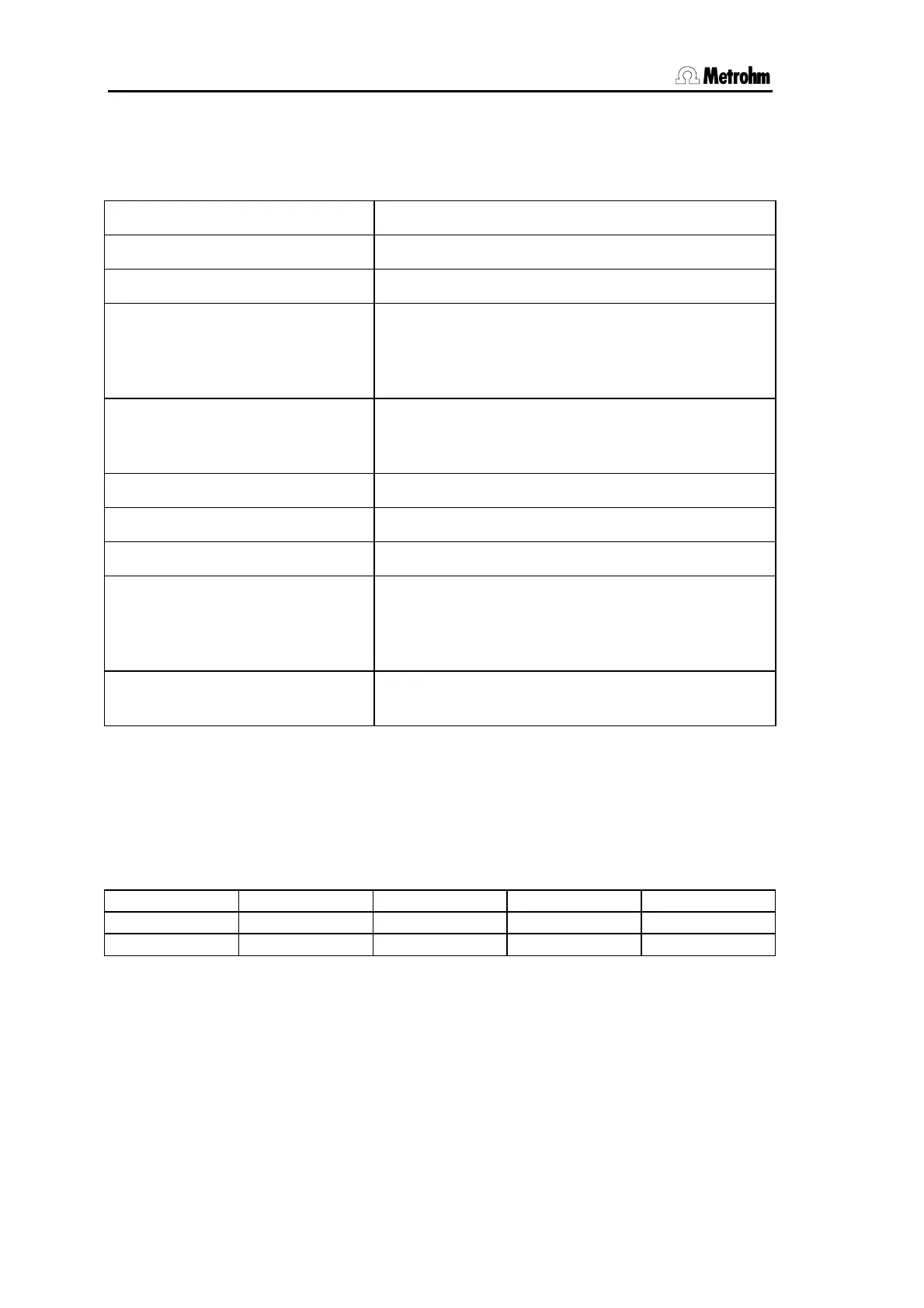
The following balances can be connected to the RS232 output of the Coulometer:
Balance Cable
Sartorius MP8, MC1 6.2134.060
Mettler AB, AG (LC-RS25) in the scope of delivery of the balance
Mettler AM, PM 6.2146.020 + 6.2125.010
additionally from Mettler:
ME 47473 Adapter and ME 42500 hand switch or ME
46278 foot switch
Mettler interface 016 Cable in scope of delivery of interface 016: red lead
to pin 3, white lead to pin 7 of the 25-pin connector
+ 6.2125.010 25-pole/9-pole adapter
Mettler interface 011 or 012 6.2125.020 + 6.2125.010
Mettler AT 6.2146.020 + 6.2125.010
Mettler PG 6.2134.110
AND Models ER-60, 120, 180, 182
Models FR-200, 300
Models FX-200, 300, 320
with RS232 interface (OP-03)
6.2125.020 + 6.2125.010
Precisa, balances with RS232C-
interface
6.2125.080 + 6.2125.010
The balance type must be preselected at the Coulometer with the <CONFIG> key.
The weight is transferred as a number with up to 6 digits, sign and decimal point. Units
and control characters sent by the balance are not transmitted.
With the aid of a special input unit supplied by the balance manufacturer identifications
and methods can be inputted from the balance in addition to the weight. For this, the ad-
dress of the identifications and method must each be preselected on the input unit.
Balance Method Id1 Id2 Id3
Sartorius METH or 27 ID.1 or 26 ID.2 or 24 C-20 or 23
Mettler (AT) D (Mthd)
C (ID#1) B (ID#2)
A (c20)
If balance and printer are connected at the same Coulometer COM you need the
6.2125.010 and 6.2125.030 Adapters.
If the balance works only with 7 bit and the printer with 8 bit and if they are at the same
Coulometer COM, the balance has to be set to "space parity" and Coulometer/printer to 8
bit, "no parity".



 To Next Page
 Loading...






