■■■■■■■■■■■■■■■■■■■■■■
3 Carrying out simple titrations
900 Touch Control
■■■■■■■■
17
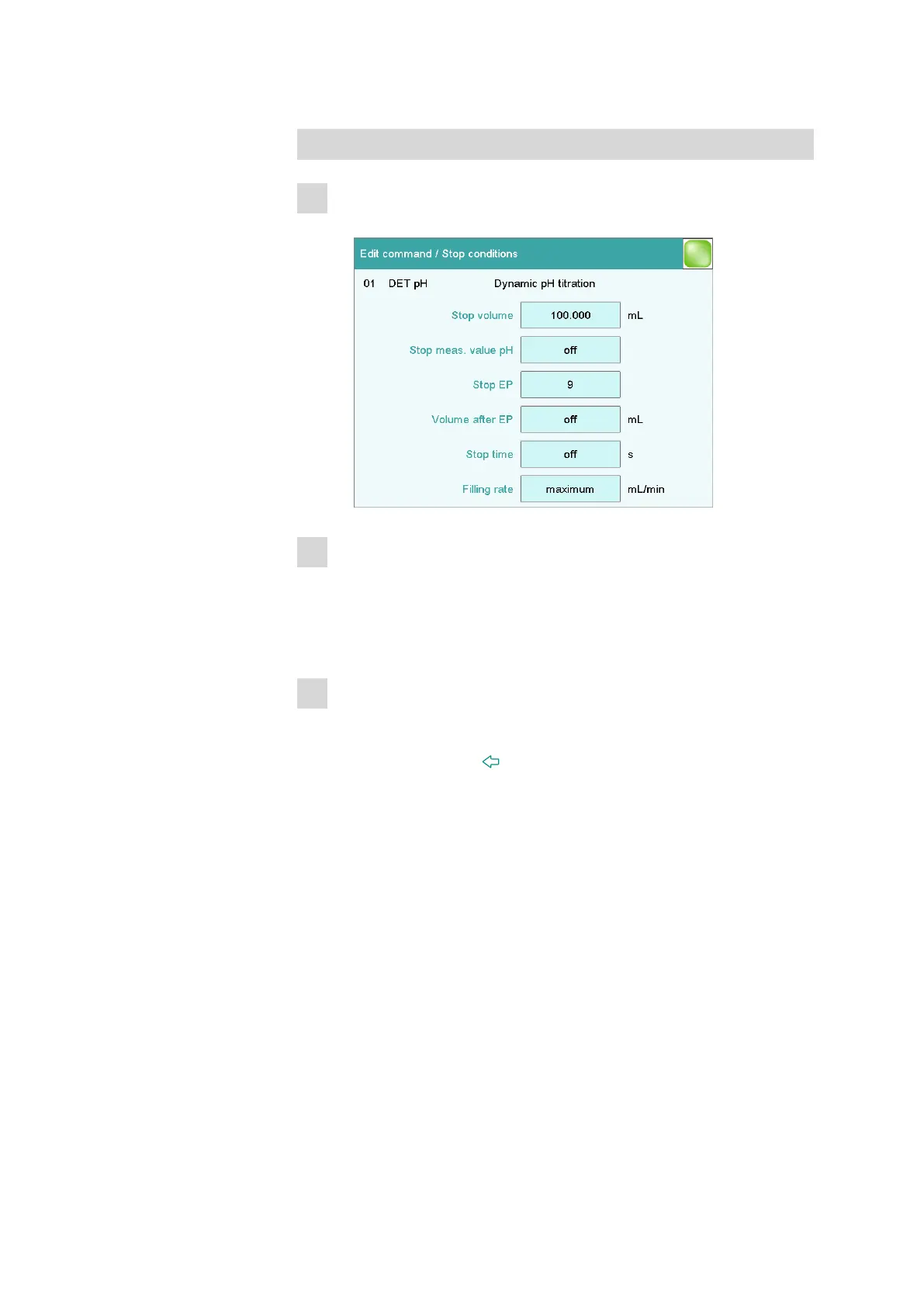
Defining stop conditions
1
Opening the dialog
■ Tap on [Stop conditions].
2
Defining a stop volume
■ Tap on the input field Stop volume.
■ Enter a value corresponding to the cylinder volume of the buret
unit used.
■ Apply the value by tapping on [OK] and close the input dialog.
3
Defining the number of equivalence points
■ Tap on the input field Stop EP.
■ Enter 2 and close the input dialog with [OK].
■ Tap twice on the [ ] fixed key.
With these parameters as stop conditions, the titration will be ended
automatically as soon as two equivalent points have been found. If
only one equivalence point (or even none at all) is recognized, then
the titration will be ended after an entire cylinder volume has been
dosed.















 To Next Page