3.1 Creating a titration method
■■■■■■■■■■■■■■■■■■■■■■
18
■■■■■■■■
900 Touch Control
Defining a calculation
You will now see the three commands again in the dialog with the
method run.
1
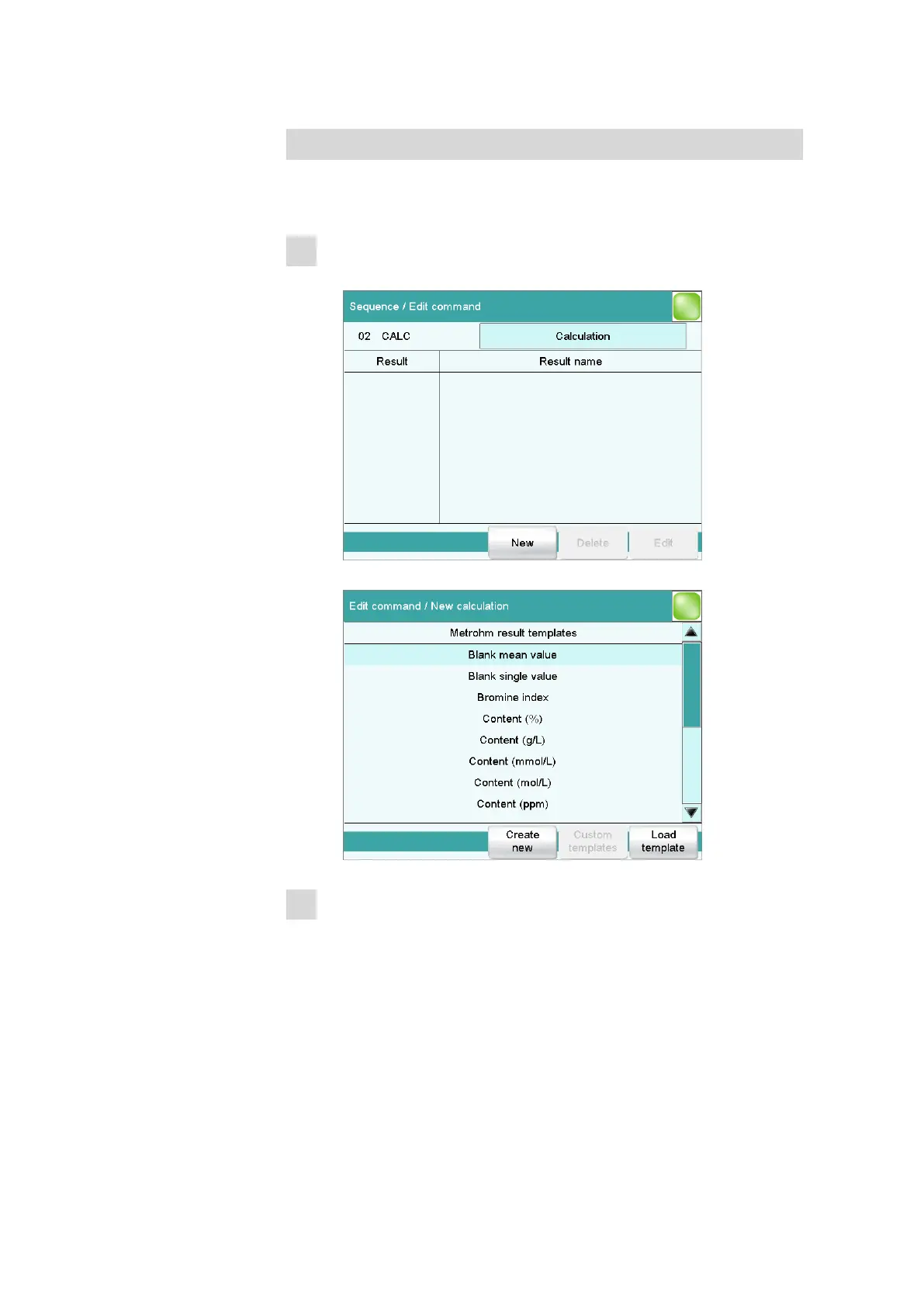
Opening the selection of result templates
■ Select the CALC command and tap on [Edit command].
■ Tap on [New].
2
Selecting a result template
■ Select the result template Content (%) and tap on [Load tem-
plate].
The information window which now appears will announce that
the wildcard F1 in the calculation formula stands for the molar
mass of the sample.
■ Tap on [Next].















 To Next Page