Disassembly/assembly and adjustments
© Meyn Food Processing Technology B.V. 41
7.2.2.3 Tail clip cam.
Remove one tail clip unit and lower bottom part of machine to allow access to the cam.
See section 7.2.10.
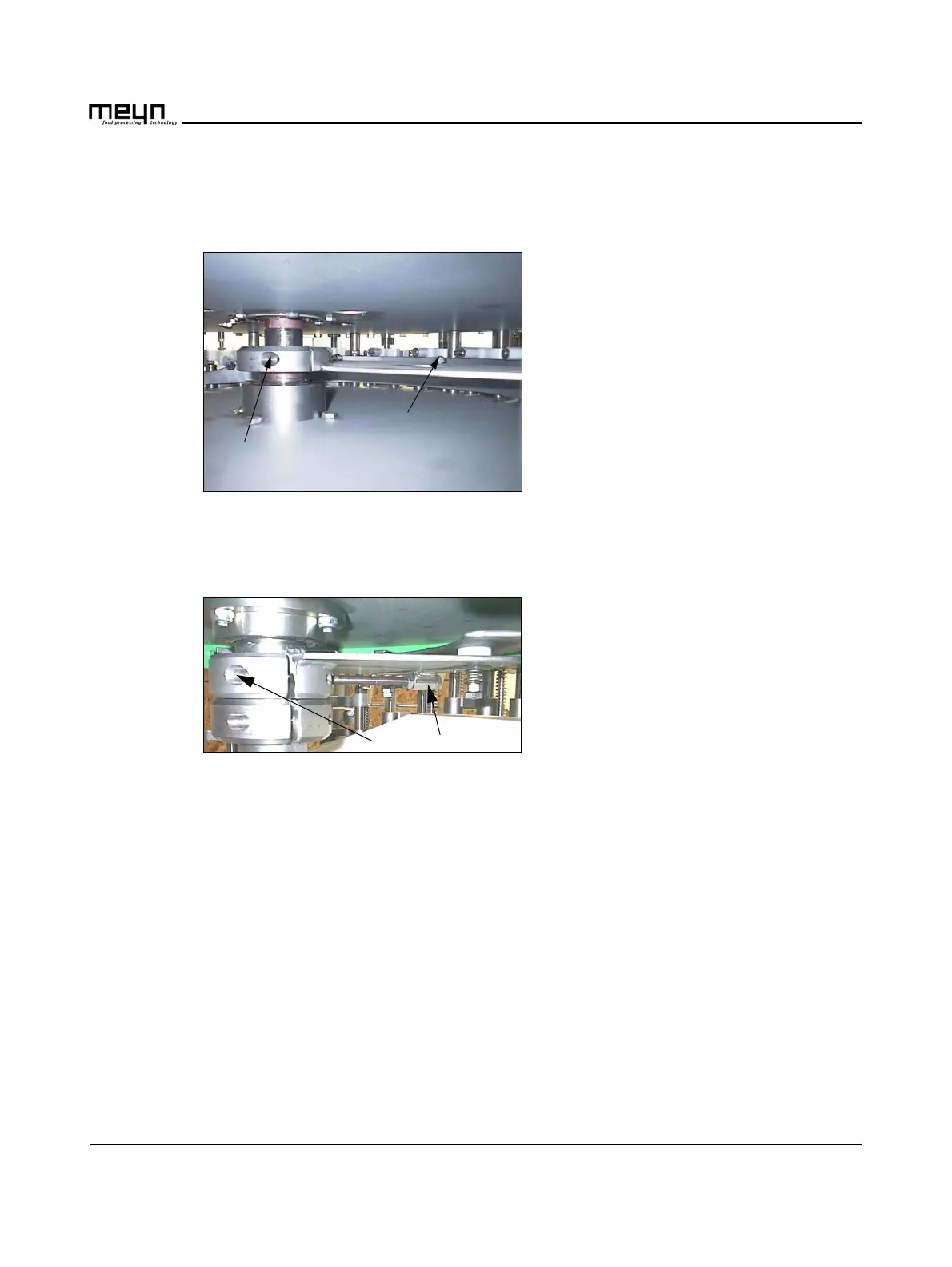
Figure 7.12 Adjust the tail clip cam.
Adjust the tail clip cam
• Loosen three nuts (B).
• Turn the cam in the desired position.
• Tighten the nuts
Or if the cam won´t turn (end of sleeves)
• Loosen two allen bolts (A).
• Turn the cam in the desired position.
• Tighten the bolts.
7.2.2.4 Back plate cam
Figure 7.13 View back plate cam.
Adjust the timing
Back plates slide out sooner or later.
• loosen two allen bolts (A).
• Turn the cam in the desired position.
• Tighten the bolts (A).
Change the distance
To change the distance of the back plates
• Move bolt (B) clockwise: The back plate will slide out less.
• Or move bolt (B) counter clockwise: Back plate will slide out more.



 To Next Page