NOTE:
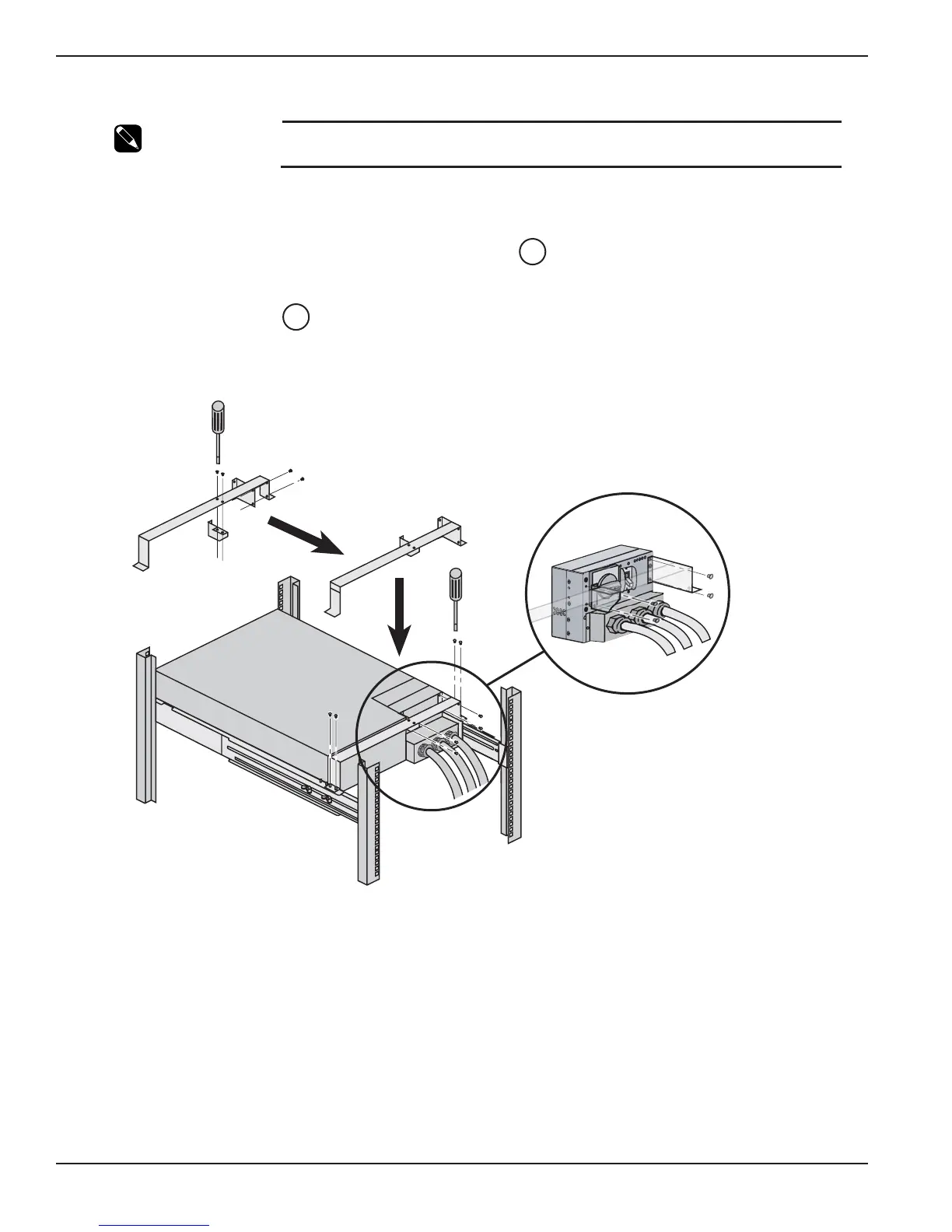
This step is unique to the Power Module. It involves the installation of the I/O Box
Bracket System.
The I/O Box bracket system keeps the I/O Box stationary while hot swapping the Power Module. It will then be
easier to slide the replacement module into the connectors of the I/O Box.
1&2. Secure small brackets to larger bracket from the underside .
3. Secure small attached brackets to the I/O Box with four screws.
4. Secure large bracket to rails at the rear of module with four nuts.
Figure 2-7: Input/Output Box Bracket System.
27
27
EX 5/7/11RT Systems
Installation2 — 8 86-86000-00 B00





 To Next Page