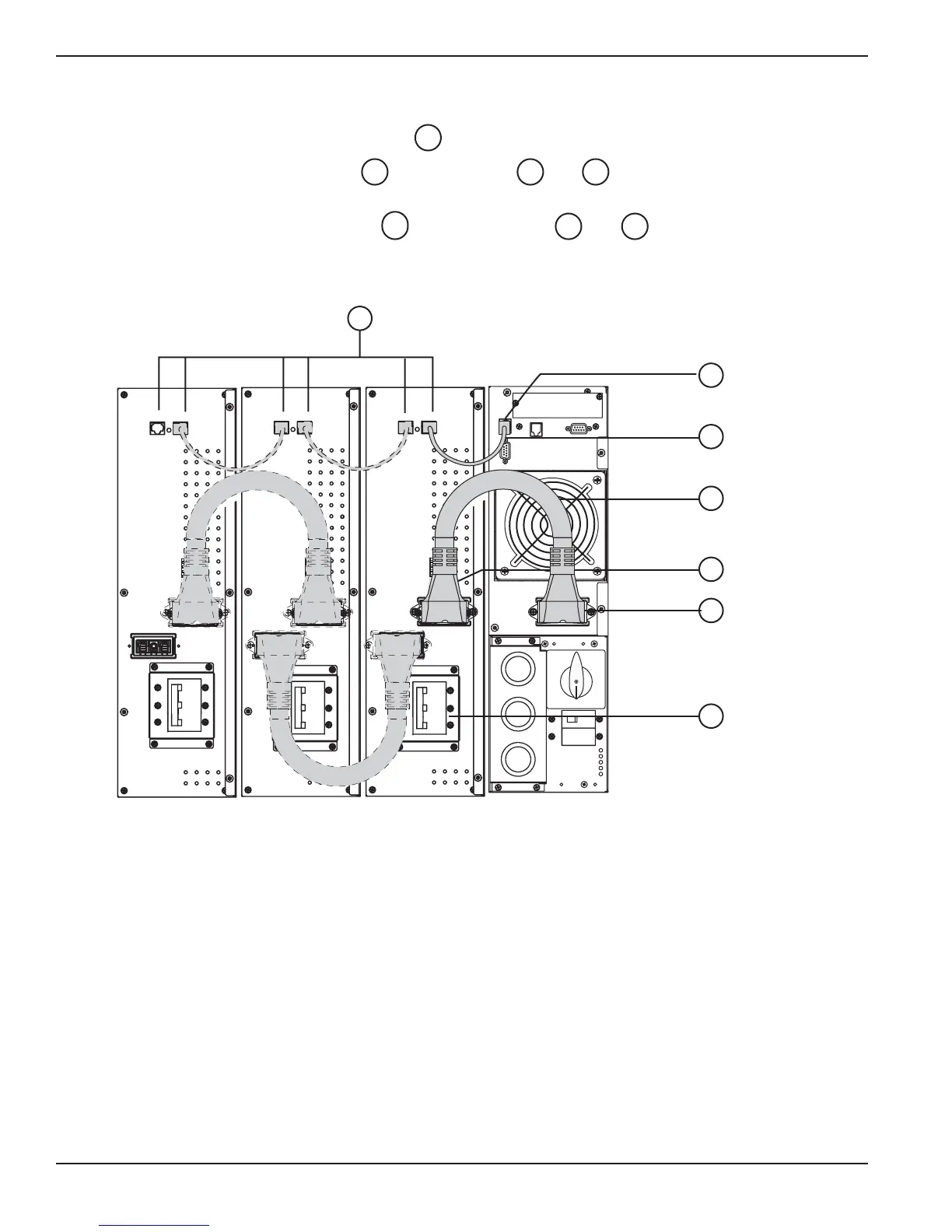
2.8 Connection of Battery Module EXB
1. Check that the battery circuit breaker (5) is OFF (“0”) position.
2. Connect the battery power cable to the connectors and of the Power and Battery
Modules.
3. Connect the battery detection cable between connectors and of the Power and Battery
Modules.
Figure 2-16: Rear view of Battery Module cable connections.
124
42
13640
14
EX 5/7/11RT Systems
Installation2 — 18 86-86000-00 B00





 To Next Page