3.2 UPS Personalization
WARNING Before changing items from Tables, 3-1, 3-2, 3-3, and 3-4, the UPS system
must be turned OFF.
IMPORTANT If specific settings are required, it is recommended to enter the UPS
personalization mode at this stage.
It is possible to enter this mode through the front panel buttons or the
Solution-Pac 2 software for Windows included in the MGE UPS
SYSTEMS, INC. Solution-Pac 2 CD-ROM.
3.2.1 Accessing personalization with front panel buttons
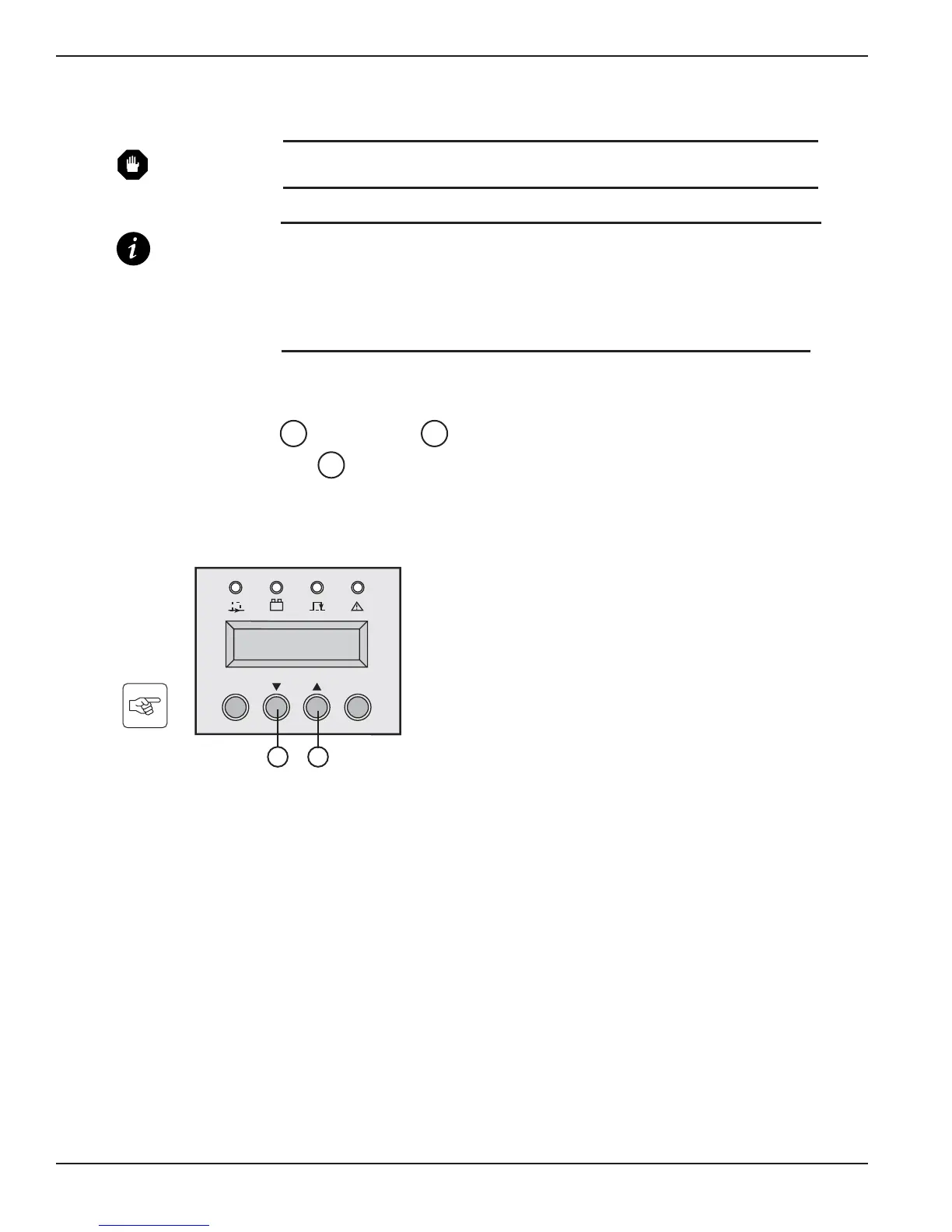
◗ Press "scroll down" and "scroll up" function buttons together for more than 3 seconds.
◗ Press the function button placed under the “ENT” word to enter the set up mode and follow the
LCD messages using the buttons now defined as select keys. See Tables: 3-1, 3-2, 3-3, and 3-4 for
settings.
Figure 3-2: Control Panel with scroll up and down buttons.
22
2221
EX 5/7/11RT Systems
Operation3 — 2 86-86000-00 B00





 To Next Page