Installation and User Manual
2.7.4 System Connections as Frequency Converter (without Bypass AC source)
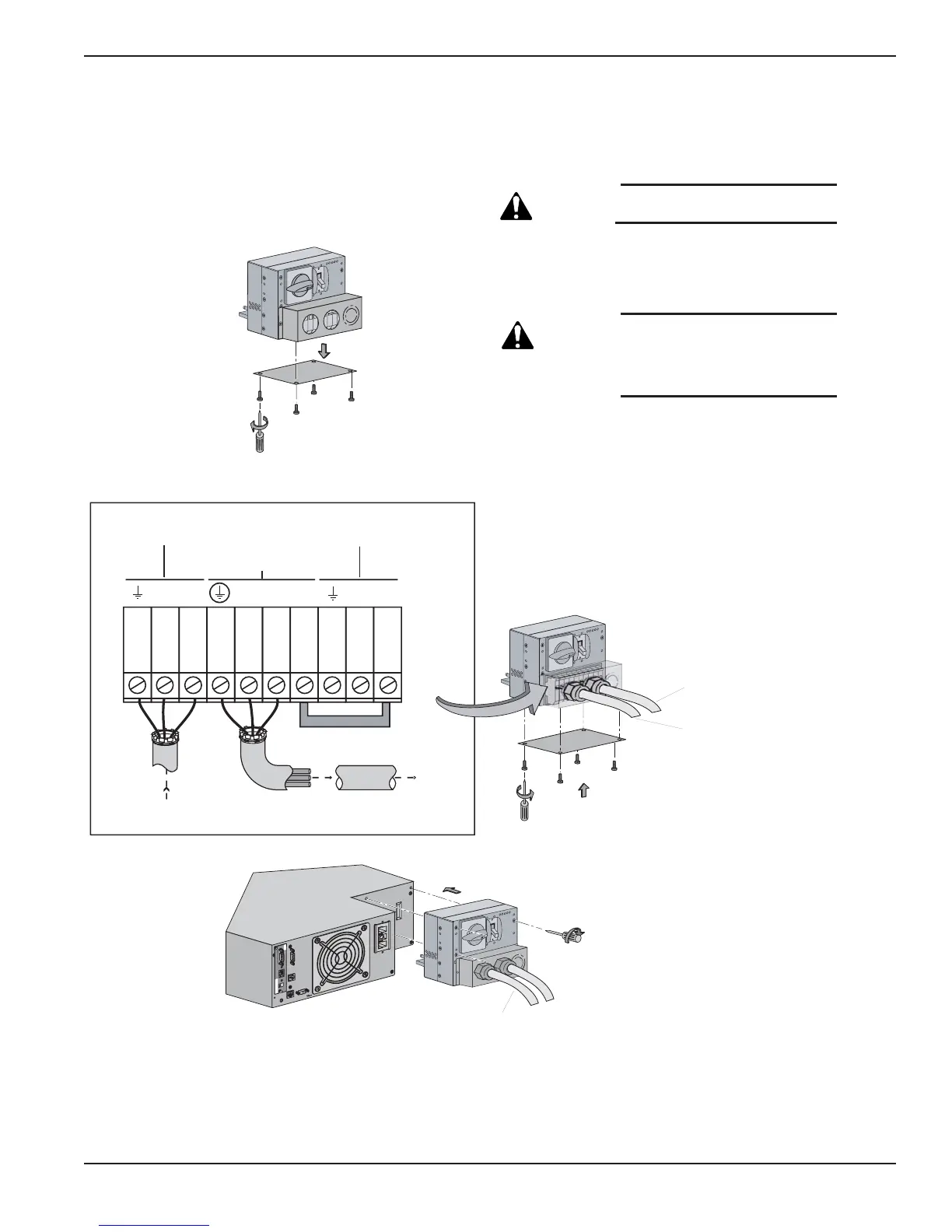
Figure 2-15: Accessing Terminal Blocks for Input and Output power cables.
Installation 2 — 1786-86000-00 B00
L6 L5 L2 L1 L1 L4 L3
CAUTION: Always connect the
earth ground wire first.
1. Remove the cover plate under the I/O Box.
Remove the jumper connecting L3 and L1.
CAUTION: Removing the jumper will
disable the Bypass AC
source. Do not connect
anything to the Bypass AC
terminal block.
2. Refer to section 2.7.1 to install Normal AC source
and output wires per I/O Box Terminal diagram.
Re-install the cover plate under the I/O Box.
3. Secure the I/O Box to Power Module with three
screws.
See section 2.7.2 for connecting EX RT
Transformer Module, if necessary.





 To Next Page