Operating Instructions - Synchroprint 3000 (Manual-Registration Version)
________________________________________________________________________________
Operating Instructions - Synchrprint 3000 (Manual-Registration Version) V1-1 Page 23 of 49
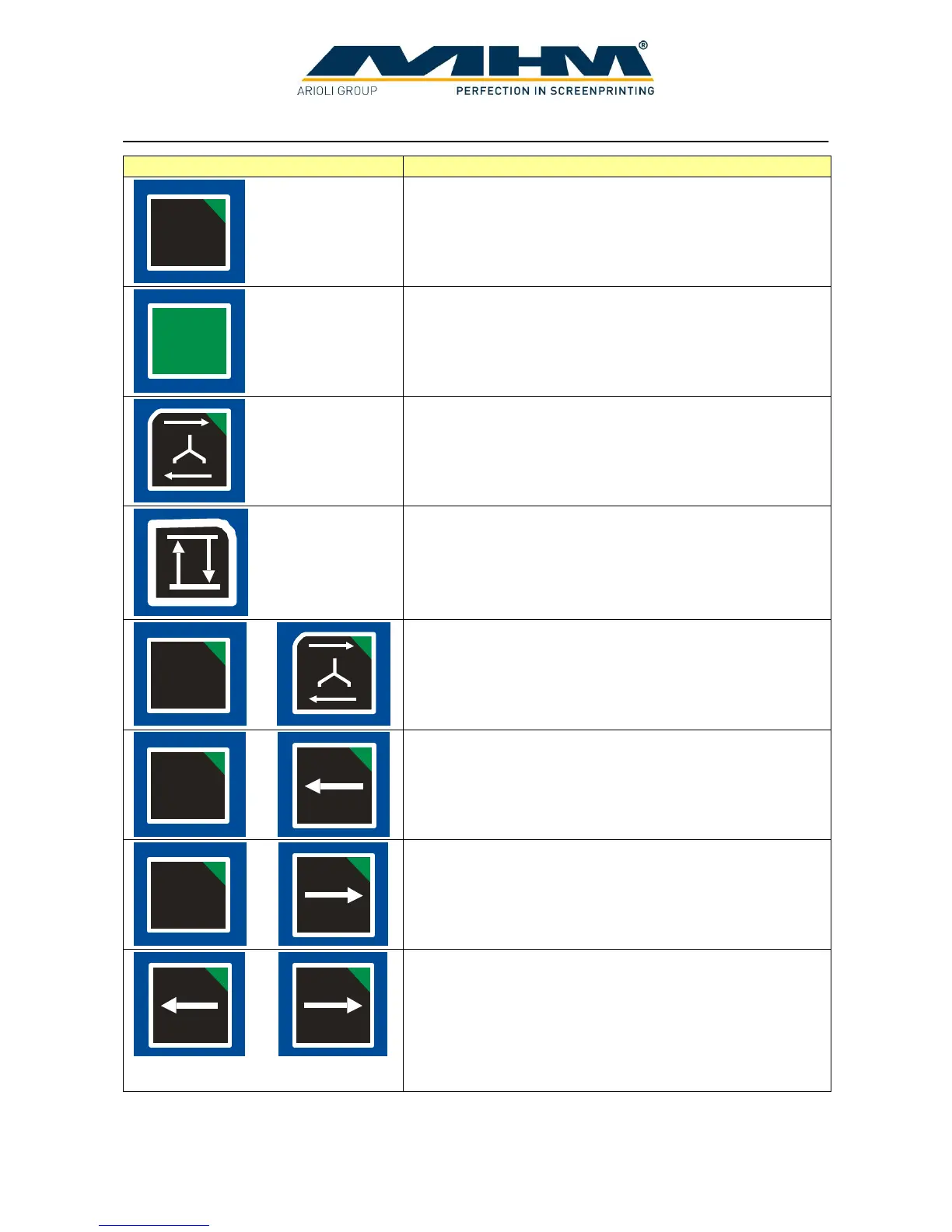
The following functions are available from the Control Keypad:
Pressing and holding ‘ADJUST’ on the keypad (approx 3
sec.) places the machine into the ‘ADJUST’ mode.
The ‘LOCK’ key is used for locking/unlocking the screen.
Pressing the ‘SQUEEGEE CARRIAGE MOVEMENT’
key moves the squeegee carriage once, either forwards or
backwards depending on its initial position.
The ‘RAISE/LOWER’ key raises or lowers all print
stations depending on their initial position.
Pressing the ‘ADJUST’ and the ‘SQUEEGEE
CARRIAGE MOVEMENT’ keys simultaneously
provides one complete cycle of the respective print
station. (e.g. flood/machine lower/print/machine raise)
Pressing the ‘ADJUST’ and the ‘INDEX LEFT’ keys
simultaneously will move the turntable one position/index
to the left.
Pressing the ‘ADJUST’ and the ‘INDEX RIGHT’ keys
simultaneously will move the turntable one position/index
to the right.
Pressing the ‘INDEX LEFT’ and the ‘INDEX RIGHT’
keys simultaneously initiates a ‘half-index’ or cleaning
mode, particularly useful for cleaning the screens. In this
mode the turntable is rotated backwards in between the
print stations, enabling the operator to reach underneath
the screens with minimal obstruction. Pressing the two
keys again will return the turntable to its original position.



 To Next Page