Operating Instructions - Synchroprint 3000 (Manual-Registration Version)
________________________________________________________________________________
Operating Instructions - Synchrprint 3000 (Manual-Registration Version) V1-1 Page 33 of 49
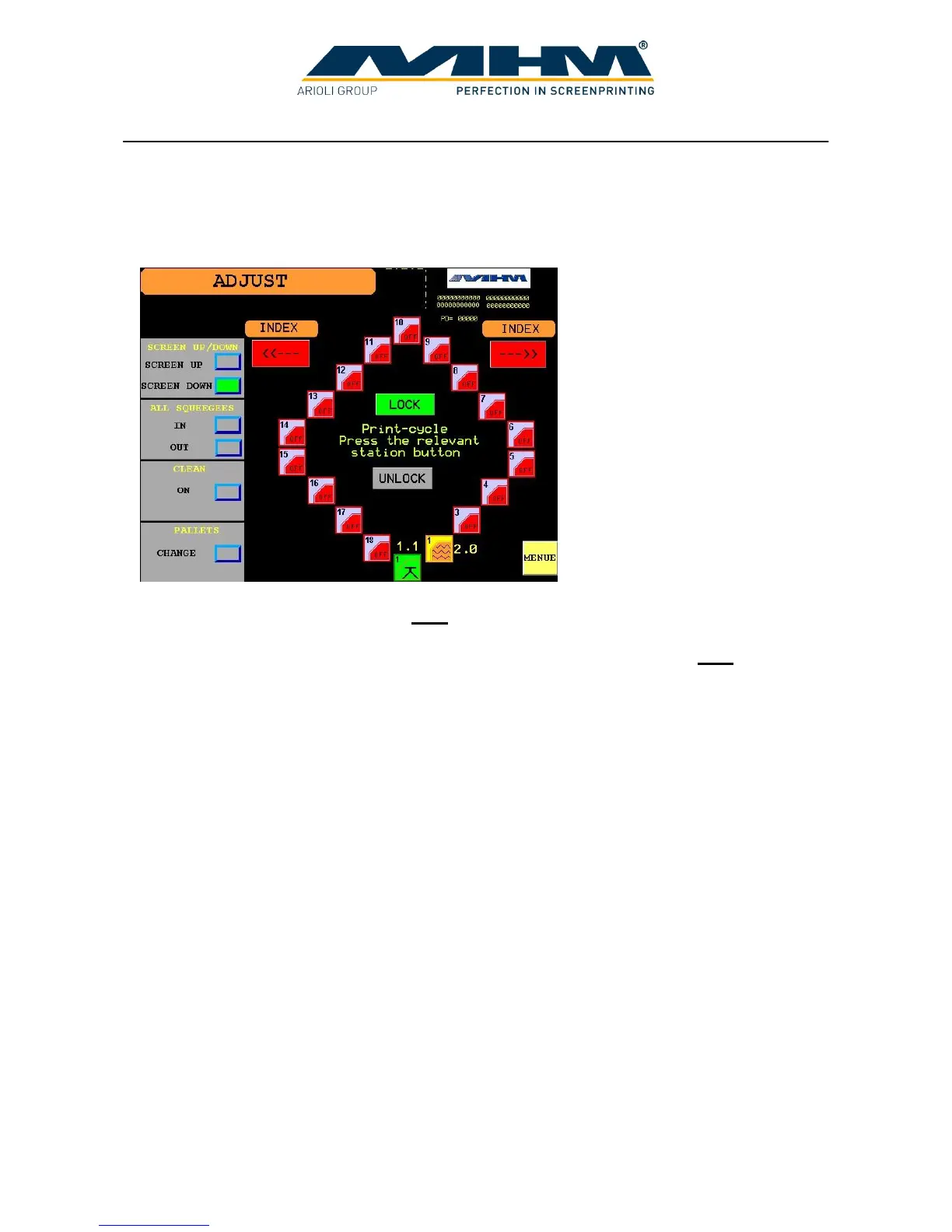
7.6. Command screen ‘ADJUST’
This screen is used to enter the parameters required for the set-up of the printing process. The
parameters listed below may all be accessed from this screen.
SCREEN UP/DOWN Raises/lowers ALL screens.
ALL SQUEEGEES (IN/OUT) This function allows the operator to move ALL squeegees to
their inner or outer position without any squeegee pressure. Use this
function to select the desired starting position for the squeegees prior to
commencing the production run.
CLEAN Moves the turntable into the clean/half index position. On pressing the
key ON the turntable will rotate to a mid-position, between the stations.
Pressing the key again will return the turntable to its original position.
PALLETS To enter/switch to a further screen ‘CHANGE PALLETS’.
INDEX Indexes/moves the turntable directly to the next print station. Left/right
movement choice is available.
LOCK/UNLOCK Lock/unlock the printing screens (screen clamps).
PRINT STATIONS Shows the settings for each individual print station (see 7.5 command
Command screen ‘SETUP’). By pressing the key of an activated print
station, the respective station will perform one complete cycle, based on
the number of flood/print strokes that have been selected in the ‘SETUP’
screen.
MENU Exit this screen and return to the ‘MENU’ screen.



 To Next Page