Operating Instructions - Synchroprint 3000 (Manual-Registration Version)
________________________________________________________________________________
Operating Instructions - Synchrprint 3000 (Manual-Registration Version) V1-1 Page 39 of 49
7.9. SERVICE 1
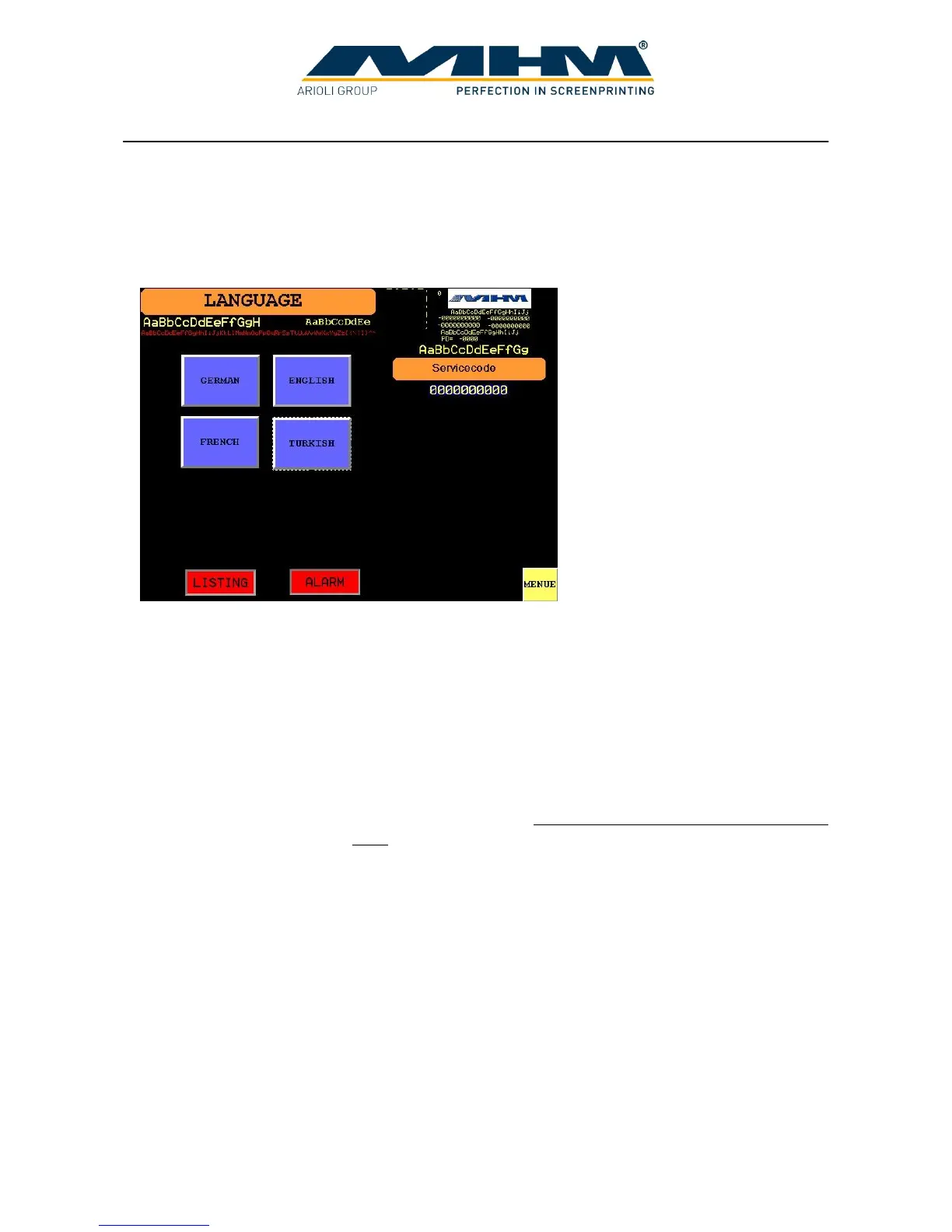
Pressing ‘SERVICE 1’ in the ‘MENU’ screen will display the ‘LANGUAGE’ screen. From here
the display language may be changed.
The following features are also available from this screen:
GERMAN, ENGLISH, etc. Allows selection/change of the display language.
LISTING Opens the ‘ERROR HISTORY’ screen, displaying a complete
error history for the machine, with dates and times.
ALARM Opens the ‘ERROR’ screen, displaying all pending errors.
Servicecode Access code input field for authorised MHM service technicians
only.
MENU Exits this screen and returns to the ‘MENU’ screen.



 To Next Page