Operating Instructions - Synchroprint 3000 (Manual-Registration Version)
________________________________________________________________________________
Operating Instructions - Synchrprint 3000 (Manual-Registration Version) V1-1 Page 41 of 49
7.11. Fault/malfunction Notification (Self-diagnostic)
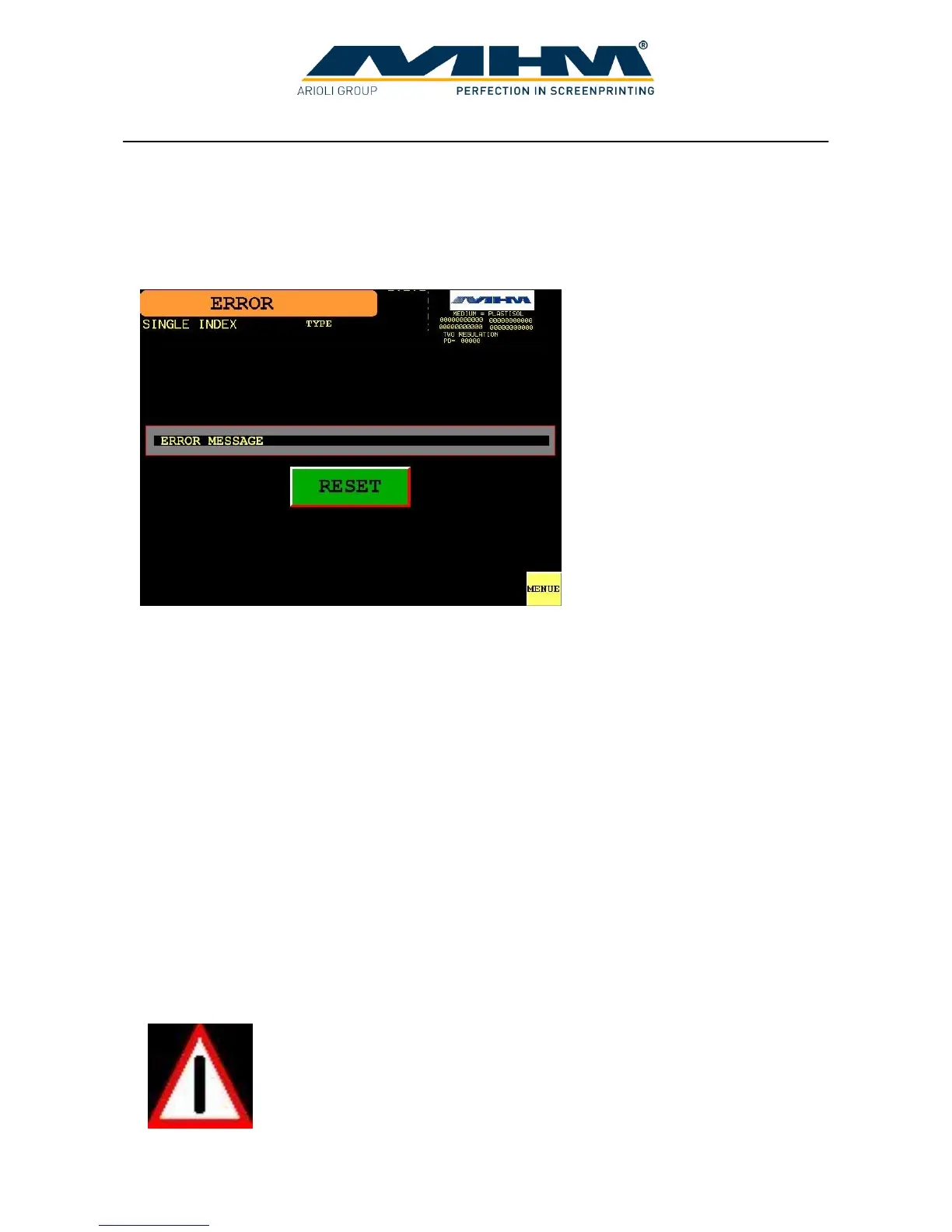
In case of a fault or malfunction, the display will automatically change to the ‘ERROR’ screen.
7.11.1. Command screen ‘ERROR’
ERROR MESSAGE Clear display of the pending error.
RESET Pressing ‘RESET’ will acknowledge any pending errors. If the cause of
error has been resolved the text ‘ERROR MESSAGE’ will disappear.
If the cause of the error persists, it will not be possible to acknowledge
the message/error.
Pressing ‘RESET’ without any ‘ERROR MESSAGE’ displayed will
return the display to the ‘MENU’ screen.
MENU Exits this screen and returns to the ‘MENU’ screen without
acknowledging the error.
7.11.2. Failure Symbol
Pending malfunctions/errors are indicated with the following symbol in all screens:
Tapping on this symbol switches to the ‘MALFUNCTION’ screen.



 To Next Page