Operating Instructions - Synchroprint 3000 (Manual-Registration Version)
________________________________________________________________________________
Operating Instructions - Synchrprint 3000 (Manual-Registration Version) V1-1 Page 30 of 49
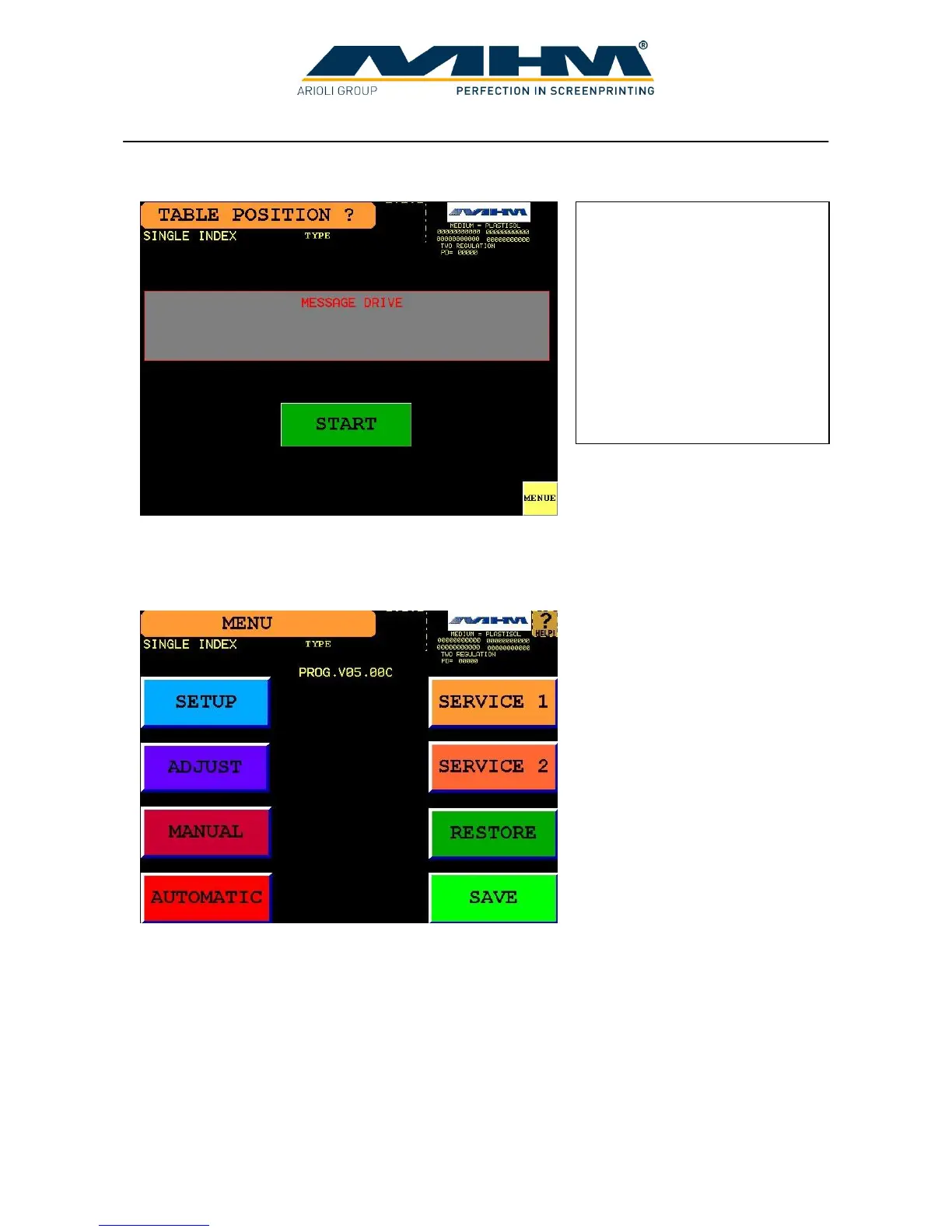
4. Command screen ‘TABLE POSITION’
7.4. Command screen ‘MENU’
From this screen it is possible to access all functions of the software.
Pressing the buttons ‘SETUP’, ‘ADJUST’, ‘MANUAL’, ‘AUTOMATIC’, ‘SERVICE 1’ or
‘SERVICE 2’ will lead to their respective command screens.
‘SAVE’ will save the current parameters, whilst ‘RESTORE’ will recall the last known parameters
previously saved. (When switching off the machine with the main control switch the current
parameters are saved automatically).
Pressing ‘START’ will perform
a reference of the turntable and
then change to the command
screen ‘MENU’.
Pressing ‘MENU’ leads directly
to the command screen
‘MENU’ without performing a
reference of the turntable. In this
instance, no production is
possible.



 To Next Page