Operating Instructions - Synchroprint 3000 (Manual-Registration Version)
________________________________________________________________________________
Operating Instructions - Synchrprint 3000 (Manual-Registration Version) V1-1 Page 38 of 49
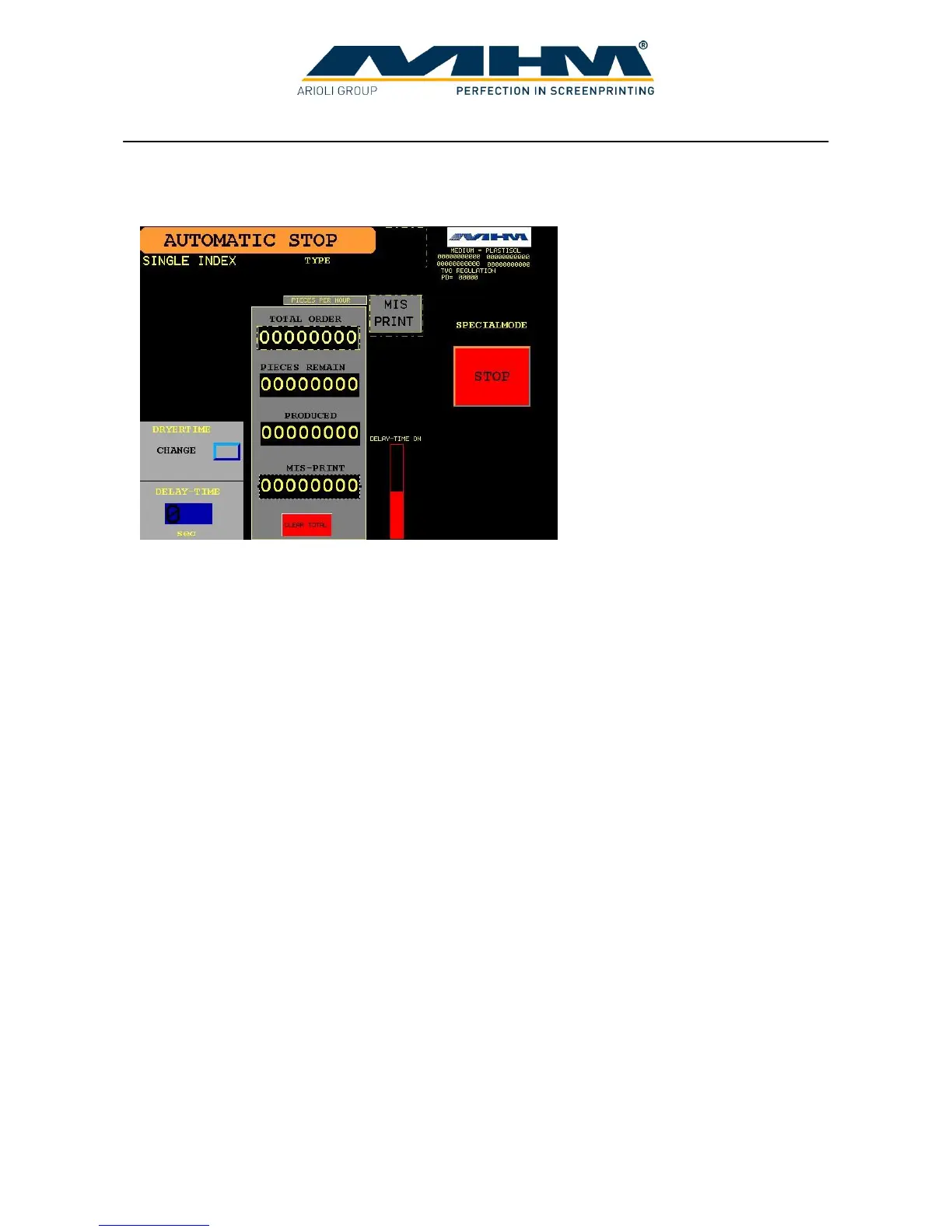
7.8.2. Automatic Production (Active)
DRYERTIME Allows the drying time to be set for each flash cure unit individually. (A
separate command screen will be displayed for these settings).
DELAY-TIME Controls and displays the dwell-time between the turntable
movements/indexes. (Will display active countdown during production).
MIS PRINT This key is pressed each time a garment is loaded incorrectly by the
operator or is faulty. The ‘PIECES REMAIN’ number will then increase
by one unit as will the ‘MIS-PRINT’ counter. (This will ensure the
correct amount of pieces are printed during the production run with the
number of faulty pieces being accurately recorded).
STOP Stops the automatic production process after the current cycle. A further
command screen will appear in which you may choose to stop production
immediately or use the ‘OUTLET MODE’ facility.
Pieces/counter displays These counters are detailed in section 7.7 Command screen ‘MANUAL’.
Foot switch (optional) During production, should the foot switch be pressed and held down, the
production will be paused before the next turntable movement/index.
Upon releasing the foot switch, production will resume immediately.



 To Next Page