4 Advanced Settings
4.1 System Status
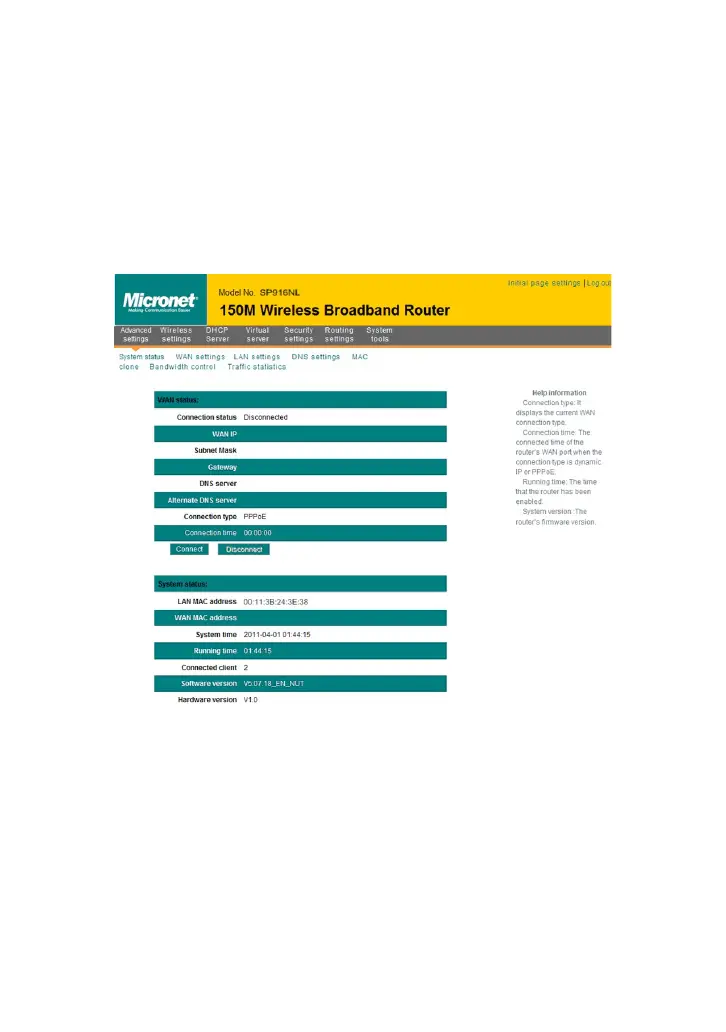
System status screen allows you to view the router’s WAN port status and
system status.
Connection status: It displays the router’s WAN connection status.
Disconnected: It indicates the router’s WAN port hasn’t been
connected with the network cable.
Connecting: It indicates the router’s WAN port is obtaining IP
address.
Connected: It indicates the Router is well connected with the ISP.
WAN IP:IP address obtained from ISP.
Subnet mask: Obtained from ISP.
Gateway: Obtained from ISP.
DNS server: Obtained from ISP.
Alternate DNS server: Obtained from ISP.



 To Next Page